
RUN Powered by ADP Mobile Payroll - Quick Reference
4. To enter payroll information for another employee, scroll right or left to go to the next or previous employee or use the < > arrows at the top, next to the employee’s name. 5. When you’re done entering pay information for all employees, tap Preview, and then tapCalculate to calculate the payroll and preview payroll totals.
Download RUN Powered by ADP Mobile Payroll - Quick Reference

Information
Domain:
Source:
Link to this page:
Documents from same domain
Employee Self Service Quick Reference Card - ADP
support.adp.comEmployee Self Service Quick Reference Card Contents Self Service Registration (Updated ...
Administrator Access Quick Reference
support.adp.comAdministrator Access Quick Reference Welcome! New administrators complete the security registration process to access ADP services. ADP uses new technology to provide this simple and easy access so administrators can focus on the tasks to support your company.
ADP Registration for Employees/Associates
support.adp.comQuick Reference Card for Employees/Associates ADP and the ADP logo are registered trademarks of ADP, LLC. 6 ADP A more human resource. is a service mark of ADP, LLC.
Increased Security and Convenience for Registration: You ...
support.adp.comEmployee Registration Options ADP and the ADP logo are registered trademarks of ADP, LLC. 3 ADP A more human resource. is a service mark of ADP, LLC.

Working with RUN Powered by ADP®
support.adp.comRUN Powered By ADP® 2 Getting Started Security Access Roles HR Admin · Available only if your company has the HR Plus feature · Access to the HR Plus pages and reports in RUN Powered by ADP, and can view the Employee Info and Employment Info pages. No …
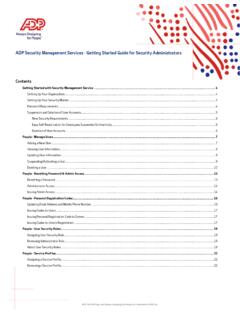
Getting Started With ADP Security Management Service
support.adp.comGetting Started with the ADP Security Management Service ADP, the ADP logo, and Always Designing for People are trademarks of ADP, LLC Removing a Service Profile..... 22

How to do General Ledger Mapping
support.adp.comA general ledger is a history of a company's financial transactions. Mapping payroll items to general ledger accounts allows you to classify your payroll transactions for your financial statements.You need to have list of account names and associated account numbers
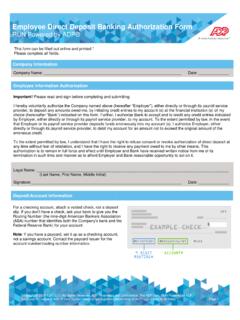
Employee Direct Deposit Banking Authorization Form RUN ...
support.adp.comchoice (hereinafter “Bank”) indicated on this form. Further, I authorize Bank to accept and to credit any credit entries indicated by Employer, either directly or through its payroll service provider, to my account. To the extent permitted by law, in the event
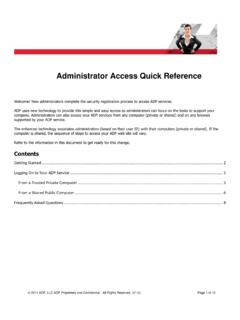
Administrator Access Quick Reference
support.adp.comIf significant change(s) have been made to your trusted computer by your administrator or possibly, a malware. Important: You can verify your information to confirm your identity and reestablish the secured administrator access on your trusted computer. Your administrator role remains unchanged.
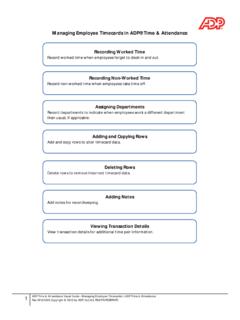
Managing Employee Timecards in ADP® Time & Attendance
support.adp.comManaging Employee Timecards in ADP® Time & Attendance Recording Worked Time Record worked time when employees forget to clock in and out. Recording Non-Worked Time Record non-worked time when employees take time off. Assigning Departments
Related documents

Processing Payroll - ADP
otcdc1.adp.comADP ezLaborManager 3 Processing Payroll and Calling In Your Payroll Data Quick Reference Processing payroll involves four basic procedures, which are outlined briefly below. If you need more detailed information on a procedure, see the corresponding ch apter later in this guide. (Clicking the section heading below will take you directly to the ...

Changing Employee Information - ADP
otcdc1.adp.compayroll application. If you want to change any of these fi elds, you must do so within the payroll application pages. Update Employee and Contractor Information To ensure that paychecks are accurate, make sure you up date information for all employees and contractors before you process a payroll.
Access Payroll & Tax Reports - ADP
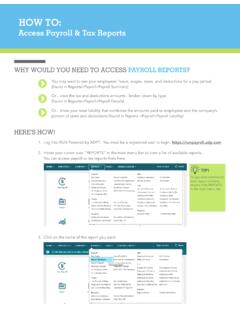
support.adp.com(found in Reports>Payroll>Payroll Details) Or…know your total liability that combines the amounts paid to employees and the company’s portion of taxes and deductions (found in Reports >Payroll>Payroll Liability) TIP! To see what information each report contains, double click REPORTS in the main menu bar. 3. Click on the name of the report ...
Chapter 9 QuickBooks Online Payroll - Intuit
www.intuit.comTo get started in QuickBooks Payroll it’s a good idea to gather some basic information before entering information into QuickBooks. Please see a few sample items that will help you get up and running quickly in QuickBooks Online Payroll. To get started using QuickBooks Online Payroll, do the following: 1. Click Employees.
Social Security and Medicare Tax for Alternatively, you ...
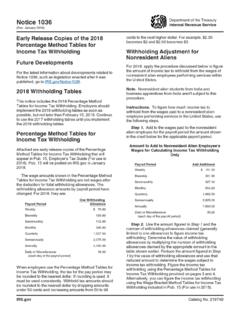
www.irs.govFor the latest information about developments related to Notice 1036, such as legislation enacted after it was published, go to IRS.gov/Notice1036. ... withholding allowance amounts by payroll period have changed. For 2019, they are: Payroll Period One Withholding Allowance Weekly $ 80.80 Biweekly 161.50 Semimonthly 175.00 Monthly 350.00

REQUEST FOR PAYROLL DEDUCTIONS FOR LABOR …
www.opm.govCancellation of Payroll Deductions for Labor Organization Dues, is available from my employing agency, and that I may cancel this authorization by filing Standard Form 1188 or other written cancellation request with the payroll office of my employing agency. Such cancellation will not be effective, however, until

Paycheck Protection Program OMB Control Number 3245- …
www.sba.govforgiveness amount was used for payroll costs. For more information, see Interim Final Rule on Paycheck Protection Program posted on April 2, 2020 (85 FR 20811). Line 11: Enter the smallest of lines 8, 9, or 10. Note: If applicable, SBA will deduct EIDL Advance Amounts from the