
Setup Guide - Logitech
operating conditions. • If product is operating improperly, call Logitech support. • Product must be returned to the manufacturer for any service or repair. This is not a Children’s Product and is not intended for use bychildren under 14 years old. • Warning: Not suitable for children under 36 months. Small parts. Chokinghazard.
Download Setup Guide - Logitech

Information
Domain:
Source:
Link to this page:
Documents from same domain

Activities Want to know more? - Logitech
www.logitech.comLogitech Gaming Software - Help Center file:///E|/Help/en_US/front_page.htm[4/28/2014 8:07:32 PM] Activities... Want to know more? Create a new profile Getting started

On - logitech.com
www.logitech.com1 2 Logitech® Wireless Mouse M217 Setup Guide Guide d’installation English Mac® OS X Users: When plugging in the Unifying receiver, the Keyboard Assistant

圧倒される 超・高解像度 - logitech.com
www.logitech.comLogicool BRIO Ultra HD 4K画像センサー 4K(Ultra HD)@ 30 fps、1080p(フルHD)@ 30/ 60 fps および 720p(HD)@ 30/60/90 fpsを含めた複 数の解像度をサポートし、お使いのアプリケーションや

SMALL GROUPS. BIG POTENTIAL. - Logitech
www.logitech.comSmall group video conferencing deserves more than huddling around PC webcams or begging for time on overbooked conference room systems. The ConferenceCam BCC950

Logicool ゲーム ソフトウェア - logitech.com
www.logitech.com快適な作業および安全性 file:///E¦/Help/ja_JP/comfort_and_safety.htm[4/26/2014 9:19:02 PM] 快適な作業および安全性 ここでは快適な作業 ...

Logitech® USB Headset H390
www.logitech.comEnglish Know your product 1. USB Headset H390 2. Microphone boom 3. Microphone 4. Volume controls (+/–) 5. Mute button 6. Mute light 7. USB connector

SUPER-WIDE FIELD OF VIEW FOR SMALL SPACES.
www.logitech.comMeetUp’s integrated audio is optimized for huddle room acoustics and delivers an exceptional sound experience. Three horizontally-aimed beamforming mics and

Introducing the Logitech MeetUp
www.logitech.com3 TalkingPointz July 21, 2017 What’s a MeetUp? Logitech currently offers three small room conferencing products in its ConferenceCam lineup .

Setup Guide Guide d’installation Logitech® HD …
www.logitech.com4 English English 5 Getting started with Logitech® HD Pro Webcam C920 Thank you for buying your c920! Use this guide to set up and begin using your Logitech webcam.

Logitech Addresses and Phone Numbers
www.logitech.comLogitech ® G 27 Racing Wheel © 2013 Logitech. All rights reserved. Logitech, the Logitech logo, and other Logitech marks are owned by Logitech …
Related documents

Operating Instructions (English) - Panasonic
www.panasonic.comOperating Instructions Model No. KX-TG7872AZ KX-TG7873AZ KX-TG7892AZ KX-TG7893AZ Digital Cordless Telephone with Link-to-Cell System Model shown is KX-TG7872. Before initial use, see “Getting Started” on page 10. Thank you for purchasing a Panasonic product. Please read these operating instructions before using the unit and save them for ...

Operating Manual - Panasonic
help.panasonic.caOperating Instructions Link2Cell Cordless Telephone with Digital Answering Machine Model No. KX-TGF773 KX-TGF774 KX-TGF775 HD Link2Cell Cordless Telephone with Digital Answering Machine Model No. KX-TG985SK Model shown is KX-TGF773. Before initial use, see “Getting Started” on page 12. Thank you for purchasing a Panasonic product.

CROSSWAVE® CORDLESS MAX
bissellcdn.blob.core.windows.netwith the limits for a Class B digital device, pursuant to part 15 of the FCC Rules. These limits are designed to provide reasonable protection against harmful interference in a residential installation. This equip-ment generates, uses and can radiate radio frequency energy and, if not installed and used in accordance with the instructions, may ...

User’s manual
cdn-media.vtechphones.comUser’s manual www.vtechphones.com Models: DS6121-2/DS6121-3 DS6121-4/DS6121-5 DS6122-5
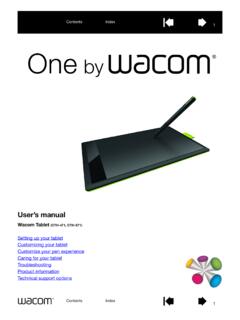
User’s manual
cdn.wacom.compen and digital ink features found within Microsoft Windows 8, Windows 7, Vista, and Office 2007 or later. Take advantage of digital mark-up for collaborative editing and use digital ink to take notes in applications that support handwriting recognition. Important: When not in use, plac e the pen in the pen holder or lay it flat on your desk.

Operating Instructions (English) - Panasonic
help.panasonic.caOperating Instructions Model No. KX-TG9541 KX-TG9542 2-LINE Cordless Telephone with Link2Cell and Digital Answering Machine KX-TG9551 KX-TG9552 Model shown is KX-TG9541. Before initial use, see “Getting Started” on page 9. Thank you for purchasing a Panasonic product. Please read these operating instructions before using the unit and save ...

KX-TGP600/KX-TPA60/KX-TPA65 Operating Instructions
primus.caOperating Instructions SIP Cordless Phone SIP Cordless Handset KX-TGP600 Model No. KX-TPA60 Model No. KX-TGP600 KX-TPA60 KX-TPA65 SIP Wireless Desk Phone Model No. KX-TPA65 Thank you for purchasing this Panasonic product. Please read this manual carefully before using this product and save this manual for future use.

Operating Instructions (English) - Panasonic
www.panasonic.comOperating Instructions Amplified Digital Cordless Phone with Answering Machine Model No. KX-TGM420AZ KX-TGM422AZ Before initial use, see “Getting Started” on page 12. Thank you for purchasing a Panasonic product. Please read these operating instructions before using the unit and save them for future reference.

and BCD536HP
www.uniden.infocordless telephone transmissions or to market this radio when altered to receive them. The installation, possession, or use of this scanning radio in a motor vehicle may be prohibited, regulated, or require a permit in certain states, cities, and/or local jurisdictions. Your local law