
Smart Router Connection Guide - Optimum
Modem outlet 1, 3 2 4 6 1 Unplug the power cord from the back of your modem, then disconnect the Ethernet cable from your computer. 2 Wait a few minutes while the router Connect the open end of the Ethernet cable to the red WAN port on the smart router. 3 Plug the smart router’s power Plug the modem’s power cord into the back of your modem.
Download Smart Router Connection Guide - Optimum

Information
Domain:
Source:
Link to this page:
Documents from same domain
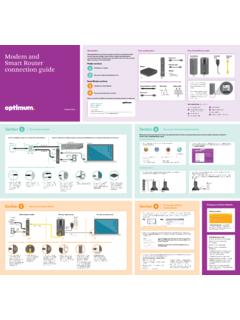
Introduction Modem and This guide will show you …
www.optimum.netIN OUT IN OUT IN OUT IN OUT IN OUT IN IN OUT OUT IN OUT IN OUT IN OUT IN OUT IN OUT IN OUT D-Link IN OUT IN OUT IN OUT IN OUT IN OUT IN OUT IN OUT IN OUT IN OUT PC Mac 1 If you’re setting up your wireless …
TV connection guide - Optimum
www.optimum.netin out 120 vac 60hz 40w 120 vac 60hz 400w bypass 0003b4287797 sabdqxtl n0006246618 ir 1394 1394 120 vac 60hz 40w 120 vac …
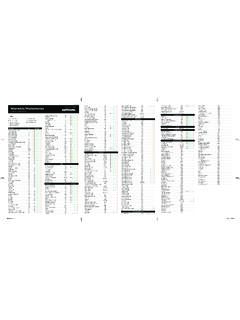
Channel Guide Lineup - Optimum
www.optimum.netChannel Guide Lineup F-39164- 7877 Effective June 2018 Networks Ch. Package ... NHL Center Ice5,7Warwick/Matamoras 254-267 NBA League Pass5,7 270-279 MLS Direct Kick5,7 275-279 PREMIUMS HBO On Demand1,8 300 ... HBO Signature1 310 1 1 1 1 8 6,7 The Korean Channel …
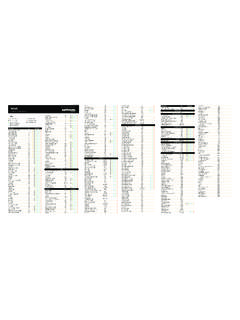
Wall - Optimum | TV, Phone and Internet Support Home
www.optimum.netFOLD-----FOLD-----FOLD FOLD-----FOLD----- FOLD----- FOLD----- Key Broadcast Basic Optimum Core Optimum Value Optimum Preferred/ Optimum Select Educational Access ...
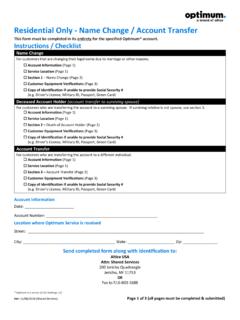
Residential Only - Name Change / Account Transfer
www.optimum.netVer: 11/08/2018 (Shared Services) Page 1 of 3 (all pages must be completed & submitted) Residential Only - Name Change / Account Transfer . This form must be completed in its entirety for the specified Optimum* account. Instructions / Checklist
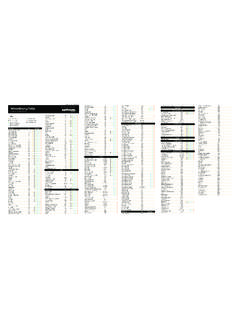
00017-CV Woodbury Islip Imposed - TV, Phone and Internet ...
www.optimum.netFOLD-----FOLD FOLD-----FOLD FOLD-----FOLD----- FOLD----- BR000004 FOLD----- Channel Guide Lineup Networks Ch. 5 StarMAX1 311376 A&E 46 ABC (WABC) 7 ACC Network3,4,7 ...
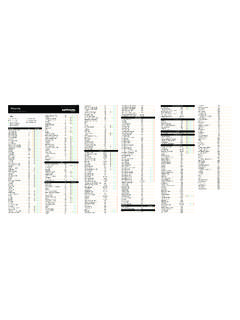
00017-CV Morris Imposed - Optimum | TV, Phone and …
www.optimum.netFOLD-----FOLD FOLD-----FOLD FOLD-----FOLD----- FOLD----- BR000004 FOLD----- Channel Guide Lineup Networks Ch. 5 StarMAX1 HBO Family West376 A&E 46 ABC (WABC) 7 ACC Network3,4,7 248 ActionMAX 1 1379 Adult Programming1, 8 520-533 Afrotainment Plus1,6,7 1101 AMC 43
Modem and Smart Router connection guide - Optimum
www.optimum.net6 Set up your wireless home network Adjust your settings At router.optimum.net you can see which devices are connected, personalize your WiFi name (SSID), …
Internet and Phone Connection Guide - Optimum
www.optimum.netEthernet cable IN OUT Modem Router > To set up your wireless internet connection, go to page 18. 14 15 Your modem must be set up and working in order to activate a router. If you’re connecting a router for the first time, start at Step 1. If you’re replacing a router, disconnect everything from your existing router and start at Step 2.
TV Connection Guide - Optimum
www.optimum.netConnect one end of the coaxial cable to the ÒCable outÓ port on the back of the cable box and the other end to the ÒVHF/UHFÓ or ÒAntenna inÓ port on the back of your TV. 4 Connect the power Plug the power cord into the back of the cable box and then plug the other end into an electrical outlet. Plug in your TV and turn it on.
Related documents

User Guide - Linksys Router EA6900
downloads.linksys.comA typical home network may include multiple computers, a printer, a modem, and a router. A large home network may also have a switch, additional routers, access points, and many Internet-capable media devices such as TVs, game consoles, and web cameras. • Modem—Connects a computer or a router to your ISP (Internet Service Provider).

Nighthawk X4S AC2600 Smart WiFi Router
www.downloads.netgear.comAC2600 Smart WiFi Router User Manual Model R7800 January 2016 202-11596-03 350 E. Plumeria Drive ... • Solid amber.The router detected an Ethernet cable connection to the modem. • Off. No Ethernet cable is connected between the router and the modem. Internet • Solid white.The 2.4 GHz WiFi radio is operating.
Synology Router User's Guide
global.download.synology.com• When you need Internet access, but a wired connection is hard to set up between your Synology Router and another router/ISP modem Below is the suggested usage: • Clients have to connect to the Synology Router (at the LAN port) with a network cable for Internet access. Note: 1. This operation mode is available to the RT1900ac model. 2.
Modem and smart router connection guide - Optimum
www.optimum.neton the smart router. 3 Plug the modem’s power cord into the back of your modem. You’ll know your modem is ready when the four lights are solid. This may take a few minutes. 4 Plug the smart router’s power cord into the back of the smart router, then plug the other end into an electrical outlet. If you don’t see the power

User Guide - Linksys Smart Wi-Fi router AC1750, EA6500 v2
downloads.linksys.comUser Guide SMART Wi-Fi Router AC1750, EA6500 v2. i Linksys EA-Series Contents ... How to improve your wireless connection speed 8 ... a modem, and a router A large home network may also have a switch, additional routers, access points, and many Internet-capable media devices such as TVs, game ...
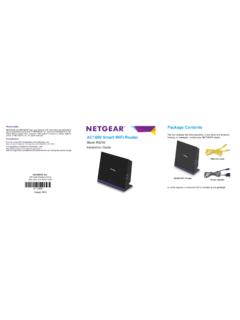
NETGEAR AC1600 Smart WiFi Router Model R6250 …
www.downloads.netgear.com1. Prepare your modem. 2. Connect your modem. Unplug your modem. If it has a battery backup, remove the battery. Plug in your modem. Put the battery back in. Then cable the modem to the router Internet port. Modem Internet Router DSL or cable 3. Power on the router. 4. Connect a computer. 5. Launch a browser. Wait for the WiFi LED to light.

RT-AX55 RT-AX1800 Plus RT-AX56U V2 - Asus
dlcdnets.asus.com4. Check your cable/DSL modem LED lights to ensure the connection is active. Unplug Setting up your RT-AX55 / RT-AX1800 Plus / RT-AX56U V2 You can set up your router via wired or wireless connection. A. Wired connection 1. Plug your router into a power outlet and power it on. Connect the network cable from your computer to a LAN port on your ...
Quick Start Guide
d15yx0mnc9teae.cloudfront.netPlace your Modem-Router combo or WiFi Router in a central and open location. We recommend a wired Internet connection for high bandwidth usage devices such as Smart TVs, TV streaming devices and gaming consoles—this helps avoid interference and increases available WiFi bandwidth for other devices.