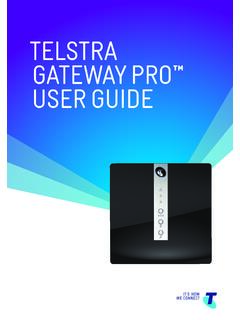
TELSTRA GATEWAY PRO ™ USER GUIDE
• Panasonic Cordless IP DECT Handset with Base Station (KK-TPG600) • Telstra (Yealink) T42G IP Handset • Telstra (Yealink) T48G IP Handset Refer section 7.1 for a full list of compatible IP phones. For more information about DOT Digital Voice services or the handsets outlined above refer to the
Download TELSTRA GATEWAY PRO ™ USER GUIDE

Information
Domain:
Source:
Link to this page:
Documents from same domain
telstra.com/homephone HOME FEATURES USER …
www.telstra.com.auC020 OCT13 GET TO KNOW YOUR HOME PHONE telstra.com/homephone HOME FEATURES USER GUIDE visit a telstra store 13 2200
TIPS AND TRICK S foR youR NBN C oNNECTI oN - …
www.telstra.com.auTIPS AND TRICK S foR youR NBN C oNNECTI oN TElSTRA SER vICES o N ThE NBN SuPPoRT guIDE
Telstra Cloud Collaboration Cisco Powered
www.telstra.com.ausecure virtual spaces accessed via the Cisco Spark app. • Spaces are multi-purpose, searchable and accessible from any device, anytime, anywhere. ... endpoints within Cisco WebEx® Meeting Centre ... foundation for WebRTC-enabled endpoints. Intelligent Routing Collaboration
INTERNET VPN REMOTE ACCESS CLIENT USER GUIDE
www.telstra.com.auThe Internet VPN Remote Access Client is a program installed on your computer that tunnels all internet traffic through your company’s VPN. Remote Access User will use an SSL Client to connect to the Adaptive Security Virtual Appliance (ASAv).
OUR CUSTOMER TERMS PRIVATE CLOUD CISCO HYPERFLEX …
www.telstra.com.auOUR CUSTOMER TERMS PRIVATE CLOUD – CISCO HYPERFLEX TELSTRA CORPORATION LIMITED (ABN 33 051 775 556) | Our Customer Terms - Cloud Services – Private Cloud – Cisco HyperFlex 12 November 2016 | TELSTRA UNRESTRICTED
Feb 2012– v8.0 Mobile Device Management Administrator …
www.telstra.com.auTelstra Mobile Device Management Guide – Apple iOS Page 10 The Telstra MDM portal will then search for the mobile number and display a picture of the handset model associated with that mobile number or email address.
telstra.com/homephone HOME FEATURES USER GUIDE visit …
www.telstra.com.au06 07 HOW TO USE IT To turn on Call Forward Busy for all incoming calls: 1 # Follow prompts or 2 4 Phone number # To turn off Call Forward Busy for all incoming calls: 1 # Follow prompts or # 2 4 # To check if Call Forward Busy is on or off: 1 # Follow promptsH or # 2 4 # Announcement Call Forward Busy is available to use on your phone now.
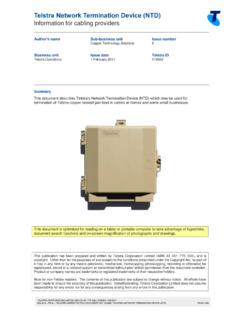
Telstra Network Termination Device (NTD)
www.telstra.com.auTelstra Network Termination Device (NTD) Information for cabling providers TELSTRA CORPORATION LIMITED (ABN 33 051 775 556) | ISSUED 1/02/2017
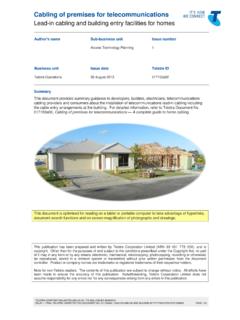
Cabling of premises for telecommunications
www.telstra.com.auCabling of premises for telecommunications Lead-in cabling and building entry facilities for homes TELSTRA CORPORATION LIMITED (ABN 33 051 775 556) | ISSUED 26/08/2013
Things you need to know about your service - Telstra
www.telstra.com.au03 Our customer service commitment for mobile services We use due care and skill whenever we provide you with a service. There may also be other non-excludable statutory guarantees,
Related documents

User Guide - AT&T
www.att.comHowever, a cordless phone connected to the WHP device will not operate during a power outage. To use backup battery power, you must plug a corded phone into the WHP device. Corded or landline phone equipment is not provided with service. For emergency calls, you may have to provide your location address to the 911 operator. Provides voice ...
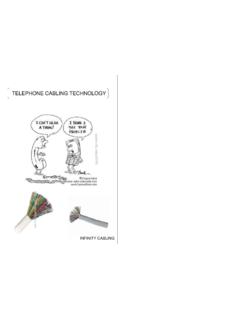
TELEPHONE CABLING TECHNOLOGY - withtank
media.withtank.comCalled ˝Cordless Phones, Wireless Handsets etc ˝ Basic System Base Telecom Line Station/ Battery Charger DC Power DECT Handset Typical Unit This Phone is a fixed line system with a Wireless handset (range +/- 30 mtrs ) Multiple Handset System Answering Machine, intercom, call holding etc. Base Station Chargers PABX PBX

Model 67TB Captioning Phone
captioncall-bucket.s3.us-west-2.amazonaws.comHandset port Safety instructions Use these basic safety precautions with the CaptionCall phone (and any phone) to reduce the risk of fire, electric shock, and injury. • Do not use near water. For example, do not place the phone near a bathtub, sink, or swimming pool, or in a wet basement. • Avoid using any non-cordless phone
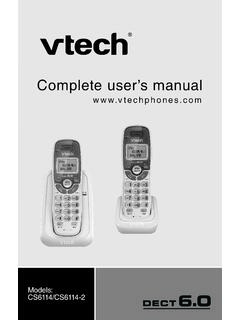
Complete user’s manual - VTech Phones USA
cdn-media.vtechphones.comIf the screen s blank, you need to charge the handset w thout nterrupt on for at least 30 m nutes to g ve the handset enough charge to use the telephone for a short t me. When the battery s low, the handset d splays Low battery along with a flashing con. If you are on a call n low battery mode, the handset beeps every 50 seconds.

AT&T IFWA-40 Wireless Internet User Guide
www.att.com• A cordless phone system with multiple handsets should be used to place phones throughout your home. • If using an existing phone, unplug it from the wall jack. • For Internet access, you can simultaneously connect up to twenty (20) devices per Wi-Fi network (2.4 GHz and 5 GHz), forty (40) total, and one (1) via Ethernet.

User Manual - EnGenius Tech
www.engeniustech.com~7~ 17. Do not install the base station or the handset charger near microwave ovens, radios, TV sets, speakers, or other electrical equipment.
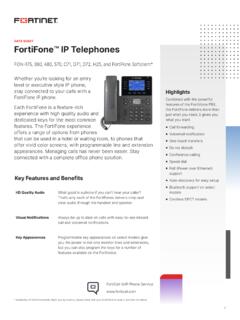
FortiFone IP Telephones Data Sheet
www.fortinet.comThe FON-D71-H is a high-quality DECT handset delivering cordless convenience with the following key features: § Compatible with FON-D71-B and FON-D72 base solutions § 2.4 inch color and easy-to-read screen § 30 hours of talk time on a single charge § Full-duplex speaker phone § Intuitive call handling and message indicators
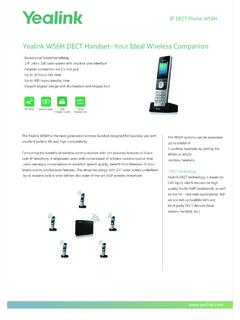
Yealink W56H DECT Handset—Your Ideal Wireless …
www.yealink.com5 cordless handsets by adding the W56H or W52H cordless handsets *DECT technology: Yealink DECT technology is based on CAT-iq2.0, which focuses on high quality Audio VoIP (wideband), as well as low bit - rate data applications. But we are not compatible with any third-party DECT devices (base station, handset, etc.). USB Charger Cradle

Yealink Ruggedized DECT Handset
www.yealink.comYealink Ruggedized DECT Handset Yealink W59R, certified to rigorous IP67 standard, is a professional ruggedized DECT handset with integrated Bluetooth and vibration alarm that is pretty eligible for the environment where there may be dusty, humid, and harsh.