
TM-T88V Technical Reference Guide
related to direct medical care, etc., please make your own judgment on this product's suitability after a full evaluation. CAUTION • Do not connect cables in ways other than those mentioned in this manual. Different connections may cause equipment damage or fire. • Be sure to set this equipment on a firm, stable, horizontal surface.
Download TM-T88V Technical Reference Guide

Information
Domain:
Source:
Link to this page:
Documents from same domain

User's Guide - XP-410 - Epson
files.support.epson.comChanging or Updating Network Connections ..... 34 Accessing the Web Config Utility..... 35

WF-2630 User's Guide - Epson
files.support.epson.comUsing WPS to Connect to a Network..... 35 Printing a Network Status Sheet..... 36

Manual del usuario L575 - files.support.epson.com
files.support.epson.com3 Contenido Manual del usuario L575..... 13

Manual del usuario de la L555 - …
files.support.epson.comCómo escanear utilizando el panel de control del producto..... 74 Cómo cambiar los ajustes predeterminados de los botones de escaneo ..... 75

User's Guide - WF-100 - Epson
files.support.epson.comWF-100 User's Guide Welcome to the WF-100 User's Guide. For a printable PDF copy of this guide, click here. 9. Product Basics

User Manual - PowerLite S18+/W15+/W18+/X24+
files.support.epson.comCorrección de la forma de la imagen con los botones de corrección trapezoidal ..... 72 Corrección de la forma de la imagen con Quick Corner ..... 74

2 Guía de instalación OK - files.support.epson.com
files.support.epson.com2 Introduzca el CD del producto o descargue y ejecute el paquete de software del producto: global.latin.epson.com/Soporte/L575 3 …

Manual do usuário - files.support.epson.com
files.support.epson.com2 L Todos os direitos reservados. Nenhuma parte desta publicação pode ser reproduzida, armazenada em sistemas de recuperação ou transmitida de alguma forma ou meio

XP-310 User's Guide - Epson
files.support.epson.comAvailable EPSON Papers ... XP-310 User's Guide Welcome to the XP-310 User's Guide. For a printable PDF copy of this guide, click here. 11. Product Basics

User's Guide - WF-7610/WF-7620 - Epson
files.support.epson.comAvailable Epson Papers ... Welcome to the WF-7610/WF-7620 User's Guide. For a printable PDF copy of this guide, click here. 13. Product Basics
Related documents
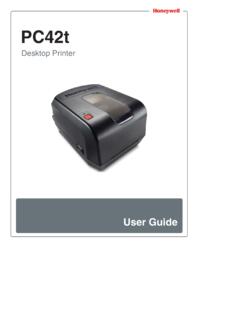
PC42t Desktop Printer User Guide - Honeywellaidc.com
country.honeywellaidc.comThe printer supports both direct thermal and thermal transfer media. To use thermal transfer media, you also need thermal transfer ribbon. The PC42t printer supports media from 1 to 4.33 inches (25 to 110 mm) wide. Green (blink) The printer is just starting up. Printing is paused.

LabelWriter Printer User Guide - DYMO
download.dymo.comYour LabelWriter printer is a direct thermal printer and does not use ink or toner. Instead, the printer uses heat from a thermal print head to print on specially treated, heat-sensitive labels. Labels are the only supplies you will ever need to buy. Become familiar with the major components of the printer. S/N 00000-0000000 Top cover Label spool

LabelWriter UserGuide en - DYMO
download.dymo.comYour LabelWriter printer is a direct thermal printer and does not use ink or toner. Instead, the printer uses heat from a thermal print head to print on specially treated, heat-sensitive labels. Labels are the only supplies you will ever need to buy. Become familiar with the major components of the printer. S/N 00000-0000000 Top cover Label spool
TM-T88V User's Manual
files.support.epson.comFor a USB interface, do not turn on the printer before installing the printer driver. 1. Make sure the printer is turned off. 2. Connect the power cord and each interface cable to the connectors on the printer back. For the shape of each connector, see the illustration below. (Mounted interfaces vary by the printer model.) 3.
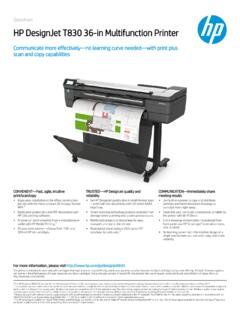
HP DesignJet T830 36-in Multifunction Printer
h20195.www2.hp.comDatasheet | HP DesignJet T830 36-in Multifunction Printer Technical specifications Print Print speed 25 sec/page on D, 82 D prints per hour Print Aresolution Up to 2400 x 1200 optimized dpi Technolog y HP Thermal Inkjet Margins Roll : 0.2 x 0.2 x 0.2 x 0.2 in Sheet: 0.2 x 0.2 x 0.2 x 0.2 in Ink t y pes Dye-based (C , M, Y ); pigment-based (mK )

G Series R2.0 Parts Catalog - Zebra Technologies
www.zebra.comPlaten, Std (Direct Thermal) Platen Bearings (Direct Thermal) P1027135-039 105934-059 11 Printhead, 203dpi (Direct Thermal) 105934 -037 12 Printhead Spring/Clip (Direct Thermal) 105934 -040 13 Nameplate, GK420d (Direct Thermal) 105934 -060 Not Shown Shipping Pack – Packaging for shipping the printer (Direct Thermal) Users CD-ROM

ZD420™ Printer Specifications - Zebra Technologies
www.zebra.comZD420d direct thermal model • 3.6 lbs./1.6 kg OPERATING ENVIRONMENT ZD420 Operating Temperature 40ºF to 105ºF (5ºC to 41ºC) Storage Temperature-40ºF to 140ºF (-40ºC to 60ºC) Operating Humidity 10% to 90% non-condensing Storage Humidity 5% to 95% non-condensing PREVENTATIVE MAINTENANCE Zebra recommends cleaning the printer on a