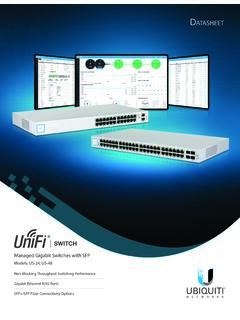
UniFi Switch Datasheet
information is provided for each network segment. Device Configuration The Devices screen displays the UniFi devices discovered by the UniFi Controller. You can access each managed device for device details and configuration. D atasheet 3. Models Model: US-24 …
Download UniFi Switch Datasheet

Information
Domain:
Source:
Link to this page:
Documents from same domain

Datasheet - Ubiquiti Networks
dl.ubnt.comDatasheet www.ubnt.com/airmax 3 Software airOS is an intuitive, versatile, highly developed Ubiquiti firmware technology. It is exceptionally intuitive and …

802.11ac Dual Radio Access Point
dl.ubnt.comThis Quick Start Guide is designed to guide you through ... 802.11ac Dual Radio Access Point Model: UAP-AC-LITE Gigabit PoE* (24V, 0.5A) with Mounting Bracket

Advanced Gigabit Ethernet Router - Ubiquiti …
dl.ubnt.comThis Quick Start Guide is designed to guide ... Advanced Gigabit Ethernet Router Model: ER-X EdgeRouter X Power Adapter (12V, 0.5A) Quick Start Guide

UniFi AC AP Datasheet - dl.ubnt.com
dl.ubnt.com3 D atasheet UniFi Controller Packed with Features Use the UniFi Controller to provision thousands of UniFi APs, map out networks, quickly manage

Wide-Angle 1080p Dome IP Camera with Infrared
dl.ubnt.comIntroduction Thank you for purchasing the Ubiquiti Networks® UniFi® Video Camera G3 Dome. This Quick Start Guide is designed to guide you through installation and includes warranty terms.

TOUGHCable PRO Quick Start Guide - Ubiquiti Networks
dl.ubnt.com2 TOUGHCable™ PRO Quick Start Guide TOUGHCable Box The Tension Knob is set to High by default. If necessary, the tension can be set to to Low or None. Tension Knob TOUGHCable PRO Cross-Section Conductor Insulation ESD Drain Wire

U-Installer Quick Start Guide - Ubiquiti Networks
dl.ubnt.comLEDs Wi-Fi Lights blue if the U-Installer has a Wi-Fi connection to your mobile device. Battery Four blue LEDs indicate the internal battery’s charge level: Full charge Low charge* * Recharge the battery by connecting a power source,

1080p Wireless IP Security Camera with Infrared
dl.ubnt.comIntroduction Thank you for purchasing the Ubiquiti Networks® UniFi® Video Camera G3 Micro. This Quick Start Guide is designed to guide you through installation and also includes warranty terms.

802.11n Wi-Fi Access Point - Ubiquiti Networks
dl.ubnt.comHardware Installation The UniFi AP can be mounted to the wall or ceiling. Perform the steps for the appropriate installation: Wall Mount 1. Position the Mounting Bracket at the desired location on the wall with the cable feed slot pointed towards the floor.

Rocket ac Datasheet - Ubiquiti Networks
dl.ubnt.comD atasheet 4 Technology Unlike standard Wi-Fi protocol, Ubiquiti’s Time Division Multiple Access (TDMA) airMAX ac protocol allows each client to send and receive
Related documents

Product and Regulatory Guide, Guide produit et de ...
download.microsoft.comProdukt- und Regulierungsleitfaden, Beschränkte Garantie und Vereinbarung 31 Guida al prodotto e alla normativa, Contratto e garanzia limitata 40 Manual do produto e regulamentação, garantia limitada e contrato 48 Guía del producto y sobre …

Important Safety and Product Information 2 Guiden Viktig ...
static.garmin.comVigtige produkt- og sikkerhedinformationer 9 Tärkeitä turvallisuus- ja tuotetietoja 10 ... Only access the information displayed on the device with a glance. Always maintain awareness of your surroundings and do not stare at the display or become distracted by the display.
Action Replay DSi - support.codejunkies.com
support.codejunkies.commore information. If Action Replay does have codes for your game, it will take you to a screen showing all the available cheat codes for that game. Use UP and DOWN on the pad to scroll through the codelist. To turn a code on or off, press the ‘A’ button. Any code with a tick or mark next to it will be active when you start the game.

ANEKS I CHARAKTERYSTYKA PRODUKTU LECZNICZEGO
www.ema.europa.euTen produkt leczniczy zawiera mniej niż 1 mmol sodu (23mg) na dawkę, to znaczy produkt leczniczy uznaje się za „wolny od sodu”. 4.5 Interakcje z innymi produktami leczniczymi i inne rodzaje interakcji . Stosowanie z innymi szczepionkami .

CONNECT - Logitech
www.logitech.comPRODUKT AUF EINEN BLICK 1. Kamera, 1080p und 90-Grad-Sichtfeld 2. Kamera-LED 3. 4.Scrollrad zum Kippen des Kameraobjektivs 4. Mikrofone 5. Lautstärke höher 6. Stummschaltung 7. Lautstärke niedriger 8. Akkustand-Anzeige 9. Freisprecheinrichtung 10.LED für Freisprecheinrichtung/ Akku 11. Schwenken und neigen 12.Vergrößern 13.Verkleinern 14 ...

Data Sheet / Datenblatt - Technolam
www.technolam.defor information purpose only. If a delivery specification is agreed between user and supplier, descriptions in the delivery specification take precedence. Specifications and appearances may change without prior notice for product improvement. Alle im Datenblatt aufgeführten Werte sind nach Messverfahren ermittelt worden, die als

Microsoft Teams Rooms System for Medium Room
www.yealink.comFor more information about the installation and deleployment of accessories (for example, the installation of MCore package or the UVC84 camera), refer to the Quick Start Guide of corresponding accessory. When starting up the system for the first time, you need to connect a mouse to complete the initial configuration. We recommend

Microsoft Teams Rooms System for Extra-Large Room
www.yealink.comFor more information about the installation and deleployment of accessories (for example, the installation of MCore package or the camera-hub), refer to the Quick Start Guide of corresponding accessory. The switch and ethernet cables should be purchased separately. Projector