
Universal Printer Driver Guide - Brother
printer drivers. There are three types of the Brother Universal Printer Driver: Universal Printer Driver for BR-Script (PostScript® language emulation) Universal Printer Driver for PCL1 Universal Printer Driver for Inkjet Model 1 For black and white printing only.
Download Universal Printer Driver Guide - Brother

Information
Domain:
Source:
Link to this page:
Documents from same domain
Panduan Pengguna Dasar - download.brother.com
download.brother.comPanduan Pengguna Dasar DCP-T300 DCP-T500W DCP-T700W Versi 0 IDN

Instruction Manual Manuel d’instructions Manual …
download.brother.comPMS8363 Black ENGLISH FRANÇAIS ESPAÑOL PORTUGUÊS 194404-011 Printed in China Instruction Manual Manuel d’instructions Manual de instrucciones Manual …
USER’S GUIDE - Brother
download.brother.comuser’s guide dcp-193c dcp-195c dcp-197c dcp-365cn dcp-373cw dcp-375cw dcp-377cw version 0 arl/asa/nz/saf

MFC-8500 Quick Setup Guide - Brother
download.brother.comA. Unpack the drum unit assembly, including the toner cartridge, and gently rock it from side to side five or six times to distribute the toner evenly inside the cartridge.
Brief explanations for routine operations HL …
download.brother.comReference Guide Brief explanations for routine operations HL-L5000D HL-L5100DN HL-L5200DW HL-L6200DW Brother recommends keeping this guide next to your Brother machine for quick reference.
BASIC USER’S GUIDE - Brother
download.brother.combasic user’s guide mfc-j425w mfc-j430w mfc-j435w version 0 usa/can
Basic User's Guide - Brother
download.brother.comBasic User's Guide DCP-L5500DN DCP-L5600DN DCP-L5650DN MFC-L5700DW MFC-L5800DW MFC-L5850DW MFC-L5900DW MFC-L6700DW MFC-L6800DW Brother recommends keeping this guide next to your Brother machine for quick reference.
Mini2e DCP UG UK - Brother
download.brother.comi Compilation and Publication Notice Under the supervision of Brother Industries Ltd., this manual has been compiled and published, covering the latest product
R 編 ユーザーズガイド - download.brother.com
download.brother.com4 本書の見かた 本書で使用されている記号 本書では、次の記号が使われています。 大タッチパネルモデル / 小タッチパネルモデル/ 液晶ディスプレーモデルについて
GUIDE DE L’UTILISATEUR - download.brother.com
download.brother.comguide de l’utilisateur dcp-385c dcp-383c dcp-387c dcp-585cw version 0 fre/swi-fre/bel-fre
Related documents
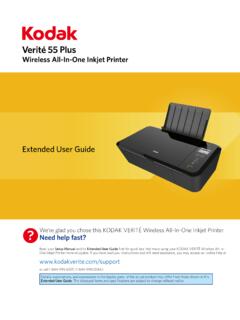
55 Plus - Kodak Verite Printer Software and Driver Downloads
www.funaihelp.comMar 09, 2017 · Wireless All-In-One Inkjet Printer 55 Plus? We’re glad you chose this KODAK VERITÉ Wireless All-In-One Inkjet Printer. Need help fast? Read your Setup Manual and/or Extended User Guide first for quick tips that make using your KODAK VERITÉ Wireless All-In-One Inkjet Printer more enjoyable.

Wireless, Print, Copy, Scan, Fax HP OfficeJet Pro 8020 All ...
h20195.www2.hp.comBrochure or Professional Paper, Other Photo Inkjet Papers, Other Matte Inkjet Papers, Other Glossy Inkjet Papers, Thick Plain Paper, Light/Recycled Plain Paper, HP Tri-fold Brochure Paper, Glossy Paper handling Input: 225-sheet input tray, 35-sheet ADF; Output: 60-sheet output tray Memory Standard: 256 MB; Maximum: 256 MB DDR3 SDRAM Operating ...

Banding on Epson inkjet printers
www.dtgweb.comprinter, or a malfunctioning print head. If you see banding, the first test to run is a nozzle check. You can do this from your driver software or on the front of the printer from the menu system. In the software driver you can access the utility features where you will find a nozzle check button. Click the button and a test pattern will print.
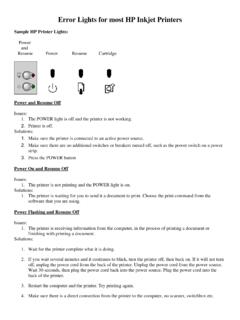
Error Lights for most HP Inkjet Printers
www.nazarethasd.k12.pa.us1. The printer failed. Solutions: 1. Power-cycle the printer. Power on and Resume Flashing Issues: 1. The printer may be waiting to complete a print job, or receive data from your computer. 2. The printer may be out of paper. 3. The printer may have a paper jam. 4. The Resume light continues to blink after the paper jam is cleared. Solutions: 1.
Inkjet/Laser Labels - Office Depot
www.officedepot.com• For easier feeding into the printer, put 25-30 sheets of plain paper into the paper tray, and place the sheets of labels on top of the plain paper sheets. • Store unused sheets of labels in their original box. Store the box in a cool dry area. • Refer to your printer manual for proper label settings and loading instructions.