
User’s Guide
format settings and any text files stored in the memory will be cleared. ... • Use a soft wipe to clean the print head; never touch the print head. • Do not put any foreign objects into the tape exit slot, etc. ... By pressing , the letters will be deleted one by one.
Download User’s Guide

Information
Domain:
Source:
Link to this page:
Documents from same domain
Panduan Pengguna Dasar - download.brother.com
download.brother.comPanduan Pengguna Dasar DCP-T300 DCP-T500W DCP-T700W Versi 0 IDN
Instruction Manual Manuel d’instructions Manual …
download.brother.comPMS8363 Black ENGLISH FRANÇAIS ESPAÑOL PORTUGUÊS 194404-011 Printed in China Instruction Manual Manuel d’instructions Manual de instrucciones Manual …
USER’S GUIDE - Brother
download.brother.comuser’s guide dcp-193c dcp-195c dcp-197c dcp-365cn dcp-373cw dcp-375cw dcp-377cw version 0 arl/asa/nz/saf
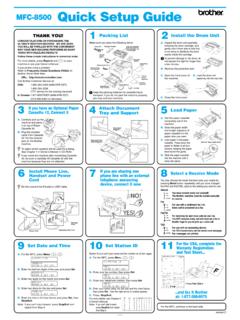
MFC-8500 Quick Setup Guide - Brother
download.brother.comA. Unpack the drum unit assembly, including the toner cartridge, and gently rock it from side to side five or six times to distribute the toner evenly inside the cartridge.
Brief explanations for routine operations HL …
download.brother.comReference Guide Brief explanations for routine operations HL-L5000D HL-L5100DN HL-L5200DW HL-L6200DW Brother recommends keeping this guide next to your Brother machine for quick reference.
BASIC USER’S GUIDE - Brother
download.brother.combasic user’s guide mfc-j425w mfc-j430w mfc-j435w version 0 usa/can
Basic User's Guide - Brother
download.brother.comBasic User's Guide DCP-L5500DN DCP-L5600DN DCP-L5650DN MFC-L5700DW MFC-L5800DW MFC-L5850DW MFC-L5900DW MFC-L6700DW MFC-L6800DW Brother recommends keeping this guide next to your Brother machine for quick reference.
Mini2e DCP UG UK - Brother
download.brother.comi Compilation and Publication Notice Under the supervision of Brother Industries Ltd., this manual has been compiled and published, covering the latest product
R 編 ユーザーズガイド - download.brother.com
download.brother.com4 本書の見かた 本書で使用されている記号 本書では、次の記号が使われています。 大タッチパネルモデル / 小タッチパネルモデル/ 液晶ディスプレーモデルについて
GUIDE DE L’UTILISATEUR - download.brother.com
download.brother.comguide de l’utilisateur dcp-385c dcp-383c dcp-387c dcp-585cw version 0 fre/swi-fre/bel-fre
Related documents

(ATOMIC ABSORPTION) Method Number: ID-121 OSHA …
www.osha.govDepending on advances in technology or changes in exposure limits, substances may be added or deleted from the above lists. 1.1 History Air and wipe samples containing metal and metalloid particulate have always been analyzed at the OSHA Salt Lake City Analytical Laboratory using atomic absorption or emission spectrometry (8.1).

Access to Medical and Exposure Records
www.osha.govrepresentatives that you have deleted that information from medical and exposure records. If the exclusion of the trade secret information substantially impairs the evaluation of when and where the exposure occurred, however, you must provide alternative information to the employee consistent with the requirements of 29 CFR Part 1910.1020.
Instruction Manual - Primos
www.primos.comCompletely wipe off water on unit and door ... will be deleted. It is important to get the card from computer to camera as soon as possible to ensure the initial time is still accurate. ... plain text files (.txt format). Using this app, type the current date and time using this format: “TIME”YYYYMMDDHHMM (Include the word “TIME” with ...
Film to Digital Converter User Manual V2
www.wolverinedata.comThis function formats/deletes all files stored in the internal memory if sd/sdhc memory card is not inserted. With external memory card inserted, the function of "Delete All" will erase all files on the inserted card. Caution, any and all existing files would be deleted after the procedure of "Delete All". Make a backup if it's needed.
Android System User Manual - Xtrons
xtrons.com* Wipe disks with soft cloth from middle to edges. * Water vapor may form inside the DVD player when using radiator in winter and vapor condensation may cause player failure. In case of such problems, turn off the player for some one hour to let it dry and wipe the disk with dry soft cloth. * Disk playing may be broken off in case of strong ...