User’s Guide
supply specifications in your area, contact your local power company or consult your dealer. Connect all equipment to properly grounded electrical outlets. Avoid using outlets on the same circuit as photocopiers or air control systems that regularly switch on and off. Do not use a damaged or frayed power cord.
Download User’s Guide

Information
Domain:
Source:
Link to this page:
Documents from same domain

User's Guide - XP-410 - Epson
files.support.epson.comChanging or Updating Network Connections ..... 34 Accessing the Web Config Utility..... 35

WF-2630 User's Guide - Epson
files.support.epson.comUsing WPS to Connect to a Network..... 35 Printing a Network Status Sheet..... 36

Manual del usuario L575 - files.support.epson.com
files.support.epson.com3 Contenido Manual del usuario L575..... 13

Manual del usuario de la L555 - …
files.support.epson.comCómo escanear utilizando el panel de control del producto..... 74 Cómo cambiar los ajustes predeterminados de los botones de escaneo ..... 75

User's Guide - WF-100 - Epson
files.support.epson.comWF-100 User's Guide Welcome to the WF-100 User's Guide. For a printable PDF copy of this guide, click here. 9. Product Basics

User Manual - PowerLite S18+/W15+/W18+/X24+
files.support.epson.comCorrección de la forma de la imagen con los botones de corrección trapezoidal ..... 72 Corrección de la forma de la imagen con Quick Corner ..... 74

2 Guía de instalación OK - files.support.epson.com
files.support.epson.com2 Introduzca el CD del producto o descargue y ejecute el paquete de software del producto: global.latin.epson.com/Soporte/L575 3 …

Manual do usuário - files.support.epson.com
files.support.epson.com2 L Todos os direitos reservados. Nenhuma parte desta publicação pode ser reproduzida, armazenada em sistemas de recuperação ou transmitida de alguma forma ou meio

XP-310 User's Guide - Epson
files.support.epson.comAvailable EPSON Papers ... XP-310 User's Guide Welcome to the XP-310 User's Guide. For a printable PDF copy of this guide, click here. 11. Product Basics

User's Guide - WF-7610/WF-7620 - Epson
files.support.epson.comAvailable Epson Papers ... Welcome to the WF-7610/WF-7620 User's Guide. For a printable PDF copy of this guide, click here. 13. Product Basics
Related documents

The Atmel-ICE Debugger - Microchip Technology
ww1.microchip.comTo assemble your Atmel-ICE into its default configuration, connect the 10-pin 50-mil IDC cable to the unit as shown below. Be sure to orient the cable so that the red wire (pin 1) on the cable aligns with the triangular indicator on the blue belt of the enclosure. The cable should connect upwards from the unit. Be
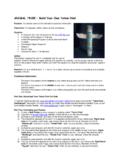
ANIMAL TRIBE – Build Your Own Totem Pole!
www.animaltribe.combutton. (If you experience printing problems, please refer to your printer’s operational manual.) 9) When your Totem document is finished printing, using your scissors, cut down the edges of all three totem animal cards as indicated to the right. Part Four: Assembling Your Totem Pole 1) Cut out all the parts from the “TotemPole

SDW 5000 Series - Sennheiser
assets.sennheiser.comDepending on the variant you can plug in the headset system to your fixed line phone and/or your computer. Via the Bluetooth dongle BtD 800 UsB you can connect mobile phones or Bluetooth headsets. Additionally you can plug a UsB headset or speakerphone in the UsB port or the busy light UI 10 BL in the back of the

User’s Guide
files.support.epson.comsupply specifications in your area, contact your local power company or consult your dealer. Connect all equipment to properly grounded electrical outlets. Avoid using outlets on the same circuit as photocopiers or air control systems that regularly switch on and off. Do not use a damaged or frayed power cord.

CAUTION! – ALWAYS UNPLUG YOUR TREE FROM ITS POWER …
images.thdstatic.comAssembling the tree stand Step 1. Choose a location near a wall outlet. Step 2. Open the stand to a 90 degree angle until the hole lines up with the hole on the tube. Step 3. Screw an eye bolt into the hole. CAUTION! – ALWAYS UNPLUG YOUR TREE FROM ITS POWER SOURCE BEFORE ASSEMBLING OR DISASSEMBLING. Assembling the tree

CAUTION! – ALWAYS UNPLUG YOUR TREE FROM ITS POWER …
images.thdstatic.comAssembling the tree stand Step 1. Choose a location near a wall outlet. Step 2. Open the stand to a 90 degree angle until the hole lines up with the hole on the tube. Step 3. Screw an eye bolt into the hole. CAUTION! – ALWAYS UNPLUG YOUR TREE FROM ITS POWER SOURCE BEFORE ASSEMBLING OR DISASSEMBLING. Assembling the tree

Understanding the Results of Your Vark ... - Learning Center
learningcenter.unt.eduThe results of your VARK indicate your preferences but are not necessarily your strengths. Some preferences may change as you mature. Work experiences and life experiences will blur differences between preferences as you learn to use aural, visual, read/write and kinesthetic modes equally well. Preferences may also be masked by experiences.
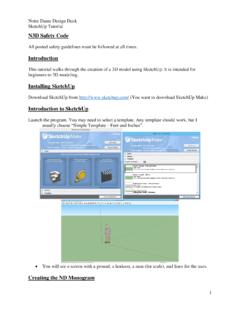
Introduction Introduction to SketchUp
n3d.nd.eduDelete the guidelines using the edit menu. Then erase the highlighted lines below (one by one). Also erase the inner surface. Erase the inner surface. This can be done by right clicking on it and clicking Erase. Assembling the Monogram Create a guideline that is offset 0.168” to the left of the top left corner of the “N”. Then

Owner’s Manual
oldmedia.dyson.comJul 01, 2008 · Assembling 4 Using your DCO7 6 Washing your filter 8 Using the tools 10 Emptying the Clear binTM 12 Clearing blockages 14 Using and maintaining optional accessories 16 Troubleshooting tips 18 Limited warranty and Customer care 19 Contents Owner’s Manual Please read this guide carefully before use. Dyson Helpline contact us at1-866-693-9766 3
Reading DNA - University of Utah
teach.genetics.utah.edubackbone using toothpicks cut or broken in half. This forms a new mRNA copy of your DNA strand. b. Label this new strand mRNA-1 or mRNA-2 (the same number as your DNA strand) on the left end of the backbone. Reading a Copy of the DNA Instructions to Assemble a Protein – Translation The mRNA copy of DNA is essentially a recipe for assembling a ...