User’s Guide
4. Select your printer from the list, then follow the instructions on the screen. 5. When the installation is complete, see page 15 to install the Reference Guide and the EPSON Remote Configuration Utility. For Windows 98, 95, or NT 4.0 1. Make sure Windows is running and the printer is turned off. 2.
Download User’s Guide

Information
Domain:
Source:
Link to this page:
Documents from same domain

User's Guide - XP-410 - Epson
files.support.epson.comChanging or Updating Network Connections ..... 34 Accessing the Web Config Utility..... 35

WF-2630 User's Guide - Epson
files.support.epson.comUsing WPS to Connect to a Network..... 35 Printing a Network Status Sheet..... 36

Manual del usuario L575 - files.support.epson.com
files.support.epson.com3 Contenido Manual del usuario L575..... 13

Manual del usuario de la L555 - …
files.support.epson.comCómo escanear utilizando el panel de control del producto..... 74 Cómo cambiar los ajustes predeterminados de los botones de escaneo ..... 75

User's Guide - WF-100 - Epson
files.support.epson.comWF-100 User's Guide Welcome to the WF-100 User's Guide. For a printable PDF copy of this guide, click here. 9. Product Basics

User Manual - PowerLite S18+/W15+/W18+/X24+
files.support.epson.comCorrección de la forma de la imagen con los botones de corrección trapezoidal ..... 72 Corrección de la forma de la imagen con Quick Corner ..... 74

2 Guía de instalación OK - files.support.epson.com
files.support.epson.com2 Introduzca el CD del producto o descargue y ejecute el paquete de software del producto: global.latin.epson.com/Soporte/L575 3 …

Manual do usuário - files.support.epson.com
files.support.epson.com2 L Todos os direitos reservados. Nenhuma parte desta publicação pode ser reproduzida, armazenada em sistemas de recuperação ou transmitida de alguma forma ou meio

XP-310 User's Guide - Epson
files.support.epson.comAvailable EPSON Papers ... XP-310 User's Guide Welcome to the XP-310 User's Guide. For a printable PDF copy of this guide, click here. 11. Product Basics

User's Guide - WF-7610/WF-7620 - Epson
files.support.epson.comAvailable Epson Papers ... Welcome to the WF-7610/WF-7620 User's Guide. For a printable PDF copy of this guide, click here. 13. Product Basics
Related documents
BROADCAST SPREADER APPLICATION CHART 3854
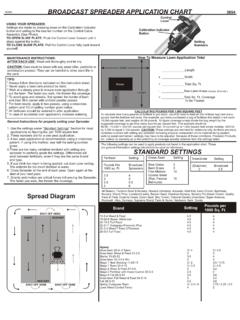
cdn.gardensalive.comThe following settings can be used to apply products not found in the application chart. These are general information settings intended to be used as references. Fertilizer Pounds Per 1000 sq. Ft. 2.5 3 3.5 4 Setting Broadcast Spreaders 4 5 5.5 6 Insecticide (Diazinon) 2 Setting Broadcast 3.5 Grass Seed Blue Grass Bent Grass Fine Mixture ...
NI Serial Hardware Specifications and Features Guide ...
www.ni.comNI Serial Hardware Specifications and Features Guide Serial Hardware Features To determine which features your product supports, refer to the following table. Table 7. Serial Hardware Features Hardware Adjustable FIFO Settings Get Interface Type RS-485 Transceiver Control RS-485 Socketed Bias Resistors RS-485 Program-matically Controlled Bias ...

USB AUDIO INTERFACE - Steinberg
download.steinberg.netsettings of the device. 1Sample Rate Lets you select the sample rate of the device. Options: 44.1 kHz, 48 kHz, 88.2 kHz, 96 kHz, 176.4 kHz, 192 kHz NOTE The available sample rates may differ depending on the particular DAW you're using. 2Enable Loopback Use the check box to turn Loopback on/off. ASIO Window For selecting the ASIO driver ...

USB AUDIO INTERFACE - Steinberg
download.steinberg.net4[POWER] indicator The indicator lights when the power is turned on. The indicator flashes continuously when the computer or iPad does not recognize the device. 5[INPUT 1/2 GAIN] knob Adjusts the input signal level of the [MIC/HI-Z 1/2] jack. 6[INPUT 3/4 GAIN] knob Adjusts the input signal level of the [MIC/LINE 3/4] jack. HINT