
User's Guide - ET-2500
You can use the printer software to change the time period before the product enters sleep mode or turns off automatically. 1. Make sure your product is turned on. 2. Access the Windows Desktop and right-click the icon for your product in the right side of the Windows taskbar, or click the up arrow and right-click . 3. Select Printer Settings. 4.
Download User's Guide - ET-2500

Information
Domain:
Source:
Link to this page:
Documents from same domain

User's Guide - XP-410 - Epson
files.support.epson.comChanging or Updating Network Connections ..... 34 Accessing the Web Config Utility..... 35

WF-2630 User's Guide - Epson
files.support.epson.comUsing WPS to Connect to a Network..... 35 Printing a Network Status Sheet..... 36

Manual del usuario L575 - files.support.epson.com
files.support.epson.com3 Contenido Manual del usuario L575..... 13

Manual del usuario de la L555 - …
files.support.epson.comCómo escanear utilizando el panel de control del producto..... 74 Cómo cambiar los ajustes predeterminados de los botones de escaneo ..... 75

User's Guide - WF-100 - Epson
files.support.epson.comWF-100 User's Guide Welcome to the WF-100 User's Guide. For a printable PDF copy of this guide, click here. 9. Product Basics

User Manual - PowerLite S18+/W15+/W18+/X24+
files.support.epson.comCorrección de la forma de la imagen con los botones de corrección trapezoidal ..... 72 Corrección de la forma de la imagen con Quick Corner ..... 74

2 Guía de instalación OK - files.support.epson.com
files.support.epson.com2 Introduzca el CD del producto o descargue y ejecute el paquete de software del producto: global.latin.epson.com/Soporte/L575 3 …

Manual do usuário - files.support.epson.com
files.support.epson.com2 L Todos os direitos reservados. Nenhuma parte desta publicação pode ser reproduzida, armazenada em sistemas de recuperação ou transmitida de alguma forma ou meio

XP-310 User's Guide - Epson
files.support.epson.comAvailable EPSON Papers ... XP-310 User's Guide Welcome to the XP-310 User's Guide. For a printable PDF copy of this guide, click here. 11. Product Basics

User's Guide - WF-7610/WF-7620 - Epson
files.support.epson.comAvailable Epson Papers ... Welcome to the WF-7610/WF-7620 User's Guide. For a printable PDF copy of this guide, click here. 13. Product Basics
Related documents

TM-U220 Technical Reference guide - files.support.epson.com
files.support.epson.comvii Rev. E CAUTION: Do not connect cables other than as described in this manual. Different connections may cause equipment damage and burning. Be sure to set this equipment on a firm, stable, horizontal surface. Product may break or cause injury if it falls. Do not use in locations subject to high humidity or dust levels. Excessive humidity and dust may cause equipment …
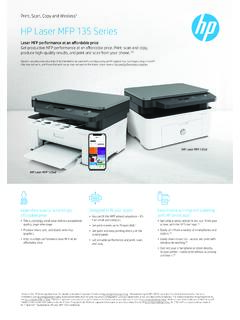
6 HP Laser MFP 135 Series
h20195.www2.hp.comData sheet | HP Laser MFP 135 Series Product walkaround Series at a glance HP Laser MFP 135a HP Laser MFP 135w Product number 4ZB82A 4ZB83A Function Print, copy, scan Print, copy, scan and wireless

AirPrint Guide - Brother
download.brother.comAirPrint supports wireless connections that use ad-hoc mode, infrastructure mode, or Wi-Fi Direct™ (supported models only). To configure your mobile device for a wireless network, refer to your mobile device’s user’s guide.

Surface Pro 3 User Guide - download.microsoft.com
download.microsoft.comWi-Fi and Bluetooth Surface supports standard Wi-Fi protocols (802.11a/b/g/n/ac) and Bluetooth® 4.0 Low Energy technology. This means you can connect to a wireless network and use Bluetooth devices such as keyboards, mice, printers, and headsets. Two cameras and two microphones Two 5-megapixel cameras for recording videos and taking pictures.