
VMware Infrastructure Architecture Overview
A Host represents the aggregate computing and memory resources of a physical x86 server. For example, if the physical x86 server has four dual-core CPUs running at 4 GHz each and GB of system memory, then the Host will have GHz of computing power and GBs of memory available for running virtual machines that are assigned to it.
Download VMware Infrastructure Architecture Overview

Information
Domain:
Source:
Link to this page:
Documents from same domain

Timekeeping in VMware Virtual Machines
www.vmware.comTimekeeping Basics Computer operating systems typically measure the passage of time in one of two ways: • Tick counting The operating system sets up a hardware device to interrupt periodically at a known rate, such as 100 times

VMware vCenter Converter Standalone User's Guide …
www.vmware.comVMware vCenter Converter Standalone User's Guide vCenter Converter Standalone 5.5 This document supports the version of each product listed and supports all subsequent versions until the document is

Virtual Machine to Physical Machine Migration - …
www.vmware.comVMWARE TECHNICAL NOTE 3 Preparing for a V2P Migration Perform the following prior to migrating a virtual machine to a physical machine: 1. Identify the …

Workstation User’s Manual - vmware.com
www.vmware.comWorkstation User’s Manual 6 VMware, Inc. Installing a Guest Operating System 97 Example: Installing Windows XP as a Guest Operating System 99

VMware vSphere with Operations Management and …
www.vmware.comWHITE PAPER / 3 VMware Sphere wit perations Management and VMware Sphere Executive Summary This guide provides an overview of the licensing, pricing, and

VMware VMotion
www.vmware.comHow Is VMware VMotion Used? VMotion allows users to: • Automatically optimize and allocate entire pools of resources for maximum hardware utilization, flexibility and …

Debugging Virtual Machines with the Checkpoint to …
www.vmware.comVMware, Inc. 2 Debugging Virtual Machines with the Checkpoint to Core Tool 3Run the vmss2core tool with options selecting your preferred output type.

Performance Evaluation of VMXNET3 Virtual …
www.vmware.comVMware, Inc. 3 Performance Evaluation of VMXNET3 Virtual Network Device Details of the different TCP tests mentioned above can be found in the netperf documentation.

Architecting Microsoft SQL Server on VMware …
www.vmware.comBEST PRACT ICES GU IDE / P AG E 4 OF 53 Architecting Microsoft SQL Server on VMware vSphere List of Figures Figure 1. vSphere HA 9 Figure 2. vSphere FT 9

VMware Tools User Guide
www.vmware.comVMware Tools User Guide VMware Tools 10.1.0 This document supports the version of each product listed and supports all subsequent versions until the document is
Related documents

Chapter 9: Critical and Creative Thinking Skills
www.opdt-johnson.com3. Describe each part. 4. Describe the whole in terms each part Supporting a Statement: Use appropriate reasons, detail, or examples to support a statement, idea, or conclusion. Thinking Frame 1. Make a statement or claim. 2. Gather information/data to support the statement. 3. Organize the information. 4. Describe the original statement in ...
Technical Guide for PLC Basic - Omron
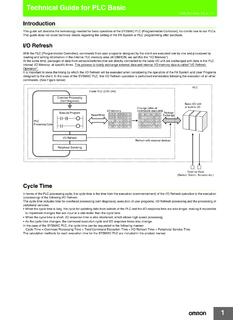
www.ia.omron.comCPU Unit Memory Area The PLC Unit utilizes a variety of different data including user programs, I/O Memory data and comments, CPU Unit and Special I/O units Parameters, and Registered I/O Table information etc. All of this data that is used by the …
FDCAN peripheral on STM32 devices - Application note
www.st.com• Give an overview of the controller area network (CAN) with flexible data-rate (CAN-FD) protocol. • Describe the improvements and benefits of CAN-FD over classical CAN (CAN2.0). • Present the CAN-FD implementation in the STM32 microcontrollers and microprocessors listed in …

Qualitative data collection techniques
www.gfmer.ch• Describe different types of data collection techniques • Demonstrate dimensions , type of observations and how to prepare and conduct observation • Understand the practical communication skills for interviews to ask good questions , probe and follow up questions • Able to prepare for interview
FLIP-FLOPS - California State University, Northridge
www.csun.edustoring data is often called a memory or latch. The two kinds of memory ,encountered in digital .. electr-onics ,are . static and dynamic' memories. ' The flip-flop ,is . the , basic form . ofs~atic . memory 'and is, also the ' building, block for sequential:1qgic circuits. A . ... • Define and describe the action of a flip-flop. ...

29.2 Numeric, Pointer, Bit Field, and String Data Types
cse.unl.eduperformed on numeric data types (signed and unsigned integers and BCD integers). See Figure 29-3. Also, some instructions recognize and operate on additional pointer, bit field, and string data types. The following sections describe these additional data types. 29.2.1 Integers Integers are signed binary numbers held in a byte, word, or doubleword.
NVIDIA A40 GPU Accelerator
www.nvidia.comThe following sub -sections describe the PCIe interface specifications for the NVIDIA A40 PCIe card. PCIe Speed Support The A40 card supports PCIe Gen4 and PCIe Gen link training. For optimal graphics processing unit ( GPU) performance, a Gen4 ×16 connection is recommended, but a Gen 4 ×8 or Gen3 ×16 link connection is supported as well.

Syntax - Stata: Software for Statistics and Data Science
www.stata.comData > Data utilities > Label utilities > Copy value labels label drop Data > Variables Manager label save Data > Data utilities > Label utilities > Save value labels as do-file Description label data attaches a label (up to 80 characters) to the dataset in memory. Dataset labels are displayed when you use the dataset and when you describe it.
describe — Describe data in memory or in file
www.stata.comdescribe— Describe data in memory or in file 7 describe, replace describe with the replace option is rarely used, although you may sometimes find it convenient. Think of describe, replace as separate from but related to describe without the replace option. Rather than producing a written report, describe, replace produces a new dataset that