
VMware vSphere Compute Virtualization
vSphere 7 licenses are simple license keys (25-character alphanumeric strings) that contain encrypted information about the vSphere edition or kit purchased and the processor quantity. These license keys do not contain any server-specific information and are not tied to a specific piece of hardware. This means the same license key can be
Download VMware vSphere Compute Virtualization

Information
Domain:
Source:
Link to this page:
Documents from same domain

Timekeeping in VMware Virtual Machines
www.vmware.comTimekeeping Basics Computer operating systems typically measure the passage of time in one of two ways: • Tick counting The operating system sets up a hardware device to interrupt periodically at a known rate, such as 100 times

VMware vCenter Converter Standalone User's Guide …
www.vmware.comVMware vCenter Converter Standalone User's Guide vCenter Converter Standalone 5.5 This document supports the version of each product listed and supports all subsequent versions until the document is

Virtual Machine to Physical Machine Migration - …
www.vmware.comVMWARE TECHNICAL NOTE 3 Preparing for a V2P Migration Perform the following prior to migrating a virtual machine to a physical machine: 1. Identify the …

Workstation User’s Manual - vmware.com
www.vmware.comWorkstation User’s Manual 6 VMware, Inc. Installing a Guest Operating System 97 Example: Installing Windows XP as a Guest Operating System 99

VMware vSphere with Operations Management and …
www.vmware.comWHITE PAPER / 3 VMware Sphere wit perations Management and VMware Sphere Executive Summary This guide provides an overview of the licensing, pricing, and

VMware VMotion
www.vmware.comHow Is VMware VMotion Used? VMotion allows users to: • Automatically optimize and allocate entire pools of resources for maximum hardware utilization, flexibility and …

Debugging Virtual Machines with the Checkpoint to …
www.vmware.comVMware, Inc. 2 Debugging Virtual Machines with the Checkpoint to Core Tool 3Run the vmss2core tool with options selecting your preferred output type.

Performance Evaluation of VMXNET3 Virtual …
www.vmware.comVMware, Inc. 3 Performance Evaluation of VMXNET3 Virtual Network Device Details of the different TCP tests mentioned above can be found in the netperf documentation.

Architecting Microsoft SQL Server on VMware …
www.vmware.comBEST PRACT ICES GU IDE / P AG E 4 OF 53 Architecting Microsoft SQL Server on VMware vSphere List of Figures Figure 1. vSphere HA 9 Figure 2. vSphere FT 9

VMware Tools User Guide
www.vmware.comVMware Tools User Guide VMware Tools 10.1.0 This document supports the version of each product listed and supports all subsequent versions until the document is
Related documents

Meridian Digital Telephones User Guide
knowledgebase.mcgill.caFeature keys You access telephone features and telephone lines with the feature keys. The keys are labeled for your convenience. Main Extension key/Primary Directory Number (DN) key By pressing the lower right-hand key (or lifting the handset), you can make a call on your primary line.

DSX Telephone Feature Handbook - Emergent …
www.askemergent.comIt provides a handy quick reference chart for the system feature codes, as well as key layout illustrations for each telephone. Features The Features chapter contains the description and operation for each DSX telephone system feature. For feature operation, use the convenient operation charts at the end of each feature.

ESI Feature Phone User’s Guide - Learn about Enhanced ...
www.etd.comThe 60-Key Expansion Console adds 60 more programmable feature keys to your ESI Feature Phone. You program the Expansion Console’s keys just as you do the programmable feature keys on your ESI Feature Phone, using either direct or traditional programming (see pages C.2). Note: Only one key can exist per extension, feature or operation.

ADVANCED SERIES COLOR DOCUMENT SYSTEMS - SharpUSA
business.sharpusa.comUse the manual stapling feature on select finishers to restaple your originals. Multiple finishing options give you the output you require, be it stacked, stapled, or saddle-stitched. There’s even an available built-in stapleless staple feature, which can bind up to five sheets of paper by adding a crimp to the corner of the

Dell Vostro Notebook 14 15 3000
i.dell.com14-inch laptops that feature an FHD display with a 2-sided narrow border, USB type-C port and 11th Gen Intel® processors. Please note, the USB type-C port is only on those configurations with discrete graphics. Experience Uninterrupted Productivity A brilliant FHD panel (up to 220 nits) offers more brightness and vivid color for an enhanced front-

Owner’s Manual - Yamaha Corporation
usa.yamaha.comA INPUT keys Select an input source. B TONE CONTROL key Adjusts the high-frequency range and low-frequency range of output sounds (p.49). C SCENE keys Select the registered input source and sound program with one touch. Also, turns on the unit when it is in standby mode (p.31). D PROGRAM keys Select a sound program or a surround decoder (p.32 ...

OPTIPLEX 5480 ALL-IN-ONE An intelligent, sustainably built ...
www.delltechnologies.comFeatures & Technical Specifications OPTIPLEX 5480 ALL-IN-ONE Feature OptiPlex 5480 All-in-One Technical Specifications1 Processors1 Intel ® Pentium Gold G6400T, 4 MB Cache, 2 Cores, 4 Threads, 3.4 GHz, 35 W Intel ® Pentium Gold G6500T, 4 MB Cache, 2 Cores, 4 Threads, 3.5 GHz, 35 W 10th Generation Intel ® Core™ i3-10100T, 6 MB Cache, 4 Cores, 8 Threads, 3.0 …
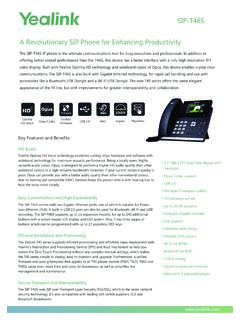
SIP-T46S A Revolutionary SIP Phone for Enhancing Productivity
www.yealink.comFeature keys > 10 line keys with LED > 10 line keys can be programmed up to 27 paperless DSS keys (3-page view) > 7 features keys: message, headset, hold, mute, transfer, redial, hands-free speakerphone > 4 context-sensitive “soft” keys > 6 navigation keys > Volume control keys > Illuminated mute key > Illuminated headset key