
VMware vSphere Version Comparison
support for vGPU and vSphere DirectPath I/O™ initial placement • Initial workload placement for Multi-Instance GPUs (MIG) • AVAILABILITY Fault tolerance 4 vCPU 8 vCPU 8 vCPU vSphere Replication™ • • • High availability (HA) VM component protection • Orchestrated HA restart • • • Proactive HA • • •
Download VMware vSphere Version Comparison

Information
Domain:
Source:
Link to this page:
Documents from same domain

Timekeeping in VMware Virtual Machines
www.vmware.comTimekeeping Basics Computer operating systems typically measure the passage of time in one of two ways: • Tick counting The operating system sets up a hardware device to interrupt periodically at a known rate, such as 100 times

VMware vCenter Converter Standalone User's Guide …
www.vmware.comVMware vCenter Converter Standalone User's Guide vCenter Converter Standalone 5.5 This document supports the version of each product listed and supports all subsequent versions until the document is

Virtual Machine to Physical Machine Migration - …
www.vmware.comVMWARE TECHNICAL NOTE 3 Preparing for a V2P Migration Perform the following prior to migrating a virtual machine to a physical machine: 1. Identify the …

Workstation User’s Manual - vmware.com
www.vmware.comWorkstation User’s Manual 6 VMware, Inc. Installing a Guest Operating System 97 Example: Installing Windows XP as a Guest Operating System 99

VMware vSphere with Operations Management and …
www.vmware.comWHITE PAPER / 3 VMware Sphere wit perations Management and VMware Sphere Executive Summary This guide provides an overview of the licensing, pricing, and

VMware VMotion
www.vmware.comHow Is VMware VMotion Used? VMotion allows users to: • Automatically optimize and allocate entire pools of resources for maximum hardware utilization, flexibility and …

Debugging Virtual Machines with the Checkpoint to …
www.vmware.comVMware, Inc. 2 Debugging Virtual Machines with the Checkpoint to Core Tool 3Run the vmss2core tool with options selecting your preferred output type.

Performance Evaluation of VMXNET3 Virtual …
www.vmware.comVMware, Inc. 3 Performance Evaluation of VMXNET3 Virtual Network Device Details of the different TCP tests mentioned above can be found in the netperf documentation.

Architecting Microsoft SQL Server on VMware …
www.vmware.comBEST PRACT ICES GU IDE / P AG E 4 OF 53 Architecting Microsoft SQL Server on VMware vSphere List of Figures Figure 1. vSphere HA 9 Figure 2. vSphere FT 9

VMware Tools User Guide
www.vmware.comVMware Tools User Guide VMware Tools 10.1.0 This document supports the version of each product listed and supports all subsequent versions until the document is
Related documents

NVIDIA RTX A5000 datasheet
www.nvidia.comvGPU software support 7 NVIDIA vPC/vApps, NVIDIA RTX Virtual Workstation, NVIDIA Virtual Compute Server vGPU profiles supported See the Virtual GPU Licensing Guide Graphics APIs DirectX 12.07 8, Shader Model 5.17 , OpenGL 4.68 9, Vulkan 1.2 Compute APIs CUDA, DirectCompute, OpenCL ™ Features > PCI Express Gen 4 > Four DisplayPort 1.4a connectors

VMware vSphere Feature Comparison Datasheet
www.vmware.comNVIDIA GRID vGPU Enables native 2D and 3D graphics performance for virtual machines. Supports multiple vGPUs per VM • Proactive HA Receive server health information and migrate virtual machines from degraded hosts before problems occur. • Accelerated Graphics for Virtual Machines • Dynamic DirectPath IO
Fabric Manager for NVIDIA NVSwitch Systems
docs.nvidia.comNVSwitch and vGPU multi -tenancy modes. All these SDK components are installed through a separate development package. For more information, refer to the Shared NVSwitch and vGPU Virtualization Model chapters. NVSwitch and NVLink Initialization NVIDIA GPUs and NVSwitch memory fabrics are PCIe endpoint devices requiring an
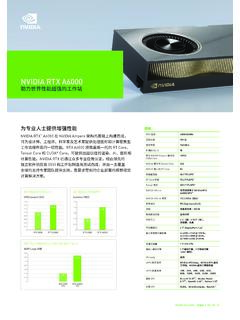
NVIDIA RTX A6000 datasheet
www.nvidia.cnvGPU 软件支持 NVIDIA vPC/vApp 、NVIDIA RTX 虚拟 工作站、NVIDIA 虚拟计算服务器 vGPU 配置支持 1GB、2GB、3GB、4GB、6GB、 8GB、12GB、16GB、24GB、48GB 图形 API DirectX 12.07 10、Shader Model 5.1710、OpenGL 4.68 11、Vulkan 1.18 计算 API CUDA、DirectCompute、OpenCL™ RTX 6000 RTX A6000 0 2.5X 1X 2˝0X 1.5X 1.0X ...

NVIDIA A2 TENSOR CORE GPU
www.nvidia.cnvGPU software support² NVIDIA Virtual PC (vPC), NVIDIA Virtual Applications (vApps), NVIDIA RTX Virtual Workstation (vWS), NVIDIA AI Enterprise, NVIDIA Virtual Compute Server (vCS) ¹ With sparsity ² Supported in future vGPU release System ˘on gurat on ˘PU HPE DL380 en10 Plus, 2S Xeon old 6330N HP

NVIDIA A10 datasheet
www.nvidia.comvGPU Software Support NVIDIA vPC/vApps, NVIDIA RTX ™ vWS, NVIDIA Virtual Compute Server (vCS) Secure and Measured Boot with Hardware Root of Trust Yes NEBS Ready Level 3 Power Connector PEX 8-pin *with sparsity 0 3X 1X 2X ResNet-50 v1.5 Inference 2˚2X 2˚2X BERT-Large Inference 2˚5X 2˚5X A10 + vCS A10 Speedup relative to T4 1˚0X T4