
Wireless-G Access Point - Linksys
Wireless-G Access Point ii ... Cisco logo (Orange/White) The Cisco logo is the Access Point’s SecureEasySetup button. It lights up when the Access Point is powered on. The Cisco logo is orange when the SecureEasySetup feature is not used, while the color white indicates that the SecureEasySetup ...
Download Wireless-G Access Point - Linksys

Information
Domain:
Source:
Link to this page:
Documents from same domain

User Guide - WRT1900AC Dual Band Gigabit Wi-Fi …
downloads.linksys.comWRT 1900AC | Contents PRODUCT OVERVIEW 1 WRT1900AC 3 Wall-mounting placement SETTING UP: BASICS 5 How to create a home network 5 What is a network? 5 How to set up a home network

Compact Wireless-G Broadband Router - Linksys
downloads.linksys.comTable of Contents Compact Wireless-G Broadband Router ii Chapter 1: Product Overview 4 Front Panel.

Linksys EG005W Gigabit 5-Port Workgroup Switch
downloads.linksys.comAbout This Guide Gigabit 5-Port Workgroup Switch i ... Address learning and aging is ... refund the purchase price of the

16-Port and 24-Port 10/100 Switches - Linksys
downloads.linksys.comChapter 1: Introduction r With its advanced switching technology, the Linksys 16- or 24-Port 10/100 Switch will boost your network performance with much more than just full

Wireless-G Broadband Router - Linksys
downloads.linksys.comChapter 1 Product Overview W reless-G Broadband Router Chapter : Product Overv ew Thank you for choosing the Linksys Wireless-G Broadband Router. The Router lets you access the Internet via a

Routeur sans fil N pour la maison - …
downloads.linksys.comÀ propos de ce guide Routeur sans fil N pour la maison i ... Linksys, Cisco et le logo Cisco sont des marques de commerce ou des marques

Routeur Gigabit sans fil N double bande en simultané
downloads.linksys.comÀ propos de ce guide Routeur Gigabit sans fil N double bande en simultané i À propos de ce guide Description des icônes Pendant la lecture de ce guide …

Valet and Valet Plus User Guide - Linksys
downloads.linksys.com5 UserGuide Chapter2:CiscoConnect b . Plugthepoweradapterintoanelectricaloutlet . ConnecttoElectricalOutlet

Linksys PLW400 User Guide
downloads.linksys.comUser Guide Linksys PLW400 Powerline AV Wireless Network Extender. 2 Linksys PLW400 Contents ... see your wireless network device’s user documentation The PLW400’s Wireless LED flashes, then stays on when a wireless network device successfully connects Setting .up .advanced .security

Linksys PLWK400 User Guide
downloads.linksys.com4 Linksys PLWK400 Overview PLW400 Wi-Fi Protected Setup button—Press this button to connect with other wireless network devices that have a Wi-Fi Protected Setup button HomePlug Simple Connect button—Configures advanced security (the network password) for your Powerline network
Related documents
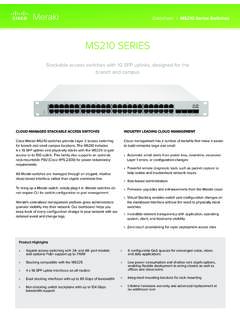
MS210 SERIES - Cisco Meraki
meraki.cisco.com6 Cisco ystems nc 50 Terr Francois Blvd a Francisco 415 (415) 432-100 sales@meraki.com Specifications Management Managed via the Web with the Meraki cloud management platform Integrated with Meraki Wireless and complete portfolio of IT products and solutions Zero-touch remote provisioning (no staging needed)

Packet Tracer Create a Simple Network ... - Cisco Community
community.cisco.comInternet cloud and the FastEthernet0 interface of the Cisco.com server. Part 2: Configure the Network Devices Step 1: Configure the wireless router a. Create the wireless network on the wireless router Click on the Wireless Router icon on the Packet Tracer Logical workspace to open the device configuration window.
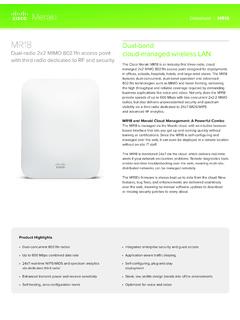
Dual-radio 2x2 MIMO 802.11n access point - Cisco Meraki
meraki.cisco.comcloud-managed wireless LAN The Cisco Meraki MR18 is an industry-first three-radio, cloud managed 2x2 MIMO 802.11n access point designed for deployments in offices, schools, hospitals, hotels, and large retail stores. The MR18 features dual-concurrent, dual-band operation and advanced 802.11n technologies such as MIMO and beam forming, delivering
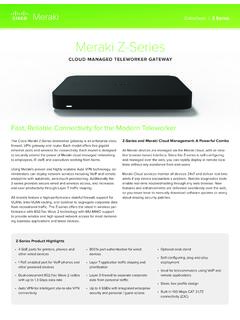
Meraki Z-Series - Cisco Meraki
meraki.cisco.comThe Cisco Meraki Z-Series teleworker gateway is an enterprise class firewall, VPN gateway and router. Each model offers five gigabit ethernet ports and wireless for connectivity. Each model is designed to securely extend the power of Meraki cloud managed networking to employees, IT staff, and executives working from home. ...
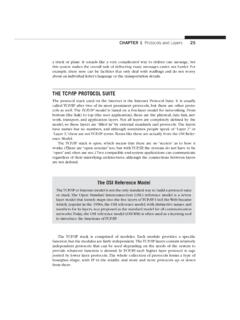
THE TCP/IP PROTOCOL SUITE
users.exa.unicen.edu.arThe whole interface and protocol process is shown in Figure 1.10. Although TCP/IP layers only have names, layer numbers are also used in the fi gure, but only for illustra-
How to Connect to VPN: Cisco AnyConnect Secure Mobility …
www.aims.wisc.eduVPN: Cisco AnyConnect Secure Mobility Client June 13, 2016 ... range of a wireless network and the switch on the side or front of the laptop is turned on. Figure 3 2. Click to select the wireless network you wish to use, check Connect automatically, and then click Connect as shown in Figure 4. Note: If you

High Availability SSO Deployment Guide for Cisco Catalyst ...
www.cisco.comSSO on Cisco Catalyst C9800-40-K9 and C9800-80-K9 Wireless Controllers The Cisco C9800-40-K9 wireless controller is an extensible and high performing wireless controller, which can scale up to 2000 access points and 32000 clients. The controller has four 10G data ports and a throughput of 40G. 1 RP— RJ-45 1G redundancy Ethernet port.

Cisco Enterprise Best Practices for iOS Devices and Mac ...
www.cisco.comCisco Wireless LANs (WLAN). This reference design guide is updated to account for Cisco and Apple’s joint recommendations focused on the centralized (local) mode configuration for a controller based Cisco Wireless LAN. It assumes the reader has a working knowledge of Cisco WLAN components and features, basic IP networking and Voice over IP ...