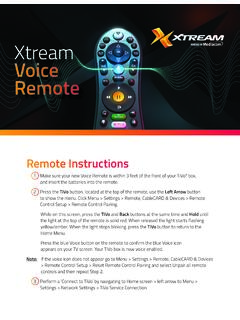
Xtream Voice Remote
2 Go to Menu > Settings > Remote, CableCARD & Devices > Remote Control Setup. 3 Select ‘Set TV Power, Volume and Mute,’ ‘Set TV Input’ or ‘Set A/V Volume and Mute’ and follow the instructions. Note: Programming codes will start with a ‘1’. If your device lists codes that begin
Download Xtream Voice Remote

Information
Domain:
Source:
Link to this page:
Documents from same domain

Sagemcom F@st 3896
mediacomcc.custhelp.comIP v4/v6 of SWANTM middleware ensures to the F@st 3896 its readiness for all major scenarios of IPv6 network migration. SWANTM modular architecture allows easy third parties application integration for operator to easily differentiate: GUI, Web services or even new features developped over SWANTM SDK. INTERFACES • Network: - DOCSIS 3.1 2x2
CGNVM DOCSIS 3.0 eMTA WiFi Gateway User’s Guide
mediacomcc.custhelp.comCGNVM DOCSIS 3.0 eMTA WiFi Gateway User’s Guide. Version 1.0 - 02/2015 SW Version CGNVM_4.5.10.10T3-MGCP-150429
TECHNICOLOR WIRELESS GATEWAY - CGM4231 OPERATIONS …
mediacomcc.custhelp.com1/8/2018 Proprietary and Confidential - Technicolor 2 Revision History Revision Date Description Draft 1.0 1/8/2018 Initial draft
CGA4131 BUSINESS GATEWAY OPERATIONS GUIDE
mediacomcc.custhelp.comweb page user interface accessible by the user or remotely by the MSO by SNMP/TR-069. The Technicolor CGA4131 offers the following features: • Compliance with DOCSIS 3.0 and 3.1 standards to deliver high-end performance and reliability • …

WELCOME TO
mediacomcc.custhelp.comThe TiVo experience instantly gives you total control of the TV programming you love, and much more! The TiVo digital video recorder (DVR) connects to your Internet service giving you access to an entire universe of on-demand movies, TV shows, and web videos (and you can stream shows from your TiVo DVR to every room in your home!).

Remote control features
mediacomcc.custhelp.comthe TiVo button of the remote control) flashes red when it sends the IR command, then the activity indicator flashes amber while it attempts to find and pair with a DVR. The TiVo remote control in New Pairing Mode usually pairs in less than a second after the first key press.

Touchstone TG3452 Telephony Gateway
mediacomcc.custhelp.comWhether you’re checking out streaming media, downloading new software, checking your email, or talking with friends on the phone, the Touchstone TG3452 Telephony Gateway brings it all to you faster and more ... The product shall be cleaned using only a damp, lint-free, cloth. No solvents or cleaning

ACCESS CAblE gAtEwAy MARlIN l
mediacomcc.custhelp.comACCESS CAblE gAtEwAy MARlIN l CGA4236 Dual-Band Wi-Fi 6 Smart Ultra-Broadband Cable Gateway with Voice for above Gigabit Speeds Features at a Glance DOCSIS® 3.1 compliant Backward compatible with DOCSIS®/EuroDOCSIS® 3.0 2 x 2 OFDM(A) bonded channels in DOCSIS 3.1 mode 32 x 8 bonded channels in DOCSIS/EuroDOCSIS 3.0 mode
Related documents

Remote Engine Start System User’s Information Manual
owners.honda.comBattery Power Use the transmitter only when necessary. Every time a button is pressed, the remote engine starter is consuming battery power. If the battery is low on power, the transmitting range of the remote engine starter will be affected. Check the battery periodically, and replace it when necessary. For battery replacement refer to page 32.
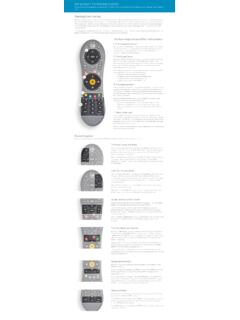
Using Your TiVo Remote Control
www.tivo.comremote to control the power, mute, and volume of your TV, you can use TV POWER to turn your TV on and off. Below TV POWER is the INPUT button. Press INPUT to select the input that your TV displays. Inputs can include a DVR, a DVD player, or a game system.
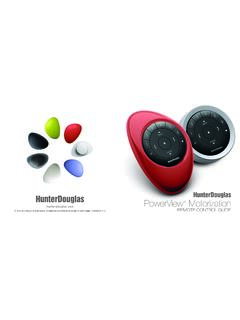
PowerView Remote Control Guide - Hunter Douglas
cdn.hunterdouglas.comFirst, activate the remote by pulling both plastic tabs from the back battery compartment. Inserting the remote module into the PowerView Pebble™ (hand-held): 1. 3Center the Hunter Douglas logo on the remote module above the indentation on the bottom rim of the Pebble. 2. Align the ribs on the remote module with the grooves on the Pebble. 3.
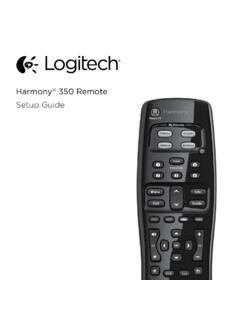
Setup Guide - Logitech
www.logitech.comHow the remote works Harmony 350 is an infrared (IR) remote that controls other IR devices such as TVs, audio/video receivers, and cable/satellite receivers. Visit setup.myharmony.com to create an account and set up your new Harmony remote. Watch TV button Set up a Watch TV Activity to automatically power on/off devices
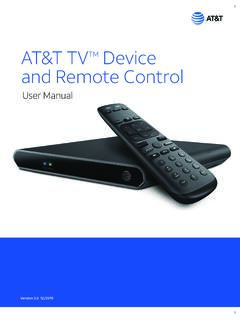
AT&T TVTM Device and Remote Control
www.att.com2. Power Supply The AT&T TV (C71KW) uses the DIRECTV® EPS10 power supply. 3. Remote Control The AT&T TV (C71KW) works with the RC82V Remote Control. (The box and remote control are not compatible with any older DIRECTV or AT&T U-verse® equipment.) Like other AT&T remote controls, the RC82V can be programmed to operate some features

IFT-RC400
downloads.hearthnhome.comyour remote are low, a notification will display on the screen asking you to ‘replace remote batteries’. Refer to Replace Remote Batteries Section. Backup Battery The battery life indicator is for a backup power source located inside your appliance. It is intended to operate the appliance in the event of a power failure. Consult

PowerView Remote Control Guide - Hunter Douglas
cdn2.hunterdouglas.comInserting the remote module into the PowerView ® Pebble (hand-held): 1. Center the Hunter Douglas logo on the remote module above the indentation on the bottom rim of the Pebble. 2. Align the ribs on the remote module with the grooves on the Pebble. 3. Gently push the remote module into the Pebble until it is snug. Ribs on remote to be aligned ...
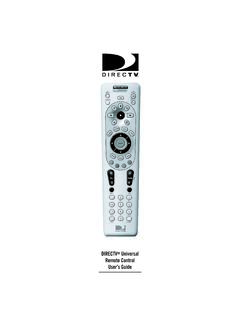
DIRECTV Universal Remote Control User’s Guide
www.att.com6. Aim the remote at your component and press the power key once. The component should turn off. If it does not turn off, repeat steps 3 and 4 trying each code for your brand until you find the correct code. 7. Repeat steps 1 through 6 to program a new component under AV2 (or AV1). 8. For future reference write down the working code for