Transcription of January 2021 S-114TEL Instructions for Wisconsin TeleFile ...
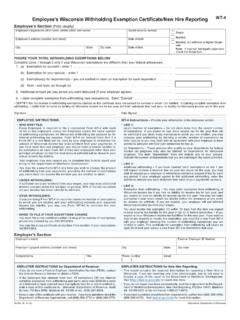
1 S-114 TEL (R. 1-21) Wisconsin Department of RevenueInstructions for Wisconsin TeleFile sales and use tax ReturnUse these Instructions when you file your Wisconsin sales and use tax return by phone. For detailed return Instructions , seeForm for lines 1 through 29 Line 1 Enter total sales. If you have no sales to report, enter 0 .Lines 2 8 Enter subtractions from total sales for each line, if none enter 0. Write the totals TeleFile calculates in the shaded 9 Enter the number of counties for which you report sales subject to county sales tax. If none enter 0 and go to line 13. Lines 9a 11b Enter the two-digit county code and the sales subject to county sales tax. Taxable counties and codes are listed in Fo r m S-114 and on our website (see Tax Rates). If reporting more than one taxable county, enter each additional county code and the related sales subject to county sales tax. Lines 12a 12b Write the total TeleFile calculates in the shaded 13a 13b The baseball stadium district tax ended March 31, 2020.
2 For periods beginning after March 31, 2020, enter 0 unless you are entering a negative amount to claim a refund of baseball stadium district tax paid on sales made prior to April 1, 14a 14b The football stadium tax ended September 30, 2015. Enter 0 unless you are entering a negative amount to claim a refund of football stadium tax paid on sales made prior to October 1, 15/16 18 Write the totals TeleFile calculates in the shaded 19a 19b Enter purchases subject to state use tax. If none, enter 0. Write the total TeleFile calculates in the shaded box. Line 20 Enter the number of counties you report purchases subject to county use tax. If none enter 0 and go to line 24. Lines 20a 22b Enter the two-digit county code and the purchases subject to county use tax. Taxable counties and codes are listed in Form S-114 or on our website (see Tax Rates).If reporting more than one taxable county, enter each county code and the related purchases subject to county use tax.
3 Lines 23a 23b Write the total TeleFile calculates in the shaded box. Lines 24 24b The baseball stadium district tax ended. The last day of the tax is March 31, 25a 25b The Brown County football stadium district tax 26 29 Write the totals TeleFile calculates in the shaded Instructions you have no entry for a line, enter zero. total amounts including cents, then press the # (pound) key. Do not enter decimal points. For negative numbers,press the * (star) key : Enter $ as 35295#Enter $353 as 35300#Enter negative $ as *35295#Enter negative $353 as *35300#Enter 0 as 0# STOP filing your return at any time, simply hang up. Yourreturn will not be filed unless you confirm at the end of thecall that you wish to file. your completed worksheet for your A Confirm your 15-digit tax account number is correct. Line B Confirm the four-digit period end date entered. A two-digit month followed by a two-digit year. Quarterly filers use the last month of the quarter.
4 Annual filers use December. Example: January 2020 is entered as C TeleFile calculates the due date based on the period for lines A through C the TeleFile worksheet using these Instructions . TeleFile . (608) 261-5340 (Madison)(414) 227-3895 (Milwaukee) Long distance charges may apply. the completed worksheet to enter information during thecall. your entries. incorrect entries before going to the next , hang up to start over. the calculated amounts in the shaded areas on the TeleFile voice Instructions to file and pay. your confirmation number on the to TeleFileS-114 TEL (R. 1-21) Wisconsin Department of Revenue- 2 -Your payment options ..1. Direct Withdrawal ACH DebitTo use the direct withdrawal option, you will need to provide the Wisconsin Department of Revenue (DOR) your bank account information, payment amount, and date for withdrawal from your you need to know: This transaction authorizes DOR s bank to request the funds from your bank account.
5 If you file before the due date, you may choose the date your payment will process. Otherwise, the payment will process the next business day. Enter the payment amount when requested. You can pay the total due, make a partial pay-ment, or call TeleFile and pay at a later direct withdrawal payment must be initiated by 4:00 PM CST of the due date to be you do not pay by direct withdrawal, you can pay using one of the following payment options after you ACH CreditIf you use the ACH Credit option, you authorize your financial institution to send funds to DOR. You must contact your financial institution for specific Instructions . Your financial institution may charge a fee for this service. ACH Credit information is available at our Payment Instructions for Financial Institutions page. 3. Credit CardTo pay by credit card, call ACI Payments, Inc., at 1-800-2 PAY-TAX (1-800-272-9829) or go to our Pay by Credit Card Payments, Inc., charges a convenience fee of $1 for pay-ments less than $40 or percent of the payment amount for payments greater than $40.
6 The Wisconsin Department of Revenue does not receive any portion of the fee. 4. Payment VoucherUse the voucher attached to your TeleFile worksheet to pay by paper check or money order. Mail the voucher and payment, by the due date, to: Wisconsin Department of Revenue, PO Box 930208, Milwaukee WI : The routing and account numbers may be in different places on your CheckJames P. TaxpayerHelen A. Taxpayer16305 Main Ave. NWAnytown, WI 99999-9999 Pay to theOrder of$DOLLARSMemoANYTOWN BANKA nytown, WI 00000123415-0000/0000 DateDo not includethe check numberRoutingnumberAccountnumberLooking for sales and use tax information? Read the latest Wisconsin Tax Bulletin. Sign up for DOR E-News to receive new sales and use tax information electronicallyTeleFile will not be available on Sundays from 5:00 AM to 9:00 AM, due to regular maintenance being performed during these a pre-printed voucher? Print your own voucher, or Request a voucher by telephone, email, or fax using the contact information below.
7 Provide your name, tax account number, and the reporting : : Wisconsin Department of Revenue PO Box 8949 Madison WI 53708-8949 Call: (608) 266-2776 Fax: (608) 267-1030