Example: air traffic controller
400W Series - Garmin
must use a WAAS enabled database. Warnings, Cautions, and Notes Introduction Warnings, Cautions, and Notes. INTRODUCTION ii 190-00356-00 Rev K NOTE: This device complies with Part 15 of the FCC limits for Class B digital devices. This equipment generates, uses, and
Tags:
Information
Domain:
Source:
Link to this page:
Documents from same domain

EDGE® 1030 Owner’s Manual - Garmin International
static.garmin.comCharging the Device NOTICE To prevent corrosion, thoroughly dry the USB port, the weather cap, and the surrounding area before charging or connecting to

Owner’s Manual - Garmin International
static.garmin.comIntroduction WARNING See the Important Safety and Product Information guide in the product box for product warnings and other important information.

Lidar Lite v3 Operation Manual 2 and Technical …
static.garmin.com1 Lidar Lite v3 Operation Manual and Technical Specifications Laser Safety WARNING This device requires no regular maintenance. In the event that the device

Printing a Mounting Template - Garmin
static.garmin.comPrinting a Mounting Template Notice It is not recommended that you print a mounting template on your own. Use the template that came in the product box.

GPSMAP 62 series - Garmin
static.garmin.comGPSMAP 62 Series Quick Start Manual 3 3. Replace the battery cover. For best results, after you install new batteries, update the battery type in the

Important Safety and Product Information 2 …
static.garmin.comIMPORTANT SAFETY AND PRODUCT INFORMATION WARNING Failure to heed the following warnings could result in an accident or collision resulting in death or

Important Safety and Product Information 2 …
static.garmin.comImportant Safety and Product Information 2 Informations importantes sur le produit et la sécurité 3 guida Informazioni importanti sulla sicurezza e sul

Instructions - Garmin
static.garmin.com1 GLO™ GLONASS and GPS Sensor Instructions August 2012 190-01492-00_0B Printed in Taiwan

GNS 430(A) - Garmin International
static.garmin.com190-00140-00 Rev. P GNS 430(A) Pilot’s Guide and Reference i RECORD OF REVISIONS Revision Date of Revision Description A 12/98 Initial Release B 4/99 Update to conform to recent SW changes

GNS 530(A) - Garmin International
static.garmin.com190-00181-00 Rev. H GNS 530(A) Pilot’s Guide and Reference i RECORD OF REVISIONS Revision Date of Revision Description A 5/00 Initial Release B 5/01 Update to reflect software changes through 2.06
Related documents

Exec Mode Commands - Cisco
www.cisco.comWAAS Central Manager retains the WAAS network settings and provides other WAAS network nodes with updates. Communication between nodes occurs ov er secure channels using the Secure Shell Layer (SSL) protocol, where each node on the WAAS network uses a Rivest, Shamir, Adelman (RSA) certificate-key pair to communicate with other nodes.
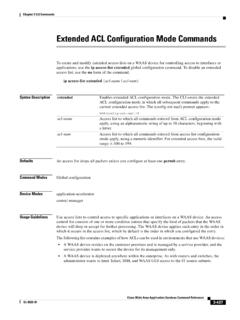
Extended ACL Configuration Mode Commands
www.cisco.comThe WAAS device applies each entry in the order in which it occurs in the access list, which by default is the order in which you configured the entry. The following list contains examples of how ACLs can be used in environments that use WAAS devices: • A WAAS device resides on the customer premises and is managed by a service provider, and the
Introduction to Global Positioning Systems (GPS)
www.nrcs.usda.govWide Area Augmentation System (WAAS) WAAS is a DGPS system implemented by the Federal Aviation Administration and designed primarily for aviation users. The system uses 25 ground reference stations to generate a nation-wide correction message. This message is then uploaded to two geo-synchronous satellites. The WAAS satellites then beam the

GA 35 GA 36 GA 37 Antenna Installation Instructions
static.garmin.comThe GPS/WAAS function of the GA 37 is compliant to TSO C144. The XM function of the GA 37 is compatible with the Garmin GDL 69 and GDL 69A. GA 35, GA 36, and GA 37 Antenna Installation Instructions Page 1-3 190-00848-00 Revision B 1.5 Limited Warranty

Automatically generated PDF from existing images.
cdnbbsr.s3waas.gov.inInstruction for online NTSE LEVEL-I form-2021-22 (NTSE Level-I) 2021-22 gæ.<.3TR.a. Ò t trfàï, à NTSE Level-I 16 2022 186 ( NTSE Level-Il)

DEED OF FAMILY SETTLEMENT
cdnbbsr.s3waas.gov.inwhatsoever and this deed of family settlement shall not be reopened on any ground whatsoever. The cost of the preparation, execution and registration of these presents shall be borne by

GPS-Aided INS Datasheet Rev. 6
inertiallabs.comGPS-Aided INS Datasheet Rev. 6.10 Inertial Labs Address: 39959 Catoctin Ridge Street, Paeonian Springs, VA 20129 U.S.A. Tel: +1 (703) 880-4222, Website: www.inertiallabs.com 2 The Inertial Labs Single and Dual Antenna GPS-Aided Inertial Navigation System – INS is a new generation of fully-integrated, combined GPS, GLONASS, GALILEO, QZSS, BEIDOU and L …