Example: dental hygienist
AC1900 Wi-Fi Range Extender - Linksys
Sep 06, 2016 · Wireless range extenders repeat existing Wi-Fi signals. Wired range extenders (access points) create new Wi -Fi hotspots when connected to a router or access point with an Ethernet cable. Both scenarios require a router with a working Internet connection. Before starting setup, decide whether you want to use your RE7000 as a wireless range extender
Tags:
Information
Domain:
Source:
Link to this page:
Documents from same domain

Linksys PLW400 User Guide
downloads.linksys.comUser Guide Linksys PLW400 Powerline AV Wireless Network Extender. 2 Linksys PLW400 Contents ... see your wireless network device’s user documentation The PLW400’s Wireless LED flashes, then stays on when a wireless network device successfully connects Setting .up .advanced .security

User Guide - WRT1900AC Dual Band Gigabit Wi-Fi …
downloads.linksys.comWRT 1900AC | Contents PRODUCT OVERVIEW 1 WRT1900AC 3 Wall-mounting placement SETTING UP: BASICS 5 How to create a home network 5 What is a network? 5 How to set up a home network

Compact Wireless-G Broadband Router - Linksys
downloads.linksys.comTable of Contents Compact Wireless-G Broadband Router ii Chapter 1: Product Overview 4 Front Panel.

Linksys EG005W Gigabit 5-Port Workgroup Switch
downloads.linksys.comAbout This Guide Gigabit 5-Port Workgroup Switch i ... Address learning and aging is ... refund the purchase price of the

16-Port and 24-Port 10/100 Switches - Linksys
downloads.linksys.comChapter 1: Introduction r With its advanced switching technology, the Linksys 16- or 24-Port 10/100 Switch will boost your network performance with much more than just full

Wireless-G Broadband Router - Linksys
downloads.linksys.comChapter 1 Product Overview W reless-G Broadband Router Chapter : Product Overv ew Thank you for choosing the Linksys Wireless-G Broadband Router. The Router lets you access the Internet via a

Routeur sans fil N pour la maison - …
downloads.linksys.comÀ propos de ce guide Routeur sans fil N pour la maison i ... Linksys, Cisco et le logo Cisco sont des marques de commerce ou des marques

Routeur Gigabit sans fil N double bande en simultané
downloads.linksys.comÀ propos de ce guide Routeur Gigabit sans fil N double bande en simultané i À propos de ce guide Description des icônes Pendant la lecture de ce guide …

Valet and Valet Plus User Guide - Linksys
downloads.linksys.com5 UserGuide Chapter2:CiscoConnect b . Plugthepoweradapterintoanelectricaloutlet . ConnecttoElectricalOutlet

Linksys PLWK400 User Guide
downloads.linksys.com4 Linksys PLWK400 Overview PLW400 Wi-Fi Protected Setup button—Press this button to connect with other wireless network devices that have a Wi-Fi Protected Setup button HomePlug Simple Connect button—Configures advanced security (the network password) for your Powerline network
Related documents
N300 DUAL-BAND Wi-Fi RANGE EXTENDER User Manual
www.belkin.comsolid blue: The Range Extender is connected to the Wi-Fi® network. solid amber: The Range Extender is connected to the Wi-Fi network but is experiencing a weak signal. The weak signal may be either the 2.4GHz or 5GHz band. A weak signal may lead to performance problems. Consider moving the Range Extender closer to the wireless router. blinking ...

User Guide AC1200 Max Wi-Fi Range Extender
downloads.linksys.comSep 01, 2016 · b) Click the Wi-Fi Protected Setup button on the extender’s Wi-Fi Protected Setup screen, OR press and hold the Wi-Fi Protected Setup button on the back of the extender for one second. When the connection is complete, the Wi-Fi Protected Setup light on the extender will be solid for 10 seconds.
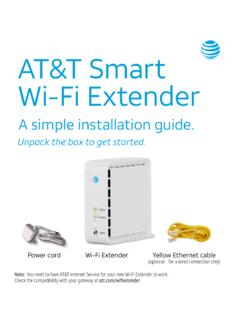
AT&T Smart Wi-Fi Extender
www.att.comWi-Fi . Extender closer to the . Wi-Fi Gateway. Solid red light. Bad location. Flashing red light. Out of range. If you’re having trouble pairing your Extender with your . gateway, you can use the included Ethernet cable to connect . your extender to your gateway and pair them manually. If you still have an issue, check your AT&T Internet ...
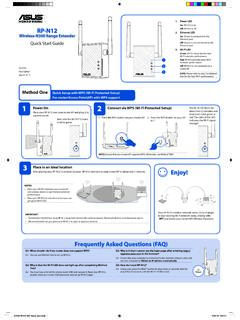
Wireless-N300 Range Extender On Quick Start Guide
dlcdnet.asus.comWi-Fi extender performance. Red: RP-N12 provides poor Wi-Fi extender performance. Off: RP-N12 is not connected to a router/AP. Quick Setup with WPS (Wi-Fi Protected Setup) For router/Access Point(AP) with WPS support Power On Place your RP-N12 near your router/AP and plug it to a power outlet. Wait until the Wi-Fi LED starts to blink green.

RE210 AC750 Wi-Fi Range Extender - TP-Link
static.tp-link.comAC750 Wi -Fi Range Extender. Model No.: RE210 . Trademark: TP-LINK . We declare under our own responsibility that the above products satisfy all the technical regulations applicable to the product within the scope of Council Directives:

Setting up your Smart Wi-Fi Extender - AT&T Official Site
www.att.comSetting up your Smart Wi-Fi Extender Choose 1 of 4 simple setup options 1 Connect with AT&T’s Smart Home Manager app 2 Connect with seamless pairing ... Wi-Fi signal is out of range. Light will flash . up to 5 minutes while connecting Check all cables and cords.

Universal WiFi Range Extender WN3000RP Installation Guide
www.downloads.netgear.comOption 1: Connecting with WPS (Wi-Fi Protected Setup) WPS lets you easily join a secure Wi-Fi network without typing the network name and password. The WPS button is a physical button on the Wi-Fi router, gateway, or access point.

TL-WPA4220 AV600 Powerline Wi-Fi Extender
static.tp-link.comCongratulations on your purchase of this outstanding AV600 Powerline Wi-Fi Extender. This device is not only a 600Mbps powerline Ethernet adapter which transforms your house’s existing electrical wiring into a ubiquitous networking infrastructure, but also a 300Mbps Wi-Fi Access Point which creates a