Example: marketing
Archer D7 User Guide - TP-Link
Chapter 1 Get to Know About Your Modem Router 1 1 Product Overview What This Product Does TP-LINK’s Archer D7 AC1750 Wireless Dual Band Gigabit ADSL2+ Modem Router is a combined wired/wireless network connection device with integrated wireless router and ADSL modem, reducing hassle of configuration and saving space. Featuring a
Tags:
Information
Domain:
Source:
Link to this page:
Documents from same domain
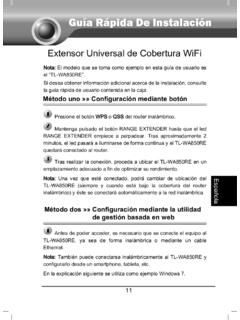
Guía Rápida De Instalación - static.tp-link.com
static.tp-link.com11 E s p a ñ o l a M Extensor Universal de Cobertura WiFi Nota: El modelo que se toma como ejemplo en esta guía de usuario es el “TL-WA850RE”. Si desea obtener información adicional acerca de la instalación, consulte
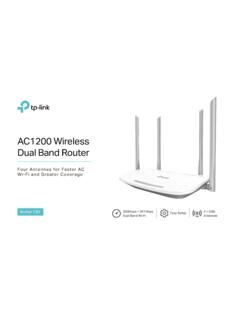
AC1200 Wireless Dual Band Router - TP-Link
static.tp-link.comAC1200 Wireless Dual Band Router Archer C50 300Mbps + 867Mbps Easy Setup Dual Band Wi-Fi 4 × 5dBi Antennas ... AC1200 (300Mbps on 2.4GHz + 867Mbps on 5GHz) Wi-Fi for reliable connections. 5GHz 867Mbps ... Cable or DSL Modem Subscription with an …

TL-WR841N TL-WR841ND 300Mbps Wireless N Router - TP …
static.tp-link.comThe 300Mbps Wireless N Router delivers exceptional range and speed, which can fully meet the need of Small Office/Home Office (SOHO) networks and the users demanding higher networking performance.
TL-WR841N TL-WR841ND 300Mbps Wireless N Router
static.tp-link.comPowered by 2x2 MIMO technology, the 300Mbps Wireless N Router delivers exceptional range and speed, which can fully meet the need of Small Office/Home Office (SOHO) networks and the users demanding higher networking performance.
Quick Installation Guide - static.tp-link.com
static.tp-link.comEnglish 1 1 Power on Plug the extender into an electrical outlet near your router and press the power button if it has one. 2 Connect your computer to the extender
Installation Guide - TP-Link
static.tp-link.comThis guide is applicable to products including CPE210, CPE220, CPE510 and CPE520. • Package Contents Installation Guide Outdoor CPE CPE210 / CPE220 / CPE510 / C PE520 Pharos CPE Passive PoE Adapter Pole Mounting Straps Mounting Bracket Plastic Wall …
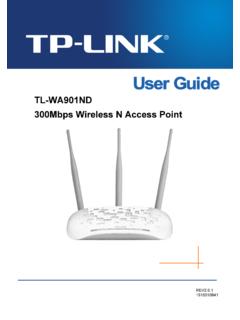
TL-WA901ND 300Mbps Wireless N Access Point - TP-Link
static.tp-link.comTL-WA901ND 300Mbps Wireless N Access Point User Guide 1 Package Contents The following items should be found in your package: One TL-WA901ND 300Mbps Wireless N Access Point

Quick Installation Guide - TP-Link
static.tp-link.comQuick Installation Guide AC1750 Wireless Dual Band Gigabit Router Connect the Hardware 7106505288 REV3.0.0 Verify that the following LEDs are

How to configure VPN function on TP-LINK Routers
static.tp-link.com3 2. How to configure LAN-to-LAN IPsec VPN on TP-LINK Router Suitable for: TL-ER6120, TL-ER6020, TL-ER604W, TL-R600VPN To setup an IPsec VPN tunnel …

How to configure VPN function on TP-LINK Routers
static.tp-link.com3 2. How to configure LAN-to-LAN IPsec VPN on TP-LINK Router Suitable for: TL-ER6120, TL-ER6020, TL-ER604W, TL-R600VPN To setup an IPsec VPN tunnel …
Related documents

MODE D’EMPLOI - Danew
danew.frConfiguration du Wifi 4 SOMMAIRE. 4 - GUIDE DE DÉPANNAGE 5 - SUPPORT GARANTIE P.22 P.24 ... l’aide d’un objet fin, appuyez sur le bouton Reset placé de l’appareil jusqu’à ce que ... sélectionnez le réseau Wifi correspondant à votre modem en cliquant dessus. A droite du nom du réseau, une icône indique la puissance de réception.

Guide d'installation rapide - TP-Link
static.tp-link.comSur votre routeur, connectez un câble Ethernet du modem au port WAN. Si votre connexion Internet passe par un câble Ethernet et non un ... WIFI ON/OFF 1 2 3 Configuration via l'appli Tether L'appli Tether de TP-LINK vous permet d'accéder facilement au routeur et de :
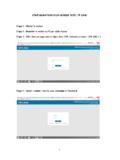
CONFIGURATION D’UN MODEM WIFI TP LINK
www.adjib.dj1 CONFIGURATION D’UN MODEM WIFI TP LINK . Etape 1 : Allumer. le modem . Etape 2 : Brancher. le modem au PC par câble réseau . Etape 3 : Aller dans une page web et tapez dans l’URL l’adresse suivante : 192.168.1.1 . Etape 4 : Saisir « …

Répéteur WiFi Nighthawk X4 Mesh AC2200 Modèle EX7300 ...
www.downloads.netgear.comConnexion avec l'assistant d'installation NETGEAR 1. Connectez un ordinateur ou un appareil mobile au répéteur à l'aide d'une connexion WiFi ou Ethernet : • WiFi. Sur votre ordinateur ou appareil mobile équipé du WiFi, lancez le gestionnaire de connexions WiFi, puis recherchez et connectez-vous au réseau du répéteur appelé NETGEAR_EXT.

VMG8623-T50B/VMG3625-T50B/ EMG5523-T50B/EMG3525 …
www.zyxel.comexperience, four models offer dual-band, d WiFi with performance-boosting features such as Multi-User MIMO (MU-MIMO) and Beamforming for simultaneous, lag-free streaming and gaming experiences. In addition, its ability to create multiple WiFi networks with up to 4 SSIDs helps operators to easily create individual WLAN networks for video, data and

Décodeur TV Manuel d’utilisation - Orange
www.orange.beOK un certain nombre d’options de configuration. Important Ce chapitre est fourni à titre indicatif. Le câblage et l’installation de votre décodeur TV sont effectués par votre installateur Orange. Etape 5 Raccordez votre décodeur Raccordez votre décodeur (prise DC12V) à votre prise électrique. Mise en route Etape 5 4

L’interconnexion des réseaux locaux
www.reseaucerta.orgSon rôle est de relier (d'établir un circuit entre) le Réseau Local d'Entreprise (RLE ou LAN – Local Area Network) à d'autres RLE ou à Internet. Un routeur est traversé par les flux d'informations entrants dans le RLE ou sortants du RLE. 1 Les différents types de routeur Il s'agit d'un boîtier avec des connecteurs appelés interfaces.