Example: bankruptcy
EdgeRouter Lite Quick Start Guide - Ubiquiti
Lite. This Quick Start Guide is designed to guide you through installation and also includes warranty terms. Package Contents eth0 eth1 eth2 EdgeRouter Lite Screws Screw Anchors (Qty. 2) Power Adapter (12V, 1A) Power Cord TERMS OF USE: All Ethernet cabling runs must use CAT5 (or above). It is the professional
Tags:
Information
Domain:
Source:
Link to this page:
Documents from same domain

Advanced Gigabit Ethernet Router - Ubiquiti …
dl.ubnt.comThis Quick Start Guide is designed to guide ... Advanced Gigabit Ethernet Router Model: ER-X EdgeRouter X Power Adapter (12V, 0.5A) Quick Start Guide

TOUGHCable PRO Quick Start Guide - Ubiquiti Networks
dl.ubnt.com2 TOUGHCable™ PRO Quick Start Guide TOUGHCable Box The Tension Knob is set to High by default. If necessary, the tension can be set to to Low or None. Tension Knob TOUGHCable PRO Cross-Section Conductor Insulation ESD Drain Wire

802.11ac Dual Radio Access Point
dl.ubnt.comThis Quick Start Guide is designed to guide you through ... 802.11ac Dual Radio Access Point Model: UAP-AC-LITE Gigabit PoE* (24V, 0.5A) with Mounting Bracket

Wide-Angle 1080p Dome IP Camera with Infrared
dl.ubnt.comIntroduction Thank you for purchasing the Ubiquiti Networks® UniFi® Video Camera G3 Dome. This Quick Start Guide is designed to guide you through installation and includes warranty terms.

U-Installer Quick Start Guide - Ubiquiti Networks
dl.ubnt.comLEDs Wi-Fi Lights blue if the U-Installer has a Wi-Fi connection to your mobile device. Battery Four blue LEDs indicate the internal battery’s charge level: Full charge Low charge* * Recharge the battery by connecting a power source,

1080p Wireless IP Security Camera with Infrared
dl.ubnt.comIntroduction Thank you for purchasing the Ubiquiti Networks® UniFi® Video Camera G3 Micro. This Quick Start Guide is designed to guide you through installation and also includes warranty terms.

UniFi AC AP Datasheet - dl.ubnt.com
dl.ubnt.com3 D atasheet UniFi Controller Packed with Features Use the UniFi Controller to provision thousands of UniFi APs, map out networks, quickly manage

Datasheet - Ubiquiti Networks
dl.ubnt.comDatasheet www.ubnt.com/airmax 3 Software airOS is an intuitive, versatile, highly developed Ubiquiti firmware technology. It is exceptionally intuitive and …

802.11n Wi-Fi Access Point - Ubiquiti Networks
dl.ubnt.comHardware Installation The UniFi AP can be mounted to the wall or ceiling. Perform the steps for the appropriate installation: Wall Mount 1. Position the Mounting Bracket at the desired location on the wall with the cable feed slot pointed towards the floor.

Rocket ac Datasheet - Ubiquiti Networks
dl.ubnt.comD atasheet 4 Technology Unlike standard Wi-Fi protocol, Ubiquiti’s Time Division Multiple Access (TDMA) airMAX ac protocol allows each client to send and receive
Related documents

AWC03F Quick Start Guide 100220 ENGLISH - Aluratek
aluratek.comClass B digital device, pursuant to part 15 of the FCC rules. These limits are designed to ... Quick Start Guide 1080P HD Webcam Technical Support and Warranty ... • To begin, select the Start button ( ), and then select Camera in the list of apps, or type “camera” in the search bar.
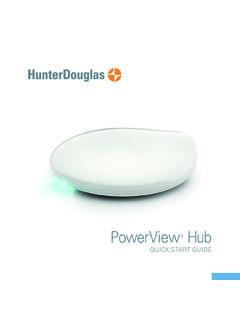
PowerView Hub - Hunter Douglas
cdn2.hunterdouglas.comQUICK START GUIDE. Table of Contents Kit Contents 3 Connections 5 ... pursuant to Part 15 of the FCC Rules. These limits are designed to provide reasonable protection against harmful interference in a residential installation. This equipment generates, uses and can
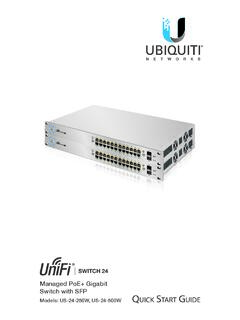
Managed PoE+ Gigabit Switch with SFP
dl.ubnt.comSwitch. This Quick Start Guide is designed to guide you through the installation and also includes the warranty terms. Package Contents 1G UniFi Switch Managed PoE+ Gigabit Switch with SFP Models: US-24-250W, US-24-500W 1G Power Cord Mounting Screws (Qty. 4) Cage Nuts (Qty. 4) Quick Start Guide System Requirements
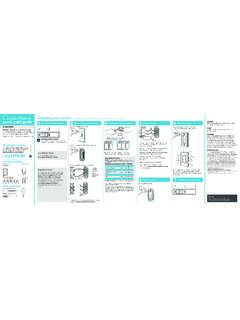
Wireless Installing your switch quick-start guide 1 2 3 4
www.casetawireless.comquick-start guide In-wall switch Welcome—and thank you for purchasing a CasétaR Wireless in-wall switch. In order to control your lights from an app or remote, you’ll need to replace an existing switch with a CasétaR Wireless in-wall switch. We hope you enjoy the convenience of CasétaR Wireless! Contents supplied Double your warranty

CS6080 Quick Start Guide
www.zebra.comQuick Start Guide 13 Charging Spare Batteries 1. Connect the cable to the cradle with the USB-C connector. 2. Connect the other end of the cable to a USB port on the host PC, or to a USB power adapter plugged into an AC outlet with the USB-A connector. 3. Remove the spare battery slot cap. 4. Insert the battery into the spare battery

Quick Start Guide - Wizards
media.wizards.comQuick Start Guide AGE 13+ 2 Welcome to Magic: The Gathering®, the world’s premier trading card game. You’re about to discover why millions around the world play Magic™: its deep strategy, its beautiful worlds and strong characters, and its worldwide community.