Example: quiz answers
HP 14 Notebook PC
NOTE: Be sure that the device cable has a 4-conductor connector that supports both audio-out (headphone) and audio-in (microphone). (4) USB 2.0 port Connects an optional USB device, such as a keyboard, mouse, external drive, printer, scanner, or USB hub. (5) Optical drive Reads and/or writes, depending on your computer model, to an optical disc.
Tags:
Information
Domain:
Source:
Link to this page:
Documents from same domain
HP Pavilion PC User™s Guide - HP® Official Site
h10032.www1.hp.com2 HP Pavilion PC User’s Guide Putting Your Computer Together For step-by-step instructions on putting your computer together, refer to the Welcome Poster that came in your computer box.

Quick Start Guide - HP
h10032.www1.hp.comHP Web Sites. Quick Start Guide Filename: ma2usqs.doc Title: HP-Print2k.dot Template: HP-Print2K.dot Author: jiml Last Saved By: WASSER, Inc. ® ® Start. ...
Technical Reference Guide HP Compaq dc7800 …
h10032.www1.hp.comTechnical Reference Guide HP Compaq dc7800 Series Business Desktop Computers ... deal with the system board and the power supply assembly.
Reference Guide - HP
h10032.www1.hp.comReference Guide A–1 A Troubleshooting This section provides three methods for resolving issues you may encounter when using your docking station. Use the methods

User Guide - HP
h10032.www1.hp.comproprietor and used by Hewlett-Packard Company under license. Google, ... bound by the terms of the HP End User License ... see the printed Quick Start guide included ...

HP MINI User Guide
h10032.www1.hp.comSafety warning notice WARNING! To reduce the possibility of heat-related injuries or of overheating the device, do not place the device directly on …
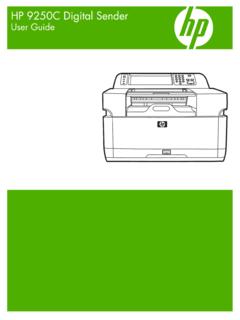
HP 9250C Digital Sender - HP® Official Site
h10032.www1.hp.comDevice information The HP 9250C Digital Sender connects directly to your network converts black-and-white and color documents, drawings, and photographs into an electronic form and then distributes them directly to
HP Pavilion 15 Notebook PC - HP® Official Site
h10032.www1.hp.com1 Product description Category Description Computer models equipped with an AMD processor Computer models equipped with an Intel processor Product Name HP Pavilion 15 Notebook PC √√
Manuel de l'utilisateur de l'ordinateur portable HP
h10032.www1.hp.comAvis d'avertissement sur la sécurité AVERTISSEMENT ! Pour éviter tout risque de blessure liée à la chaleur ou tout risque de surchauffe de l'ordinateur, ne le posez pas directement sur vos genoux et n'obstruez pas les ouvertures d'aération.

Manuel de l'utilisateur - HP® Official Site
h10032.www1.hp.comL'ordinateur et l'adaptateur secteur sont conformes aux limites de température de surface accessible à l'utilisateur, définies par la norme internationale sur la …
Related documents

OPERATION GUIDE - mitsubishi-motors.co.uk
mitsubishi-motors.co.ukThe specification of vehicles illustrated in this publication may not be applicable to the UK market. ... M45289 19MY Outlander PHEV Operation Guide A5.indd 3-4 16/08/2018 10:38. 5 6 Step 1 Step 2 Step 3 Step 4 ... OR CONNECTOR, OR THOSE ON THE RAPID CHARGE PORT OR CONNECTOR.
Installation Guide - Western Digital
documents.westerndigital.comillustrated below. a. Insert the M.2 device at an angle as is illustrated below. 9. Fasten the opposite end of the WD Black NVMe SSD to the motherboard with the necessary screw or hardware, as is illustrated below. WD Black NVMe SSD M.2 Desktop PC Installation Guide WD Black NVMe SSD M.2 Desktop Installation Guide 3

HP Stream Notebook PC
h10032.www1.hp.com(11) Power connector cable 759919-001 (12) Battery, 3-cell, 32-Wh, 2.96-Ah, Li-ion (includes cable) 752235-005 (13) Base enclosure: In purple finish 783042-001 In silver finish 783041-001 In green finish788086-001 Rubber Kit (not illustrated, includes computer feet, rubber screw covers, and display bezel screw covers) 784533-001
User Guide to the Dynamic Cone Penetrometer
www.dot.state.mn.usconnector between the upper and lower shaft. This allows for disassembly which reduces the size of the instrument for transport. Lower Shaft: The lower shaft is a 16-mm (5/8-inch) diameter steel shaft, 900-1200 mm (35-47 inches) long, marked in 5-mm (0.2- inch) increments for recording the penetration after each hammer drop. Cone: The cone measures

TECHNICAL SERVICE GUIDE - Appliance Aid
www.applianceaid.comg g PUB # 31-9071 02/01 MODEL SERIES: TECHNICAL SERVICE GUIDE GE Consumer Home Services Training General Electric Side-by-Side Knob Control/Metal Liner Refrigerator