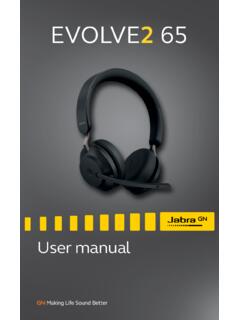
Transcription of Jabra Elite 85t
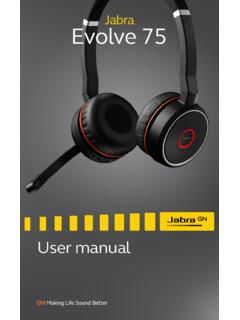
1 Jabra Elite 85t User manual 2020 GN Audio A /S. All rights reserved. Jabra is a trademark of GN Audio A/S. The Bluetooth word mark and logos are registered trademarks owned by the Bluetooth SIG, Inc. and any use of such marks by GN Audio A/S is under license. Made in China MODEL: OTE130R / OTE130L /. CPB130 / 5190001. Declaration of Conformity can be found on 1. 2. Jabra Elite 85t ENGLISH. Included accessories 3. How to Changing EarGels 4. How to 10. Charging the earbuds Fast charge the earbuds Charging the charging case using USB. Charging the charging case using the Jabra wireless charging pad 5. What the LEDs 14. 6. How to 16. Pairing with a mobile device 7. How to use .. 17. Power the earbuds off/on Music controls Call controls ANC, HearThrough and Voice assistant controls Advanced ANC. HearThrough Sidetone Mono earbud use 3. Auto-pause music and calls Sleep mode ENGLISH.
2 MyControls Multiple call handling Multi-connect Voice assistant Voice guidance and languages Update firmware Reset the earbuds 8. Jabra Sound+ 32. 9. 33. FAQ. How to care for your earbuds Replacement accessories Using replacement earbuds Using a replacement charging case 4. 1. Welcome ENGLISH. Thank you for using the Jabra Elite 85t. We hope you will enjoy it! Jabra Elite 85t features Accept No Compromise. Jabra Advanced ANC . gives you fully adjustable noise cancellation in a compact design. Big sound. Small body. 12mm speakers for massive sound and powerful bass. Talk the talk. 6-microphone technology and wind protection for outstanding call clarity anywhere. Best buds. Up to hours battery (ANC on), with up to 25 hours in the compact charging case. Semi-open design. Compact size, oval EarGels and pressure relief vents keep your ears feeling great all day.
3 Made of tough stuff. IPX4-rated earbuds with a 2-year warranty against dust and water*. MySound is your sound. Our in-app hearing test tailors your music to your individual hearing profile. Full control. Choose your own button functions with MyControls. Voice assistant enabled. Elite 85t works with Siri . and Google Assistant . Get more with the app. Download Jabra Sound+. for MySound, MyControls, call settings, updates and more. * Registration required using the Jabra Sound+ app 5. 2. Jabra Elite 85t overview ENGLISH. Jabra Elite 85t earbuds LEFT EARBUD RIGHT EARBUD. Vent holes Vent holes LED LED. Right Left button button Microphones Microphones Wireless charging case LED. Charging port Qi-certified wireless charging 6. Included accessories ENGLISH. EarGels S M. pre-mounted on L the earbuds USB-A to USB-C charging cable 7. 3. How to wear ENGLISH.
4 Microphone Insert each earbud into your ear and ensure the microphones are pointed towards your mouth. The EarGels have an oval shape to provide you a better fit in the ear. This means that the body of the earbud does not sit as deeply within the ear. To further improve the comfort and audio experience, each earbud features a semi-open design with pressure relief vents to reduce the earplug effect' in your ears. Vent holes Vent holes 8. Changing EarGels ENGLISH. For the optimal audio and ANC experience, it is recommended to try each of the different EarGel sizes. The fit should feel light and comfortable in your ear. The medium EarGels are pre-mounted on the earbuds. S M L. When attaching a new EarGel, ensure the oval mounting tip on the earbud is aligned with the oval attachment on the EarGel. Press the EarGel firmly onto the earbud. 9. 4.
5 How to charge ENGLISH. Get up to hours on a single charge with ANC on, with a total charge of up to 25 hours with the charging case. If you use the earbuds without ANC and HearThrough, you'll get even more battery, with up to 7 hours in the earbuds and a total of 31 hours with the charging case. Charging the earbuds Place the earbuds in the charging case and close the lid. It takes up to hours to fully recharge the earbuds. When the charging case is opened, the LEDs on the earbuds will light up red, yellow or green to indicate the battery status of the earbuds. The LED on the front of the charging case indicates the battery status of the charging case. 10. Fast charge the earbuds ENGLISH. When the earbuds are at low battery, placing them in the charging case for 15 minutes will fast charge the earbuds and give up to 60. minutes of battery.
6 Fast charging the earbuds requires that the charging case has a minimum of 30% battery. You can see the current battery status of the earbuds and charging case using the Jabra Sound+ app. 11. Charging the charging case using USB. ENGLISH. Plug the supplied USB-A to USB-C charging cable into the charging case and a USB-A. power supply or certified wall charger. It takes up to 3 hours to fully charge the earbuds and the charging case. USB-C. The charging case uses the standard USB. voltage of 5v +- It is not recommended to charge the earbuds using a power supply with a higher voltage. Note: Third-party USB chargers may take longer to charge the charging case. 12. Charging the charging case using the Jabra wireless charging pad ENGLISH. The charging case is Qi-certified. Place the charging case in the center of the Jabra wireless charging pad.
7 The LED on the charging case will flash to indicate the charging case is placed correctly. It takes up to hours to fully charge the earbuds and the charging case. PLACE IN CENTER. Because wireless charging pads take longer to fully charge a device, this may result in the device becoming warm. The elevated temperature is within safe operating requirements and has no bearing on the lifespan or performance of the device. Note: Third-party wireless charging pads may take longer to charge the charging case. 13. 5. What the LEDs mean ENGLISH. LED LED. EARBUD STATUS. High battery/Power on Power off . Medium battery Pairing Low battery Resetting BATTERY STATUS WHEN OPENING CHARGING CASE. High battery Low battery Medium battery Critically low battery (earbuds not charging). 14. ENGLISH. CHARGING CASE STATUS WITH USB CABLE. High battery Firmware updating Medium battery Firmware update error.
8 (see Section ). Low battery Fully charged CHARGING CASE STATUS WITH WIRELESS CHARGING PAD. High battery Firmware updating Medium battery Firmware update error . (see Section ). Low battery Note: When fully charged, the LEDs on the charging case and wireless charging pad will turn off. 15. 6. How to pair ENGLISH. Pairing with a mobile device 3 Sec 1. Power on the earbuds by removing them from the charging case. Alternatively, press the Left and Right buttons simultaneously to power the earbuds on. 2. Press and hold (3 sec) the Left and Right buttons simultaneously until the earbud LED. flashes blue. The earbuds will now be ready to pair to your phone. 3. Wear the earbuds and follow the voice- guided pairing instructions to pair to your mobile device. 16. 7. How to use ENGLISH. Left button Right button Power the earbuds off/on Place the earbuds in the charging case to power them off, or remove them from the charging case to power them on.
9 Alternatively, the earbuds can be manually powered off by pressing the Left and Right buttons on the earbuds simultaneously. To power on, press the Left and Right buttons simultaneously. 17. Music controls ENGLISH. Left earbud Function Right earbud Press the Right Play/pause button when not music on a call Press and hold Volume up the Right button Press and hold the Volume down Left button Double-press the Left button when Next track listening to music Triple-press the Left button when Restart track listening to music or previous track Repeat to skip to the previous track All button functions can be reassigned using MyControls in the Jabra Sound+ app. 18. Call controls ENGLISH. Left earbud Function Right earbud Press the Left or Press the Left or Answer call Right button Right button Double-press Double-press the Left or Right End/Reject call the Left or Right button button Press the Left or Mute/unmute Press the Left or Right button microphone Right button Press and hold Volume up the Right button Press and hold the Volume down Left button All button functions can be reassigned using MyControls in the Jabra Sound+ app.
10 19. ANC, HearThrough and Voice assistant controls ENGLISH. Left earbud Function Right earbud Press the Left Cycle between button when not ANC and on a call HearThrough Activate Voice Double-press assistant the Right button (Siri, Google when not on Assistant) a call All button functions can be reassigned using MyControls in the Jabra Sound+ app. 20. Advanced ANC. ENGLISH. Advanced Active Noise Cancellation (ANC). counters noise by detecting and analyzing the pattern of incoming sound, and then generating an anti-noise signal to cancel noise out. As a result, you experience a reduced level of surrounding noise during music and calls. Left button ANC. Cycle between Press the Left button ANC and when not on a call HearThrough Advanced ANC can be adjusted using the Jabra Sound+ app to suit your specific hearing profile By default, ANC cannot be turned on/off during calls.