Example: biology
Join the GoPro Movement
The perfect capture settings for a day out on the slopes may not be so great when you’re recording indoors. Custom presets let you set up and save settings for both so you can switch back and forth in no time. 1. Tap the capture settings, and then scroll to the bottom of the presets list and tap . 4K | 30 | Linear Cinematic 1080 | 240 | Wide ...
Tags:
Information
Domain:
Source:
Link to this page:
Documents from same domain

USER MANUAL 1 - GoPro
gopro.comUsing Your Camera with an HDTV 33 Connecting to the Capture App 35 Offloading Your Content 36 Video Mode: Capture Modes 39 Video Mode: Settings 41 Video Mode: Advanced Settings 48 Photo Mode: Capture Modes 50 Photo Mode: Settings 52 Photo Mode: Advanced Settings 54 Time Lapse Mode: Capture Modes 56 Time Lapse Mode: Settings 58 TABLE OF CONTENTS
MANUEL DE L'UTILISATEUR - gopro.com
gopro.com4 5 / Table des matières Utilisation des supports 91 Dépannage 95 Assistance clientèle 98 Marques déposées 98 Information réglementaire 98 L'essentiel 6

MANUEL DE L’UTILISATEUR 1 - GoPro Official …
gopro.comÀ partir de l’écran principal, appuyez sur l’icône dans le coin inférieur gauche. 2. Appuyez sur l’une des icônes de mode en haut de l’écran (Vidéo,
USER MANUAL - gopro.com
gopro.comTo download this user manual in a different language, visit ... PRO TIP: When the camera is off and QuikCapture is enabled, you can ... You can also select max video as the interval. With this option, the camera records until the memory card is full, then overwrites the content.
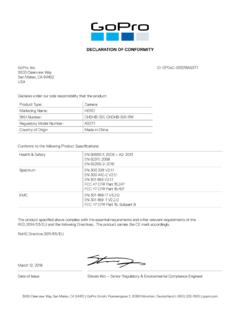
DECLARATION OF CONFORMITY - gopro.com
gopro.com3000 Clearview Way San Mateo, CA 94402 USA DECLARATION OF CONFORMITY The product specified above complies with the essential requirements and other relevant requirements of the RED 2014/53/EU and the following Directives. The product carries the CE mark accordingly.
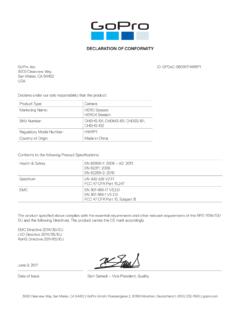
DECLARATION OF CONFORMITY - gopro.com
gopro.comGoPro, Inc. 3000 Clearview Way San Mateo, CA 94402 USA DECLARATION OF CONFORMITY The product specified above complies with the essential requirements and other relevant requirements of …

HERO 1080 INSTRUCTIONS - GoPro Official Website
gopro.comFree downloadable camera updates may be available at gopro.com. Be sure to insert an SD card into the camera or else you won’t be able to record photos or video. POWER/MODE BUTTON ˜ Front of Camera POWER/MODE button turns camera on and off and works as …
Download the User Manual at gopro.com/support
gopro.comrecording video or playing back footage on an LCD Touch BacPac. HiLight Tags help you quickly find the highlights later for easy playback, editing and sharing. *Playback only appears when the camera is connected to a TV or LCD Touch BacPac (sold separately). / Selecting Camera Modes 2. If necessary, select a different capture mode: a.

USER MANUAL - GoPro
gopro.com2 3 To download this user manual in a different language, visit gopro.com/support. Pour télécharger ce manuel de l’utilisateur dans une autre langue,

HERO3 UM Silver ENG REVB WEB - GoPro
gopro.comTo capture a Photo Burst series, verify the camera is in Photo Burst mode. If the Photo Burst icon on your camera’s LCD screen is not showing, press repeatedly until it appears. to take a Photo Burst series: Press and release . The red status indicator Lights flash and the camera beeps multiple times. Pro tiP: Sometimes 30 photos/1 second is ...
Related documents

Microsoft Project Custom Formula Guide
46ev833n9u2l3zs8zp44sst3tpr-wpengine.netdna-ssl.comTo create a custom field for Project Server, from the Server Settings page in the Project Web App, select Enterprise Custom Fields and Lookup Tables. Click the New Field button, and enter all of the field settings as described in this document. The examples in this guide will help you get started with creating custom fields in Microsoft Project.
Vodafone Mobile Wi-Fi Router
www.vodafone.com3.2.3 Custom mobile network connection settings If you select ‘Custom’ in the Account type drop-down menu, you can enter your own settings for the fields listed below. Please note that because these are the settings that your Router requires to make a mobile connection to your mobile network operator’s network,

Manual of Infection Prevention & Control in Dental Settings
www.moh.gov.saIn the second edition of the Infection Prevention & Control Manual for dental settings, all of the ... Recommendations for Disinfection of Stone Casts and Custom Impression Trays (Acrylic). 99 Table (9) Disinfection of Dental Prostheses and Appliances. 100 Table (10) Recommended post exposure prophylaxis (PEP) for exposure to HBV. ...

4K Arcana 18Gbps - Home | HDFury.com
www.hdfury.comDisclaimer: rd 3 party and/or custom firmware providing extra features are not covered in this manual. 13 4K Arcana – User Manual Arcana eARC sub-menu Note: You can also control and change settings with RS232 for MAC/WIN/Linux. eARC sub-menu entry •Click rotary button to enter eARC sub-menu Off default mode

G HUB Manual - Logitech
www.logitech.comSettings Click S ETTINGS to view the name and link location for the Profile. There you can see the details of the Game/Application: NAME . Name of the APP PATH . This shows the path of the executable that will activate. You can click + ADD CUSTOM PATH to add another location of an executable that will also trigger this APP.

Creating Custom PDF Reports with Oracle Application ...
www.oracle.comInstance > Instance Settings > Report Printing in the APEX instance administration. Once this is setup, developers can enable PDF printing on their classic, interactive reports, and report queries. With the Apache FOP option, you can use either the …

Managing Color Guide - Epson® Professional Imaging
files.support.epson.com10. Click the Print Settings button. Follow the steps in the next section to select print settings to match the profile and print. Printing Your Color-Managed Photo 1. Select the Source and Media Type settings for the paper you’ll use for the print. 2. Select Quality Options as the Print Quality setting. You see a window like this one: 3.

ETREX Owner’s Manual 22X/32X - Garmin
www8.garmin.comYou can add a .gpx file that contains waypoints by transferring the file to the GPX folder (Transferring Files to Your Device, page 10 ). Creating a Waypoint