Example: bankruptcy
LASER RANGEFINDER OWNER’S GUIDE
Slope Switch 5 3 4 2 6 1 1 BITE MAGNET HOW OUR DIGITAL TECHNOLOGY WORKS ... Your Pro XE display incorporates the following illuminated indicators (refer to display image at right): 1. Aiming Circle (surrounding crosshairs indicate laser transmission) 2. Elements Mode 3. Battery Level 4. “Play As” Distance (based on Slope/Elements)
Tags:
Information
Domain:
Source:
Link to this page:
Documents from same domain
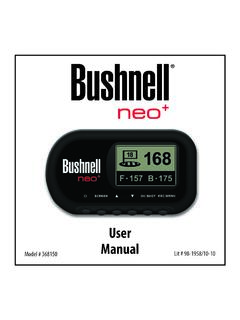
Neo+ Plus Golf GPS UserManual 1LIM rev101210
www.bushnellgolf.comThe Bushnell neo+ is preloaded with over 16,000 golf courses and ready to use out of the box without downloading any additional software. After you’ve had a chance to begin to get familiar with the capabilities of the neo+, please be sure go to iGolf.com to set up

GOLF GPS
www.bushnellgolf.comBushnell is committed to the safe and responsible enjoyment of the outdoors. Warning: Do not use this device with any batteries that have broken or cracked casings. Always use fresh, high quality batteries. Check the battery compartment after the unit has had any prolonged exposure to

201660+201661 Tour V4 5LIM rev071117 - bushnellgolf.com
www.bushnellgolf.com9 About TOUR V4 - Slope Edition (LCD Indicator “ - - - “ ) This advanced and patented technology found on SLOPE EDITION models features a built-in accelerometer-based inclinometer that digitally displays the exact slope angle from -20 to +20 degrees of elevation and is +/- 1.0 degree accurate.

User Manual iON Edge GPS Watch Models 362130 362131
www.bushnellgolf.com– if you are a returning user to the app, select “See All” from the “My Devices Section”, click “Add Device”, and select Ion Edge. • Follow the on screen instructions in the app to pair and connect your Ion Edge . Note: After paired, once powered up the Bluetooth on/off state will be the last set state. Scan the code to

User Manual - Bushnell Golf
www.bushnellgolf.comUser. Manual. Rangefinder Watch. GPS ... By using this product, you agree that Bushnell Outdoor Products will not be held legally responsible . for any injury or damage to you or any person or property caused by the user’s improper operation and/or …

User Manual Phantom 2 Handheld GPS Models 362110 …
www.bushnellgolf.comBy using this product, you agree that Bushnell Outdoor Products will not be held legally responsible for any injury or damage to you or any person or property caused by the user’s improper operation and/or poor judgment while using this product. Note: See Limited Warranty for other limitations to our liability. Additional Information

How to do an Individual Course Sync and to your Bushnell ...
www.bushnellgolf.comSerial Number of your device. 3. Once signed-in, the Main Menu will be displayed. Select ‘MY DEVIE’ in the upper-left of the display and begin Device Setup/Bluetooth Pairing process. 4. Follow the instructions on the Device Setup page to Enable Bluetooth Discovery Mode on your device: i. Go to MENU ii. Select BLUETOOTH iii. Select TURN ON ...

Tour v4 Quick Start Guide - Bushnell Golf
www.bushnellgolf.comTour v4 Slope Quick Start Guide The TOUR V4 can be used to measure distances in yards or meters. Users also have the option of turning the SLOPE feature ON or OFF. To select between yards/meters and SLOPE on/off, 1) Wait for the unit to timeout and fully power down 2) Press and hold the POWER/FIRE button.
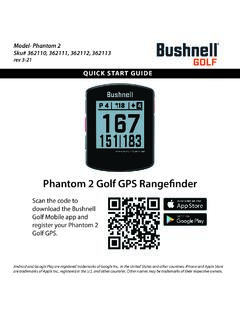
Quick Start Guide Phantom 2 GPS Models 362110 362111 ...
www.bushnellgolf.com11 - PORT USB (Type C) : pour connecter l’appareil au bloc d’alimentation. Guide de démarrage rapide. 1. Rechargez la batterie interne du Phantom 2 en branchant le câble USB d’un bloc d’alimentation sur le port USB (11) de l’appareil. 2. Maintenez le bouton de mise en marche enfoncé (1) pour allumer l’appareil.

Instruction Manual - Bushnell Golf
www.bushnellgolf.comGOLF MENU ITEMS (From Watch mode, press GOLF MENU button) • PLAY GOLF: from any screen, returns display to showing current hole and distances based on your current position on the course. • TEE TIME: Tee Time is a convenience feature that allows you to set up a tee time (golf date) in advance. When a Tee Time has been
Related documents

AT-LP120XUSB User Manual - Audio-Technica
www.audio-technica.com3 Pre-amplifier selector switch If using an amplifier with a PHONO input jack, set this switch to the PHONO position. If connecting to the AUX jack of an amplifier, set this switch to the LINE position. 4 Stereo output terminals Connect the RCA audio cable. Connect it to either the amplifier's PHONO input jack or its line input jack.

USER GUIDE - Logitech
www.logitech.comMode selector switch 3-position rotary switch with tristate LED to indicate program mode. 3 Fire Buttons Backlit buttons conveniently positioned on joystick head for instant access in the heat of the battle. 2 x 8-way hat switches -1 pre-defined as point of view; select from multiple view perspectives and assign frequently used commands.
Electronic Control Transmission (ECT)
autoshop101.comO/D Main Switch OFF When the O/D switch is in the OFF position, the electrical contacts are actually closed and current from the battery flows to ground and 0 volts is present at the OD2 terminal as shown below. At the same time, the O/D OFF indicator is illuminated.
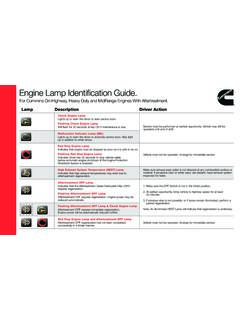
Engine Lamp Identification Guide. - Cummins Inc.
www.cummins.com1. Make sure the DPF Switch is not in the Inhibit position. 2. At earliest opportunity, bring vehicle to highway speed for at least 20 minutes. 3. If previous step is not possible, or if lamps remain illuminated, perform a parked regeneration. Note: An illuminated HEST Lamp will indicate that regeneration is underway.
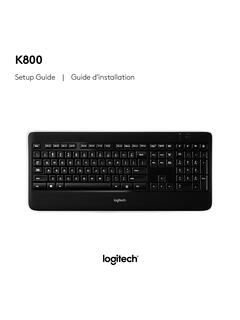
Wireless Illuminated Keyboard K800 Quick Start ... - Logitech
www.logitech.comSlide the keyboard’s Off/On switch to Off and then On The keyboard’s battery status indicator LEDs should light up 2. Confirm that the keyboard is charged The battery status indicator is red when the battery is low 3. Try plugging the Unifying receiver into another USB port 4. Move the Unifying receiver closer to the keyboard 5.

IK0800219 - Accelerator Position Sensor/IdleValidation ...
static.nhtsa.govTitle: Accelerator Position Sensor/IdleValidation Switch APS / IVS Diagnostics NavPakŽ, CEC equipped engine control systems Applies To: All NavPakŽ, CEC equipped engines 1998 through 2003, including T444E, DT466E and 530E engines. Vehicles included, but not limited to, would be: 2000,3400,3800,4000FBC,4000 8000, 4300,4400,7400,7500, 8500, CE Bus,RE Bus, FE Bus