Example: confidence
Mavic Mini Two-Way Charging Hub User Guide
1. As shown in Figure A, insert the battery into the battery port until there is a click. Connect the charging hub to a power outlet (100-240 V, 50/60 Hz) using a Micro USB cable and a DJI 18W USB Charger. 2. The Intelligent Flight Battery with the highest power level will be charged first
Tags:
Information
Domain:
Source:
Link to this page:
Documents from same domain

RONIN 2 User Manual - dl.djicdn.com
dl.djicdn.comRonin 2 User Manual Ronin 2 Intelligent Battery Safety Guidelines Ronin 2 Disclaimer and Safety Guidelines Check all of the included parts listed in the In the Box manual. Read this entire User Manual and watch the informational and tutorial videos on the product page of DJI’s

User Manual V1 - dl.djicdn.com
dl.djicdn.comUser Manual Make sure all of the parts listed in the In the Box document are included in the package. The information in the Safety Guidelines and Disclaimer document affects your safety and your legal rights and responsibilities. Read this entire document carefully to ensure proper configuration

Quick Start Guide - dl.djicdn.com
dl.djicdn.comthe DJI GO 4 app on your mobile device at up to 1080p. An on-board LCD screen gives real- time aircraft data information and the detachable control sticks make the remote controller

NAZA-M LITE - dl.djicdn.com
dl.djicdn.com©2014 DJI. All Rights Reserved. NAZA-M LITE User Manual V 2.00 2014.04.21 Revision For Firmware Version V1.00 & Assistant Software Version V1.00

Manuel de l'utilisateur - DJI
dl.djicdn.comLisez le manuel utilisateur et les consignes de sécurité relatives à la batterie intelligente avant toute utilisation. L'utilisateur assume l'entière responsabilité de ses actions et de son utilisation
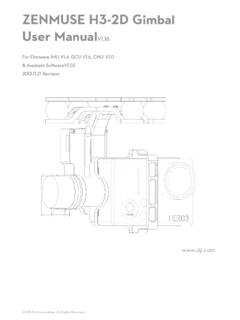
ZENMUSE H3-2D Gimbal User ManualV1 - …
dl.djicdn.com©2013 DJI Innovations. All Rights Reserved. 2 Warning & Disclaimer No adjusting or amending is allowed to the H3-2D!!!

PHANTOM - DJI
dl.djicdn.com©2013 DJI Innovations. All Rights Reserved. 1 | PHANTOM Manuel Avancé V 1.4 2013.03.22 Révision

OSMO MOBILE 2 - dl.djicdn.com
dl.djicdn.com© 2018 DJI All Rights Reserved. 5 * 最大稼働時間は、ジンバルのバランスが取れており、 安定した状態でテストした値です。この ...

Tuned Propulsion System - dl.djicdn.com
dl.djicdn.comE5000 PRO Tuned Propulsion System 多旋翼动力系统 V1.0 2016.12 User Manual 用户手册

PHANTOM 2 VISION - dl.djicdn.com
dl.djicdn.comBe sure to watch your fight distance as the PHANTOM 2 VISION will enter Failsafe mode (auto-landing or go home and land) if it flies beyond this range. FCC compliant devices have an effective range of 500 meters in open spaces.
Related documents

NOCO Genius GEN2 On-Board Battery Charger User Guide
newcontent.westmarine.comfor battery charging. The GEN Series On-Board Battery Chargers are suitable for charging all types of 12V lead-acid batteries, including Wet (Flooded), Gel, MF (Maintenance-Free) and AGM (Absorption Glass Mat) batteries. The GEN Series On-Board Battery Chargers can be used on battery sizes from 25 to 230Ah, but can also maintain all battery sizes.

NOCO Genius G1100 Smart Battery Charger User Guide
www.batterystuff.combattery gassing and is essential to prolonging battery life. Step 7: Optimization Finalizes the charging process and brings the battery to maximum capacity. In this step, the charger utilizes multi-layered charging profiles to fully recapture capacity and optimize the specific gravity of the battery for increased run time and performance.
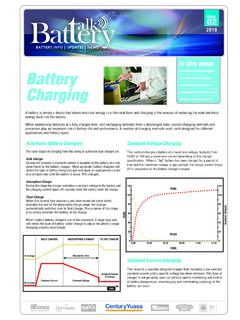
Automotive Battery Chargers Battery Constant Voltage ...
www.centurybatteries.com.auFurther information regarding battery charging can be found in the Century Batteries selection guide, Century Deep Cycle user guide and Yuasa NP product brochure. BATTERY CAPACITY (Ah) Solar Panel Charger (240 Volt) Generator 60-80 watt 80-100 watt Up to 5 amps 5-10 amps 15-20 amps 40 amps 40-60
NOCO GENIUS1 Smart Battery Charger User Guide
www.batterystuff.comThe GENIUS1 is designed for charging all types of 6V & 12V lead-acid batteries, including Lithium (LiFePO4), Wet (Flooded), Gel, MF (Maintenance-Free), CA (Calcium), EFB (Enhanced Flooded Battery), and AGM (Absorption Glass Mat) batteries. It is suitable for charging battery capacities up to 30 Amp-Hours and maintaining all battery sizes.

Driver’s Checklist: A Quick Guide to Fast Charging
www.chargepoint.comA uick Guide to Fast Charging 2 How Does EV Charging Work? You most likely charge your cell phone or computer often, even if you don’t know a lot about electricity. You just plug in the device and go about your day. EV charging is similar. It connects the battery in your car with a power source that can charge it.

Guide to charging Sealed Lead Acid batteries - Silvertel
www.silvertel.comGuide to charging Sealed Lead Acid batteries Another important factor that has to be considered when charging an SLA battery is temperature. As the temperature rises, electrochemical activity in a battery increases, so the charging voltage should be reduced to prevent overcharge. Conversely as temperature falls,
A Guide to Understanding Battery Specifications
web.mit.eduA Guide to Understanding Battery Specifications MIT Electric Vehicle Team, December 2008 A battery is a device that converts chemical energy into electrical energy and vice versa. This summary provides an introduction to the terminology used to describe, classify, and compare batteries for hybrid, plug-in hybrid, and electric vehicles.

BATTERY GUIDE - ResMed
document.resmed.comResMed . 9001 Spectrum Center Boulevard, San Diego, CA 92123Tel. 800-424-0737 . 198103/7 2018-08 . BATTERY GUIDE USING STAND-ALONE, DEEP-CYCLE BATTERIES