Example: stock market
Mavic Mini Two-Way Charging Hub User Guide
Charging Hub × 1 Micro USB Cable × 1 Overview 1. Battery Ports 2. Status LEDs 3. Function Button 4.4 Power Port (Micro USB) 5. USB Port 1 2 3 5 Introduction The Mavic Mini Two-Way Charging Hub is designed both to charge Intelligent Flight Batteries connected to the battery ports and external devices such as a
Tags:
Information
Domain:
Source:
Link to this page:
Documents from same domain

NAZA-M LITE - dl.djicdn.com
dl.djicdn.com©2014 DJI. All Rights Reserved. NAZA-M LITE User Manual V 2.00 2014.04.21 Revision For Firmware Version V1.00 & Assistant Software Version V1.00

Manuel de l'utilisateur - DJI
dl.djicdn.comLisez le manuel utilisateur et les consignes de sécurité relatives à la batterie intelligente avant toute utilisation. L'utilisateur assume l'entière responsabilité de ses actions et de son utilisation
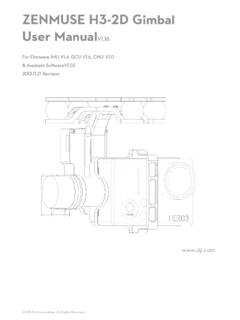
ZENMUSE H3-2D Gimbal User ManualV1 - …
dl.djicdn.com©2013 DJI Innovations. All Rights Reserved. 2 Warning & Disclaimer No adjusting or amending is allowed to the H3-2D!!!

PHANTOM - DJI
dl.djicdn.com©2013 DJI Innovations. All Rights Reserved. 1 | PHANTOM Manuel Avancé V 1.4 2013.03.22 Révision

OSMO MOBILE 2 - dl.djicdn.com
dl.djicdn.com© 2018 DJI All Rights Reserved. 5 * 最大稼働時間は、ジンバルのバランスが取れており、 安定した状態でテストした値です。この ...

User Manual V1 - dl.djicdn.com
dl.djicdn.comUser Manual Make sure all of the parts listed in the In the Box document are included in the package. The information in the Safety Guidelines and Disclaimer document affects your safety and your legal rights and responsibilities. Read this entire document carefully to ensure proper configuration

Tuned Propulsion System - dl.djicdn.com
dl.djicdn.comE5000 PRO Tuned Propulsion System 多旋翼动力系统 V1.0 2016.12 User Manual 用户手册

RONIN 2 User Manual - dl.djicdn.com
dl.djicdn.comRonin 2 User Manual Ronin 2 Intelligent Battery Safety Guidelines Ronin 2 Disclaimer and Safety Guidelines Check all of the included parts listed in the In the Box manual. Read this entire User Manual and watch the informational and tutorial videos on the product page of DJI’s

Quick Start Guide - dl.djicdn.com
dl.djicdn.comthe DJI GO 4 app on your mobile device at up to 1080p. An on-board LCD screen gives real- time aircraft data information and the detachable control sticks make the remote controller

PHANTOM 2 VISION - dl.djicdn.com
dl.djicdn.comBe sure to watch your fight distance as the PHANTOM 2 VISION will enter Failsafe mode (auto-landing or go home and land) if it flies beyond this range. FCC compliant devices have an effective range of 500 meters in open spaces.
Related documents

GL850G Datasheet 108 - Kean
www.kean.com.auThis is a performance better choice for USB 2.0 hub. Please refer to GL852 datasheet for more detailed information. • Integrate USB 2.0 transceiver • Each downstream port supports two-color status indicator, with automatic and manual modes compliant to USB specification Revision 2.0 (Not supported on SSOP 28 package)
AN1953 - Microchip Technology
ww1.microchip.comThe USB-IF has secured the ubiquitous nature of USB for years to come with the radically updated USB Type-C™ con-nector. While the sleek new reversible form factor has been significant for generating buzz and excitement from the gen- ... - A device or upstream hub port. Typical of a …
USB 2.0 Hi-Speed Hub Controller - Microchip Technology
ww1.microchip.comThe Microchip USB251xB/xBi hub family is a group of low-power, configurable, MTT (multi transaction translator) hub controller ICs. The hub provides do wnstream ports for embedded USB solutions and is fully compliant with the USB 2.0 Specification [1]. Each of the hub controllers can attach to an upstream port as a full-speed or full-/hi-speed ...
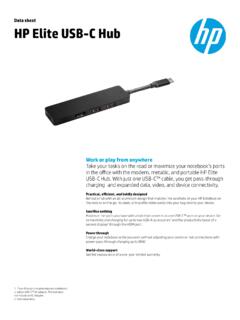
Data sheet HP Elite USB-C Hub
www8.hp.comUSB-C Hub. With just one USB-C™ cable, you get pass-through charging1 and expanded data, video, and device connectivity. Practical, efficient, and boldly designed Behold a hub with an all-aluminum design that matches the aesthetic of your HP EliteBook on the desk or on the go. Its sleek, slim profile slides easily into your bag next to your ...
USB Type-C® System Overview
www.usb.org4. USB PD Discover Identity is used by the DFP to identify port partner (SOP) capabilities 5. USB PD Discover Identity is used by the DFP to identify cable (SOP’) capabilities 6. If the cable and port partner both support USB4 operation, the DFP issues USB PD Enter_USB messages to both the cable and port partner to enter USB4 operation 7.

VC Product Wiring
www.logitech.comUSB Swytch Hub CAT6a USB 3.x. 32 USB C Display Hub Table Hub Mic Pods HDMI TV USB-A A/V USB-C EXT USB-C PC HDMI PC Swytch/Rally Plus USB Mode: With Swytch Swytch Extender Swytch Hub CAT6a USB 3.x PC Tap CAT CAT USB USB HDMI HDMI. 33 USB HDMI HDMI HDMI TV USB-A A/V USB-C EXT USB-C PC HDMI PC Swytch Hub Swytch Extender …

Universal Serial Bus Specification
sdpha2.ucsd.eduApr 27, 2000 · Universal Serial Bus Specification Revision 2.0 iii Acknowledgement of USB 2.0 Technical Contribution The authors of this specification would like to recognize the following people who participated in the USB 2.0 Promoter Group technical working groups. We would also like to thank others in the USB 2.0
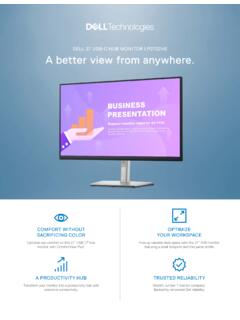
Dell 27 USB-C Hub Monitor P2722HE Data Sheet
www.delltechnologies.comA productivity hub: Transform your monitor into a productivity hub with . RJ45 for wired Ethernet connectivity and USB-C providing up to 65W power delivery — all in one clutter-free setup. Enhanced manageability: MAC Address pass thorugh. 2, PXE boot and . wake-on-LAN are conveniently built in.

USB Logo Usage Guidelines
www.usb.orgThe USB-IF SuperSpeed USB 5Gbps Trident Logo may be used solely in conjunction with Product consisting of a hub, peripheral device, add-in card, motherboard, or cable and connector assembly (anything that is not a USB Host end product) that signals at 5Gbps, that has been submitted to and passed the SuperSpeed USB 5Gbps Test Procedure, and that