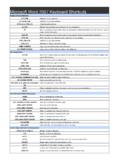
Transcription of Microsoft Access 2007 Keyboard Shortcuts
1 Microsoft Access 2007 Keyboard ShortcutsOpening databasesCTRL NOpen a new Microsoft Access database CTRL OOpen an existing Microsoft Access database ALT F4 Exit Microsoft Access Printing and savingCTRL+PPrint the current or selected object P or CTRL+POpen the Print dialog box from Print Preview SOpen the Page Setup dialog box from Print Preview C or ESCC ancel Print Preview or Layout Preview CTRL S or Shift F12 Save a Microsoft Access database object F12 Open the Save As dialog box Using a combo box or list boxF4 or ALT+DOWN ARROWOpen a combo box F9 Refresh the contents of a Lookup field (Lookup field: A field, used on a form or report in an Accessdatabase, that either displays a list of values retrieved from a table or query, or stores a static set ofvalues.)
2 List box or combo box DOWN ARROWMove down one line PAGE DOWNMove down one page in Microsoft Access UP ARROWMove up one line PAGE UPMove up one page TABExit the combo box or list box Finding and replacing text or dataCTRL FOpen the Find tab in the Find and Replace dialog box in Microsoft Access (Datasheet view and Formview only) CTRL+HOpen the Replace tab in the Find and Replace dialog box (Datasheet view and Form view only) Shift+F4 Find the next occurrence of the text specified in the Find and Replace dialog box when the dialog boxis closed (Datasheet view and Form view only) Working in Design viewF2 Switch between Edit mode (with insertion point displayed) and Navigation mode (Navigation mode:The mode in Microsoft Access in which an entire field is selected and the insertion point is not Navigation mode, you can move between fields by using the arrow keys.)
3 In a datasheet. Whenworking in a form or report, press ESC to leave Navigation mode. F4 Switch to the property sheet (Design view in forms and reports in both Access databases and Accessprojects) F5 Switch to Form view from form Design view in Microsoft Access F6 Switch between the upper and lower portions of a window (Design view of queries, and the AdvancedFilter/Sort window) F6 Cycle through the field grid, field properties, Navigation Pane, Access keys in the Keyboard AccessSystem, Zoom controls, and the security bar (Design view of tables)
4 F7 Open the Choose Builder dialog box (Design view window of forms and reports) F7 Open the Microsoft Access Visual Basic Editor from a selected property in the property sheet for aform or report Shift+F7 or ALT+F11 Switch from the Visual Basic Editor back to form or report Design view Editing controls in form and report Design viewCTRL+CCopy the selected control to the Clipboard CTRL+XCut the selected control and copy it to the Clipboard CTRL+VPaste the contents of the Clipboard in the upper-left corner of the selected section RIGHT ARROW or CTRL+RIGHT ARROWMove the selected control to the right (except)
5 Controls that are part of a layout) LEFT ARROW or CTRL LEFT ARROWMove the selected Microsoft Access control to the left (except controls that are part of a layout) UP ARROW or CTRL+UP ARROWMove the selected control up DOWN ARROW or CTRL+DOWNMove the selected control down Microsoft Access 2007 Keyboard ShortcutsARROWS hift+DOWN ARROWI ncrease the height of the selected control Shift+RIGHT ARROWI ncrease the width of the selected control Note If used with controls that are in a layout, the entirelayout is resized Shift+UP ARROWR educe the height of the selected control Shift+LEFT ARROWR educe the width of the selected control Note If used with controls that are in a layout.
6 The entire layoutis resized Window operationsF11 Toggle the Microsoft Access Navigation Pane CTRL+F6 Cycle between open windows ENTERR estore the selected minimized window when all windows are minimized CTRL+F8 Turn on Resize mode for the active window when it is not maximized; press the arrow keys to resizethe window ALT SPACEBARD isplay the Microsoft Access Control menu Shift F10 Display the Microsoft Access shortcut menu CTRL+W or CTRL+F4 Close the active window ALT+F11 Switch between the Visual Basic Editor and the previous active window Working with WizardsTABT oggle the focus forward between controls in the wizard ALT NMove to the next page of the Microsoft Access wizard ALT+BMove to the previous page of the wizard ALT+FComplete the wizard MiscellaneousF2 Display the complete hyperlink address for
7 A selected hyperlink F7 Check spelling in Microsoft Access Shift+F2 Open the Zoom box to conveniently enter expressions and other text in small input areas ALT+ENTERD isplay a property sheet in Design view ALT F4 Exit Microsoft Access or close a dialog box CTRL+F2 Invoke a Builder CTRL+RIGHT ARROW or CRTL+COMMA(,)Toggle forward between views when in a table, query, form, report, page, PivotTable list, PivotChartreport, stored procedure, or Access project (.adp) function. If there are additional views available,successive keystrokes will move to the next available view.
8 CTRL+LEFT ARROW or CRTL+PERIOD(.)Toggle back between views when in a table, query, form, report, page, PivotTable list, PivotChartreport, stored procedure, or .adp function. If there are additional views available, successivekeystrokes will move to the previous view. Note CTRL+PERIOD (.) does not work under all conditionswith all objects. Editing and navigating the Object listF2 Rename a selected object in Microsoft Access DOWN ARROWMove down one line PAGE DOWNMove down one window ENDMove to the last object UP ARROWMove up one line PAGE UPMove up one window HOMEMove to the first object in Microsoft Access Navigating and opening objectsENTEROpen the selected table or query in Microsoft Access Datasheet view ENTEROpen the selected form or report ENTERRun the selected macro in Microsoft Access CTRL+ENTEROpen the selected table, query, form, report.
9 Data Access page, macro, or module in Design view CTRL+GDisplay the Immediate window in the Visual Basic Editor Microsoft Access 2007 Keyboard ShortcutsWork with menusShift F10 Show the Microsoft Access shortcut menu ALT or F10 Show the Access keys ALT+SPACEBARShow the program icon menu (on the program title bar) DOWN ARROW or UP ARROWWith the menu or submenu visible, select the next or previous command LEFT ARROW or RIGHT ARROWS elect the menu to the left or right; or, when a submenu is visible, to switch between the main menuand the submenu HOME or ENDS elect the first or last command on the Microsoft Access menu or submenu ALTC lose the visible menu and submenu at the same time ESCC lose the visible menu.
10 Or, with a submenu visible, to close the submenu only Using a program windowALT+TABS witch to the next program ALT+Shift+TABS witch to the previous program CTRL+ESCShow the Windows Start menu CTRL+WClose the active database window CTRL+F6 Switch to the next database window CTRL+Shift+F6 Switch to the previous database window ENTERR estore the selected minimized window when all windows are minimized Using a dialog boxCTRL TABS witch to the next tab in a Microsoft Access dialog box CTRL+Shift+TABS witch to the previous tab in a dialog box TABMove to the next