Transcription of Operating Instructions General Settings Guide - …
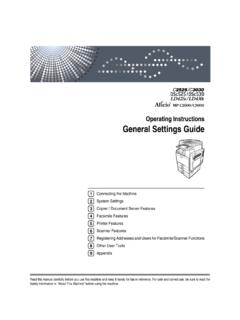
1 Operating InstructionsGeneral Settings GuideRead this manual carefully before you use this machine and keep it handy for future reference. For safe and correct use, be sure to read theSafety Information in "About This Machine" before using the the MachineSystem Settings Copier / Document Server FeaturesFacsimile FeaturesPrinter FeaturesScanner FeaturesRegistering Addresses and Users for Facsimile/Scanner FunctionsOther User ToolsAppendix123456789 IntroductionThis manual contains detailed Instructions and notes on the operation and use of this machine. For yoursafety and benefit, read this manual carefully before using the machine.
2 Keep this manual in a handyplace for quick of this manual are subject to change without prior notice. In no event will the company be li-able for direct, indirect, special, incidental, or consequential damages as a result of handling or oper-ating the :Some illustrations in this manual might be slightly different from the options might not be available in some countries. For details, please contact your local on which country you are in, certain units may be optional. For details, please contact yourlocal :The model names of the machines do not appear in the following pages. Check the type of your ma-chine before reading this manual.
3 Type 1: MP C3500/Aficio MP C3500/ISC 3535 Type 2: MP C4500/Aficio MP C4500/ISC 4045 Certain types might not be available in some countries. For details, please contact your local kinds of size notation are employed in this manual. With this machine refer to the metric for This MachineRefer to the manuals that are relevant to what you want to do with the machine. About This MachineBe sure to read the Safety Information in this manual before using the manual provides an introduction to the functions of the machine. It alsoexplains the control panel, preparation procedures for using the machine,how to enter text, and how to install the CD-ROMs provided.
4 General Settings GuideExplains User Tools Settings , and Address Book procedures such as register-ing fax numbers, e-mail addresses, and user codes. Also refer to this manualfor explanations on how to connect the machine. TroubleshootingProvides a Guide to solving common problems, and explains how to replacepaper, toner, staples, and other consumables. Security ReferenceThis manual is for administrators of the machine. It explains security func-tions that the administrators can use to protect data from being tampered, orprevent the machine from unauthorized refer to this manual for the procedures for registering administrators, aswell as setting user and administrator authentication.
5 Copy/ Document Server ReferenceExplains Copier and Document Server functions and operations. Also refer tothis manual for explanations on how to place originals. Facsimile ReferenceExplains Facsimile functions and operations. Printer ReferenceExplains Printer functions and operations. Scanner ReferenceExplains Scanner functions and operations. Network GuideExplains how to configure and operate the machine in a network environ-ment, and use the software manual covers all models, and includes descriptions of functions andsettings that might not be available on this machine. Images, illustrations, andinformation about Operating systems that are supported might also differslightly from those of this Other manuals Quick Reference Copy Guide Quick Reference Fax Guide Quick Reference Printer Guide Quick Reference Scanner Guide PostScript3 Supplement UNIX Supplement Manuals for DeskTopBinder Lite DeskTopBinder Lite Setup Guide DeskTopBinder Introduction Guide Auto Document Link GuideNote Manuals provided are specific to machine types.
6 Adobe Acrobat Reader/Adobe Reader must be installed in order to view themanuals as PDF files. For "UNIX Supplement", please visit our Web site or consult an authorizeddealer. "PostScript3 Supplement" and "UNIX Supplement" include descriptions offunctions and Settings that might not be available on this OF CONTENTSM anuals for This Machine .. iHow to Read This Manual .. 1 Symbols .. 1 Display 2 Accessing User Tools .. 3 Changing Default Settings .. 3 Quitting User Tools .. 4 Menu 41. Connecting the MachineConnecting to the Interfaces .. 5 Connecting to the Ethernet Interface .. 6 Connecting to the USB 8 Connecting to the IEEE 1394 Interface.
7 9 Connecting to the IEEE 1284 Interface .. 10 Connecting to the IEEE (Wireless LAN) 11 Network 14 Settings Required to Use the Printer/LAN-Fax .. 14 Settings Required to Use Internet Fax .. 17 Settings Required to Use E-mail Function .. 21 Settings Required to Use Scan to Folder Function .. 25 Settings Required to Use the Network Delivery 28 Settings Required to Use Network TWAIN Scanner .. 31 Settings Required to Use Document Server .. 34 Using Utilities to Make Network Settings .. 37 Connecting the Machine to a Telephone Line and Telephone .. 46 Connecting the Telephone Line .. 46 Selecting the Line 462.
8 System SettingsGeneral 47 Output tray Settings .. 50 Tray Paper Settings .. 51 Timer Settings .. 57 Interface 59 Network .. 59 Parallel Interface .. 63 IEEE 1394 .. 64 IEEE .. 66 Print List .. 67 File Transfer .. 69 Administrator 76 Program / Change / Delete LDAP Server .. 84 Programming the LDAP server .. 85iv3. Copier / Document Server FeaturesGeneral 91 Reproduction 96 Edit .. 100 Stamp .. 106 Background Numbering .. 106 Preset Stamp .. 107 User Stamp .. 110 Date Stamp .. 111 Page Numbering .. 114 Input/Output .. 117 Adjust Colour 120 Settings for the Document 1214. Facsimile FeaturesGeneral 123 Scan Settings .
9 126 Send Settings .. 127 Reception Settings .. 130 Initial Settings .. 136 Reception File Setting .. 141 Reception Report e-mail .. 142 Program / Change / Delete Scan Size .. 143 Deleting a scan size .. 145 Registering Fax Information .. 146 Registering Fax Information .. 147 Changing Fax Information .. 149 Deleting Fax Information .. 149 Forwarding .. 150 Programming an End Receiver .. 151 Quitting the forwarding function .. 153 Forwarding Mark .. 153 Parameter Settings .. 154 Changing the User 160vSpecial Senders to Treat Differently .. 161 Authorized 162 Reception File Print Quantity.
10 163 Forwarding .. 163 Print 2 164 Memory 164 Paper Tray .. 164 Programming/Changing Special Senders .. 165 Authorized RX (Authorized Reception) .. 167 Reception File Print Qty .. 167 Forwarding .. 168 Print 2 169 Memory 169 Paper Tray per 169 Programming Initial Set Up of a Special Sender .. 170 Deleting a Special 173 Box Settings .. 174 Programming/Changing Personal Boxes .. 174 Deleting Personal Boxes .. 177 Programming/Changing Information Boxes .. 178 Deleting Information Boxes .. 181 Programming/Changing Transfer Boxes .. 182 Deleting Transfer 185 Printing the Box List .. 1865.