Transcription of Operation Guide 5156 - support.casio.com
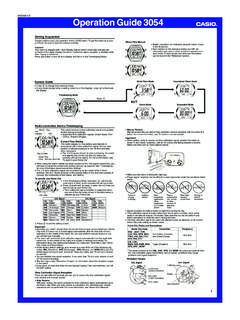
1 Operation Guide 5156E-9 CalendarUse this mode to set today s date (month, day, day of the week).To set the dateMonthDay of weekDayDayHold down of weekPress set the handsIn any mode, press A with a thin object to advance the analog time setting. Each press of A advances the time by 20 seconds. Three presses advance by one down A advances the analog setting at high speed. You can only advance the setting. You cannot reverse In the Timekeeping Mode, hold down 1. C until the seconds digits start to fl ash, which indicates the setting screen. Press 2. B to reset the seconds to 00. Press 3. C to move the selection to the hour digits. Press 4. B to increase the hour digits. Press 5. C to move the selection to the minutes digits. Press 6. B to increase the minutes digits. Press 7. C to move the selection to 12/24. Press 8. B to toggle the timekeeping format between 12-hour and 24-hour. Press 9. C to exit the setting screen.
2 Resetting the seconds to x00 while the current count is in the range of 30 to 59 causes the minutes to be increased by 1. In the range of 00 to 29, the seconds are reset to 00 without changing the minutes. With the 12-hour format, the xP (PM) indicator appears on the display for times in the range of noon to 11:59 and no indicator appears for times in the range of midnight to 11:59 With the 24-hour format, times are displayed in the range of 0:00 to 23:59, without xany this mode to set the current time. An incorrect digital time setting will cause incorrect Operation of the set the digital timeHourSecondsMinutes PM indicatorHour handMinute handSecondMinuteHold down ModeDual Time ModeStopwatch ModeE-4 General Guide Press xB to change from mode to ModeCalendar ModeE-3 Procedure LookupThe following is a handy reference list of all the operational procedures contained in this set the digital time.
3 E-6To set the hands .. E-8To set the date .. E-9To set the alarm time and to turn the Daily Alarm and Hourly Time Signal on and off .. E-12To stop the alarm .. E-14To test the alarm and select an alarm tone .. E-15To set the Dual Time .. E-17To use the Stopwatch .. E-19E-2 ContentsGeneral Guide .. E-4 Timekeeping .. E-6 Calendar .. E-9 Alarm .. E-11 Dual Time .. E-16 Stopwatch .. E-19 Reference .. E-20 Specifi cations .. E-21E-1 About This Manual Button operations are indicated using the letters shown in xthe illustration. Each section of this manual provides you with the xinformation you need to perform operations in each mode. Further details and technical information can be found in the Reference Guide 5156E-19 StopwatchThe Stopwatch Mode lets you measure elapsed time. The range of the stopwatch is 59 minutes, seconds. The stopwatch continues to run, restarting from zero after xit reaches its limit, until you stop it.
4 The stopwatch measurement Operation continues even if xyou exit the Stopwatch use the Stopwatch In the Stopwatch Mode, press 1. C to start the stopwatch. Press 2. C to stop the time measurement. You can press xC as many times as you want to resume and stop timing. After you are fi nished using the stopwatch, hold down 3. C to clear the stopwatch time to all indicatorMinutes 1/100 secondSecondsE-18 In the Dual Time Mode, hold down 1. C until the hour digits start to fl ash, which indicates the setting screen. Press 2. B to increase the hour digits. Press 3. C to move the selection to the minutes digits. Press 4. B to increase the minutes digits. Press 5. C to move the selection to 12/24. Press 6. B to toggle the timekeeping format between 12-hour and 24-hour. Press 7. C to exit the setting screen. With the 12-hour format, the xP (PM) indicator appears on the display for times in the range of noon to 11:59 and no indicator appears for times in the range of midnight to 11:59 With the 24-hour format, times are displayed in the range of 0:00 to 23:59, without xany set the Dual TimeHourSecondsMinutes Mode indicatorHour12/24 Hold down TimeThe Dual Time Mode lets you keep track of time in a different time zone.
5 In the Dual Time Mode, the seconds count is synchronized with the seconds count xof the Timekeeping Mode digital test the alarm and select an alarm toneHold down B in any mode (except when making any settings) to sound the alarm. Note that the alarm sound changes each time you hold down B to test the alarm. There are a total of four different alarm sounds. The last alarm sound you hear when performing the above test is the one that is used for the Daily Alarm and the Hourly Time Signal. Note that holding down xB also changes the ONBoth OFFD aily Alarm onlyHourly Time Signal onlyPress B. Press 9. C to exit the setting stop the alarmPress any button to stop the alarm after it starts to In the Alarm Mode, hold down 1. C until the hour digits start to fl ash, which indicates the setting screen. Press 2. B to increase the hour digits. The 12/24-hour format of the alarm time matches the format you select for normal xtimekeeping.
6 Press 3. C to move the selection to the left minutes digit. Press 4. B to increase the left minutes digit. Press 5. C to move the selection to the right minutes digit. Press 6. B to increase the right minutes digit. Press 7. C to move to the Daily Alarm and Hourly Time Signal on and off setting. Press 8. B to cycle through the Daily Alarm and Hourly Time Signal settings as shown in the sequence below. At this time Daily Alarm and Hourly Time Signal automatically turn on. xE-12To set the alarm time and to turn the Daily Alarm and Hourly Time Signal on and offHourHourly time signal on indicatorMinutesLeft minutes digitHold down minutes digitPress on indicatorMode indicatorAlarm/Hourly Time Signal settingPress the Daily Alarm is turned on, an alarm sounds for 20 seconds at the preset time each day. When the Hourly Time Signal is turned on, the watch beeps every hour on the hour. You can confi gure alarm settings and Hourly Time Signal settings in the Alarm xMode, which you enter by pressing B (page E-5).
7 E-10 In the Calendar Mode, hold down 1. C until the month digits start to fl ash, which indicates the setting screen. Press 2. B to increase the month digits. Press 3. C to move the selection to the day digits. Press 4. B to increase the day digits. Press 5. C to move the selection to the day of the week. Press 6. B to advance to the next day. Press 7. C to exit the setting screen. The watch does not make any allowance for leap years. Be sure to manually set xFebruary 29 when one occurs during a leap Guide 5156E-22 Battery: One silver oxide battery (Type: SR920W)Battery life: Approximately 3 years under the following condition 20 seconds alarm Operation per day xE-21 Specifi cationsAccuracy at normal temperature: 30 seconds a monthTimekeeping: Hour, minutes, secondsTime format: Switchable between 12-hour and 24-hour formatsCalendar: Month, day, day of the weekCalendar system: Auto-calendar set at 28 days for FebruaryAlarm: Daily Alarm, Hourly Time SignalDual Time: Hour, minutes, secondsTime format: Switchable between 12-hour and 24-hour formatsStopwatchMeasuring capacity: 59 minutes secondsMeasuring unit: 1/100 secondMeasuring mode: Elapsed timeOther: 2 analog hands: hour, minutes (hand moves every 20 seconds)E-20 ReferenceThis section contains more detailed and technical information about watch Operation .
8 It also contains important precautions and notes about the various features and functions of this return featuresIf you leave a screen with fl ashing digits for one or two minutes without performing any Operation , the watch automatically saves any settings you have made up to that point and exits the setting B button is used to scroll through setting screen data on the display. Holding down this button during a scroll Operation scrolls through the data at high speed.