Example: confidence
Professional Edition, Version 1 - Metashape
can be generated. Orthomosaic is projected on a surface of user's choice: DEM or Mesh model (if it had been generated for the project). About the manual Basically, the sequence of actions described above covers most of the data processing needs. All these operations are carried out automatically according to the parameters set by user.
Tags:
Information
Domain:
Source:
Link to this page:
Documents from same domain

Professional Edition, Version 1 - PhotoScan
www.agisoft.com1 Chapter 1. Installation and Activation System requirements Minimal configuration • Windows XP or later (32 or 64 bit), Mac OS X Mountain Lion or …
Tutorial (Beginner level): 3D Model Reconstruction …
www.agisoft.comTutorial (Beginner level): 3D Model Reconstruction with Agisoft PhotoScan 1.1 PhotoScan Preferences Open PhotoScan Preferences dialog from …
Tutorial (Intermediate level): Volume …
www.agisoft.comTutorial (Intermediate level): Volume Measurements with Agisoft PhotoScan Pro 1.1 This tutorial illustrates how to perform volume measurements for …

Professional Edition, Version 1 - Agisoft PhotoScan
www.agisoft.comv Overview Agisoft PhotoScan is an advanced image-based 3D modeling solution aimed at creating professional quality 3D content from still images.

Agisoft PhotoScan Change Log
www.agisoft.com1 Agisoft PhotoScan Change Log Version 1.4.3 build 6529 (21 July 2018) Standard and Professional editions • Added Generate Report command to Standard edition.

Professional Edition, Version 1 - Agisoft PhotoScan
www.agisoft.comv Overview Agisoft PhotoScan is an advanced image-based 3D modeling solution aimed at creating professional quality 3D content from still images.
Tutorial (Beginner level): Orthomosaic and DEM …
www.agisoft.comTutorial (Beginner level): Orthomosaic and DEM Generation with Agisoft PhotoScan Pro 1.3 (with Ground Control Points) Overview Agisoft PhotoScan Professional allows to generate georeferenced dense point clouds, textured polygonal
Tutorial (Beginner level): Orthomosaic and DEM Generation ...
www.agisoft.comOrthomosaic and DEM Generation with Agisoft PhotoScan Pro 1.2 (with Ground Control Points) Overview Agisoft PhotoScan Professional allows to generate georeferenced dense point clouds, textured polygonal models, digital elevation models and orthomosaics from a set of overlapping images with the corresponding referencing information.
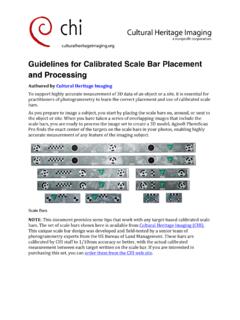
Guidelines for Calibrated Scale Bar Placement and Processing
www.agisoft.comGuidelines for Calibrated Scale Bar Placement and Processing Authored by Cultural Heritage Imaging To support highly accurate measurement of 3D data of …

Professional Edition, Version 1 - Metashape
www.agisoft.com• Windows 7 SP 1 or later (64 bit), Windows Server 2008 R2 or later (64 bit), macOS Mojave or later, Debian/Ubuntu with GLIBC 2.19+ (64 bit) • Intel Core i7 or AMD Ryzen 7 processor • Discrete NVIDIA or AMD GPU (4+ GB VRAM) • 32 GB of RAM The number of photos that can be processed by Metashape depends on the available RAM and
Related documents

Louisiana Medicaid Management Information System (LMMIS)
www.lamedicaid.comDec 01, 2021 · Louisiana Medicaid Web Registration . Date Created: 12/01/2021 . Date Updated: 02/11/2022 ... Louisiana Medicaid Web Registration Date Revised: 2/11/2022 ii PROJECT INFORMATION . Document Title Louisiana Medicaid Management Information System (LMMIS) –Provider Enrollment Portal Admin User Manual . Author : Technical Communications Group ...
Employee Management System - IRJET-International …
www.irjet.netthe new user a role which will determine the access level. During the process of user registration, the all users are issued with a unique username and password combination. Seeing that the system holds private employee information, the admin has the ability to monitor all activity logs into the system by date and time.

Welcome to BSNL Self-care Users
selfcare.bsnl.co.inUser Guide 17 4. When user login for first time, a popup will be shown that will ask the user CWSC portal wants to access your Google details. If user clicks on deny it will redirect to CWSC welcome page. If the user clicks on allow it will be redirected to Home Page (AccountLinking page). 5. System will ask to enter user details. 6.

PICkit 3 Programmer/Debugger User's Guide
ww1.microchip.comPICkit™ 3 User’s Guide DS51795B-page 8 2010 Microchip Technology Inc. WARRANTY REGISTRATION Please complete the enclosed Warranty Registration Card and mail it promptly. Sending in the Warranty Registration Card entitles users to receive new product updates. Interim software releases are available at the Microchip web site. RECOMMENDED READING

PICkit 3 Programmer/Debugger User's Guide
ww1.microchip.comJan 02, 2008 · WARRANTY REGISTRATION Please complete the enclosed Warranty Registration Card and mail it promptly. Sending in the Warranty Registration Card entitles users to receive new product updates. Interim software releases are available at the Microchip web site. RECOMMENDED READING This user's guide describes how to use PICkit 2.
User Manual - silhcdn.com
www.silhcdn.comSilhouette Portrait® 3 User Manual Claim Your Free 1-Month Basic Subscription Once you register your Silhouette machine, you’re eligible to receive a free 1-month subscription to the Silhouette Design Store. Make sure to retrieve the promo code that was sent to your email address after you completed the registration process.

FTA ECHO-Web User Manual - Federal Transit Administration
www.transit.dot.govFTA ECHO-Web User Manual 1.0 Introduction 1.1 What is ECHO-Web? Electronic Clearing House Operation (ECHO)-Web is a web application owned by the Federal Transit Administration (FTA) and maintained by the Office of Budget & Policy (TBP). The ECHO-Web application allows FTA grant recipients to request payments from their grant awards.