Example: stock market
Professional Weather Center 01036 Instructions
During ticker customization mode. 29. Indicates Active Weather Ticker Message During ticker customization mode. 30. Programmable Alarm Settings 31. Alarm On/Off Indicator for Selectable Category (#17). Low Battery Indicator 33. 5-in-1 Sensor Signal Strength 34. Learning Mode Icon Disappears after weather forecast self-calibration is complete. 35.
Tags:
Information
Domain:
Source:
Link to this page:
Documents from same domain

Weather Thermometer …
www.acurite.compossible product performance, please read this manual in its entirety . and retain it for future reference. Unpacking Instructions . Remove the protective film that is applied to the LCD screen prior to using this product. Locate the tab and peel off to remove. Package Contents . 1. Display unit 2. Outdoor sensor 3. Instruction Manual. IMPORTANT

Professional Weather Center - acurite.com
www.acurite.comweather reports for newspapers and websites. Its information comes from the National Weather Service, and over 250,000 personal weather stations. About Weather UndergroundTM Wi-Fi Setup for Weather UndergroundTM This weather station features wireless Internet connectivity in order to connect and send your data to Weather UndergroundTM. If you ...

SAVE THIS MANUAL FOR FUTURE REFERENCE. - AcuRite
www.acurite.comUsing the Weather Station Precision Weather Forecasting AcuRite’s Precision Forecasting provides your personal forecast of morning, noon & night (4 hour, 4 to 8 hour and 8 to 12 hour) weather conditions. The patent-pending technology combines regional weather patterns with data measured by a sensor in your yard. It generates a forecast with ...
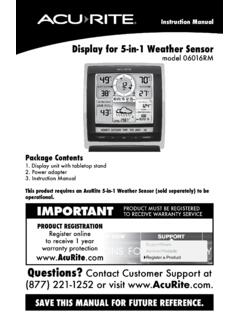
Display for 5-in-1 Weather Sensor model 06016RM Instructions
www.acurite.comInstruction Manual Display for 5-in-1 Weather Sensor model 06016RM Package Contents . 1. Display unit with tabletop stand Power adapter 3. Instruction Manual . This product requires an AcuRite 5-in-1 Weather Sensor (sold separately) to be operational. IMPORTANT. PRODUCT MUST BE REGISTERED TO RECEIVE WARRANTY SERVICE
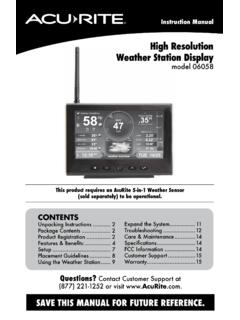
High Resolution Weather Station Display model 06058
www.acurite.comCongratulations on your new AcuRite product. To ensure the best possible product performance, please read this manual in its entirety and retain it for future reference.
Professional Weather Center - AcuRite
www.acurite.comThis weather station’s color display features three different lighting settings: High (100%) brightness, Medium (60%) brightness and Low (15%) brightness. Using battery power alone, the backlight is available momentarily for 10 seconds by pressing the “
Professional Weather Display - AcuRite
www.acurite.com** This weather station display only supports 2.4 GHz wireless networks. About Weather Underground Weather Underground is a commercial weather service providing real-time weather information via the internet. Weather Underground provides weather reports for most major cities worldwide and local weather reports for newspapers and websites.
PCConnect for Windows Instruction Manual
www.acurite.compublication may be reproduced, stored in a retrieval system, or transmitted in any form or by any. means, electronic, mechanical or otherwise, for any purpose, without the prior written. permission of Chaney Instrument Co.. Chaney Instrument Co. 965 Wells Street. Lake Geneva WI 53147. Web: www.acurite.com. Phone: + 1 844 228 5465. Fax: +1 262 ...
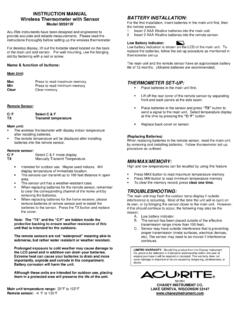
00591W Wireless Thermometer with Sensor
www.acurite.comThe remote temperature will be displayed after installing batteries into the remote sensor. Remote sensor: C/ F Select C & F mode display TX Manually Transmit Temperature. Intended for outdoor use. Maybe used indoors. Will display temperature of immediate location. The sensors can transmit up to 100 feet distance in open area.

AcuRite Iris (5-in-1) Weather Station with Color Display ...
www.acurite.com5. Backup Battery Compartment 6. A-B-C Switch ID code that must match AcuRite Iris sensor’s A-B-C switch to ensure units synchronize. 7. CLEAR RECORD / RESET Button Press and HOLD for 8 seconds to clear all records. Press and HOLD for 10 seconds for full reset to factory defaults. 8. Power Adapter 9. USB Cable for PC Connection 10.
Related documents

Agilent 8890 Gas Chromatograph
www.agilent.comUnpacking 12 Place the GC on the bench 13 Verify line voltage, voltage settings, and power cord 15 ... • Customization of the system. • Method development and testing. ... installation instructions and the instructions for installing the data system.

Owner’s Manual
www.definitivetechnology.cominstallation and set-up procedures for your BP9000 speakers. 4 ... Unpacking Your BP9000 Speakers Please unpack your system carefully. We recommend saving all cartons and packing materials in case you move or ... For those who demand greater customization, Option 2 gives you the ability to control the amount of low frequencies ...

Agilent 7890B Gas Chromatograph
www.agilent.comInstallation and First Startup Agilent Technologies 1 Installing the GC Overview of Installation 8 The 7890B GC 11 Unpacking 12 Step 1. Place the GC on the bench 13 Step 2. Verify line voltage, voltage settings, and power cord. 14 Step 3. Connect the power cord and turn on the GC 20 Step 4. Connect gases and traps 22 Step 5.

m.media-amazon.com
m.media-amazon.comQuick Installation Guide Thank you so much for choosing Comfee' appliances. We really appreciate your choice and would love to help you get started. Unpacking You'll soon be enjoying your new appliance This guide will help you get stared, for full details, please refer to the instruction manual. What's in the box Owner's manual