Example: bachelor of science
Scarlett Solo (3G) User Guide - Focusrite
it to your computer using the USB cable provided. Note that Scarlett Solo is a USB 2.0 device, and thus the USB connection requires a USB 2.0+ compliant port on your computer. Scarlett Solo gets its power from your computer via the USB connection: there is no need for a separate power supply. However, we do recommend that when using it with a ...
Information
Domain:
Source:
Link to this page:
Documents from same domain

User Guide - Focusrite
fael-downloads-prod.focusrite.comIn developing the Third Generation series of Scarlett interfaces, we have made further improvements to both performance and features. Audio specifications have been upgraded throughout the unit to ... (MSD), and during its first connection, the Scarlett will be in “MSD Mode” ...

Scarlett 4i4 3rd Gen User Guide - Focusrite
fael-downloads-prod.focusrite.cominstruments or line level audio signals to a computer running Mac OS or Windows. The signals at the physical inputs can be routed to your audio recording software / digital audio workstation (referred to throughout this User Guide as the “DAW”) …
![Launchpad Mini [MK3]](/cache/preview/3/5/2/0/9/1/3/0/thumb-352091305a23b53aaeac8e8d6e798fae.jpg)
Launchpad Mini [MK3]
fael-downloads-prod.focusrite.comIn Lighting Custom Modes (and Programmer mode) the Launchpad Mini [MK3] accepts colours through the MIDI interface. Channels are used as follows: - Channel 1, Notes: 90h (144), Control Changes: B0h (176): Static colour. - Channel 2, Notes: 91h (145), Control Changes: B1h (177): Flashing colour.

Scarlett2i2 3rd Gen User Guide - Focusrite
fael-downloads-prod.focusrite.comgive you greater dynamic range and even lower noise and distortion; additionally, the mic preamp now accepts higher input levels. An important enhancement is the inclusion of Focusrite’s AIR function. Individually selectable on each channel, AIR …

User Guide - fael-downloads-prod.focusrite.com
fael-downloads-prod.focusrite.comIMPORTANT: The Scarlett Solo has a single USB 2.0 Type C port (on the rear panel): connect it to your computer using the USB cable provided. Note that Scarlett Solo is a USB 2.0 device, and thus the USB connection requires a USB 2.0+ compliant port on your computer. The Scarlett Solo does not need a separate power supply; It gets its power from ...

User Guide - fael-downloads-prod.focusrite.com
fael-downloads-prod.focusrite.comchannel, AIR subtly modifies the preamp’s frequency response to model the sonic characteristics of our classic transformer-based ISA microphone preamps. When recording with good quality microphones, you will notice an enhanced clarity and definition in the important mid to …

Windows USB Driver 4.65.5 - Release Notes
fael-downloads-prod.focusrite.com- Added multichannel WDM support (surround sound) - Added option to expose multiple WDM inputs and outputs (Analogue, S/PDIF and Loopback channels) - Fixed an issue that could cause glitching on systems with some older AMD processors (Phenom-II, FX and Athlon series)

Scarlett Solo (3G) User Guide
fael-downloads-prod.focusrite.comlower noise and distortion; additionally, the mic preamp now accepts higher input levels. An important enhancement is the inclusion of Focusrite’s AIR function. Individually selectable on each channel, AIR subtly modifies the preamp’s frequency response to model the sonic characteristics of our classic transformer-based ISA microphone preamps.
![Launchpad Pro [MK3]](/cache/preview/9/4/6/1/d/9/8/9/thumb-9461d989e92b99b92c7f9ee02e1ec04f.jpg)
Launchpad Pro [MK3]
fael-downloads-prod.focusrite.comMIDI messages are also expressed in plain data, with decimal and hexadecimal equivalents. The hexadecimal number will always be followed by an ‘h’ and the decimal equivalent given in brackets. For example, a note on message on channel 1 is signified by the status byte 90h
User Guide (Scarlett 3rd Gen. Edition)
fael-downloads-prod.focusrite.comYour Scarlett is currently in MSD mode (Quick Start). Please click OK to restart your Scarlett and complete the online setup process. (Cancel/OK) This will take the device out of MSD mode and update the firmware if necessary. 7. Once back to the online setup webpage, please complete the Scarlett setup procedure.
Related documents
der pre-programmed parts from Silicon Labs with a desired …
www.silabs.combridge solutions to support USB-to-serial protocols, as well as specialized bridges for the human interface device (HID) class and USB audio applications. Each of these devices has many user-customizable options which can determine the device's behavior, from how the device will appear to the host machine, to specialized

AUDIO VISUAL SYSTEMS GENERAL STANDARDS & GUIDELINES
its.unl.edu– High-Definition Multimedia Interface is a proprietary audio/video interface for transmitting uncompressed video data and compressed or uncompressed digital audio data from an HDMI-compliant source device, such as a display controller, to a compatible computer monitor, video projector, digital television, or digital audio device . InfoComm

HP CONNECTOR CHART
h71036.www7.hp.comUSB Cable Port How it’s used Transmits data and comes in standard, audio adapter, and 2.0 (high-speed). Example: A keyboard to a PC. Mini-USB Transmits data and has one small, square tip. Example: A digital camera to a printer. Transmits video and comes in standard-definition and high-definition (HD). Higher quality than S-video and composite.
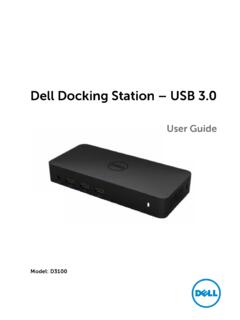
Dell Docking Station – USB 3
downloads.dell.comItems\Sound to make sure the USB Audio device is available and set to default. Right click to show all available options. Unplug from the power, wait 10 seconds, and then reconnect. Update to the latest USB 3.0 host controller driver Unplug from the power, wait 10 seconds, and then reconnect. Update to the latest USB 3.0 host controller driver

M2 | M4 User Guide - MOTU
cdn-data.motu.comterminals, printers, etc.) should be attached to this equipment, and it must have shielded interface cables in order to comply with the Class B FCC limits on RF emissions. WARNING: changes or modifications to this unit not expressly approved by the party responsible for compliance could void the user's authority to operate the equipment.
User Manual
images-na.ssl-images-amazon.comWith USB2.0 Hub and separate audio & microphone output . III. Important Reminder before Set-up: Dual monitor display requires dual video inputs. Most computers and laptops only have one HDMI output + VGA/DVI/DP output or USB C output, make sure you have VGA/DVI/DP to HDMI adapter or USB C Dock ready before setup, you may need

USB Type-C Cable and Connector Specification - those
www.those.chFigure 3-3 USB Full-Featured Type-C Plug Interface Dimensions .....31 Figure 3-4 Reference Footprint for a USB Type-C Vertical Mount Receptacle (Informative).....34 Figure 3-5 Reference Footprint for a USB Type-C Dual-Row SMT Right Angle Receptacle
Motherboard Pin - Asus
dlcdnets.asus.com3. USB 3.0 connector (20-1 pin) This connector allows you to connect a USB 3.0 module for additional USB 3.0 front or rear panel ports. With an installed USB 3.0 module, you can enjoy all the benefits of USB 3.0 including faster data transfer speeds of up to 5 Gbps, faster charging time for USB-chargeable devices, optimized power efficiency, and

AN758: Implementing USB Communication Device Class …
www.silabs.comThis section discusses the detailed function declarations in the CDC USB stack firmware example. 5.1. CDC Functions This section focuses on the functions found in the CDCClassDevice.c and CDCClassDevice.h files (AN758_USB_CDC\src\LUFA\Drivers\USB\Class\Device directory). This file implements the …