Example: barber
telstra.com/homephone HOME FEATURES USER …
02 03 1# Telstra Feature Assistant gives you voice-activated help for your extra home phone features. Use it to: • turn Call Waiting and Call Forward on and off,
Tags:
Information
Domain:
Source:
Link to this page:
Documents from same domain

telstra.com/homephone HOME FEATURES USER GUIDE visit …
www.telstra.com.au06 07 HOW TO USE IT To turn on Call Forward Busy for all incoming calls: 1 # Follow prompts or 2 4 Phone number # To turn off Call Forward Busy for all incoming calls: 1 # Follow prompts or # 2 4 # To check if Call Forward Busy is on or off: 1 # Follow promptsH or # 2 4 # Announcement Call Forward Busy is available to use on your phone now.

TIPS AND TRICK S foR youR NBN C oNNECTI oN - …
www.telstra.com.auTIPS AND TRICK S foR youR NBN C oNNECTI oN TElSTRA SER vICES o N ThE NBN SuPPoRT guIDE
INTERNET VPN REMOTE ACCESS CLIENT USER GUIDE
www.telstra.com.auThe Internet VPN Remote Access Client is a program installed on your computer that tunnels all internet traffic through your company’s VPN. Remote Access User will use an SSL Client to connect to the Adaptive Security Virtual Appliance (ASAv).
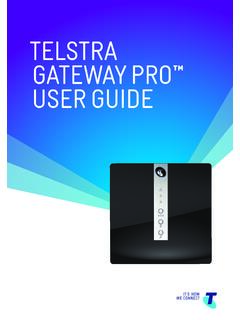
TELSTRA GATEWAY PRO ™ USER GUIDE
www.telstra.com.auTELSTRA GATEWAY PRO™ USER GUIDE 3 1. INTRODUCTION 1.1. Getting to know your Telstra Gateway Pro™ Telstra has worked with our partner Netgear to bring you the Telstra Gateway Pro™ (Netgear™ model number v7610). The Telstra Gateway Pro™ …
Things you need to know about your service - Telstra
www.telstra.com.au03 Our customer service commitment for mobile services We use due care and skill whenever we provide you with a service. There may also be other non-excludable statutory guarantees,
Telstra Cloud Collaboration Cisco Powered
www.telstra.com.ausecure virtual spaces accessed via the Cisco Spark app. • Spaces are multi-purpose, searchable and accessible from any device, anytime, anywhere. ... endpoints within Cisco WebEx® Meeting Centre ... foundation for WebRTC-enabled endpoints. Intelligent Routing Collaboration
OUR CUSTOMER TERMS PRIVATE CLOUD CISCO HYPERFLEX …
www.telstra.com.auOUR CUSTOMER TERMS PRIVATE CLOUD – CISCO HYPERFLEX TELSTRA CORPORATION LIMITED (ABN 33 051 775 556) | Our Customer Terms - Cloud Services – Private Cloud – Cisco HyperFlex 12 November 2016 | TELSTRA UNRESTRICTED
Feb 2012– v8.0 Mobile Device Management Administrator …
www.telstra.com.auTelstra Mobile Device Management Guide – Apple iOS Page 10 The Telstra MDM portal will then search for the mobile number and display a picture of the handset model associated with that mobile number or email address.
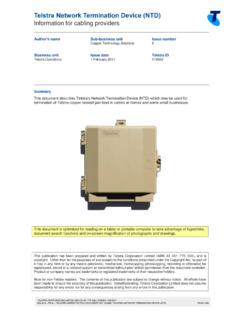
Telstra Network Termination Device (NTD)
www.telstra.com.auTelstra Network Termination Device (NTD) Information for cabling providers TELSTRA CORPORATION LIMITED (ABN 33 051 775 556) | ISSUED 1/02/2017
Cabling of premises for telecommunications
www.telstra.com.auCabling of premises for telecommunications Lead-in cabling and building entry facilities for homes TELSTRA CORPORATION LIMITED (ABN 33 051 775 556) | ISSUED 26/08/2013
Related documents
My Verizon Phone Features Setting Up Your Phone …
www.lg.comStart Here VZ Navigator® Get premium GPS voice navigations and 3D maps with spoken real-time traffic alerts. Find movie times, event info and gas stations.
Phone Features Setting Up Your Phone - LG USA
www.lg.comStart Here VZ Navigator® Get premium GPS voice navigations and 3D maps with spoken real-time traffic alerts. Find movie times, event info and gas stations.

ShoreTel IP Phone 420 User Guide
communiquesales.come d i u G r e s 6U ShoreTel IP Phone 420 1 Getting Started Overview of the ShoreTel IP Phone 420 Overview of the ShoreTel IP Phone 420 Welcome to your ShoreTel™ IP phone!

BASIC PHONE FEATURES - Sims
sims.8x8.comSoundStation IP 6000 Quick User Guide for 8x8 Virtual Office Service. PM357/1110 01/2011 For more details, please see the Polycom SoundStation IP 6000 User Guide ...

USER GUIDE Cisco Small Business Pro for 8x8 …
sims.8x8.comCisco Small Business Pro IP Phone SPA 504G User Guide (SIP) iii Contents Stopping Call Forwarding 36 Setting Do Not Disturb 36 Activating Do Not Disturb 36

1. Insert the SIM Card 2. Charging the Phone and …
www.groundcontrol.comOPEN 89881 69312 00249 4528 1. Insert the SIM Card 2. Charging the Phone and Power On • Remove the battery from the phone. • Slide the SIM card into the slot, following the orientation shown
ShoreTel IP Phone 480/480g User Guide - SJECCD
www.sjeccd.edue d i u G r e s 5U ShoreTel IP Phone 480/480g Before You Start About This Book About This Book This book is intended for those who use the ShoreTel IP Phone 480/480g in a ShoreTel Connect