Example: air traffic controller
User Guide - h10032.www1.hp.com
Safety warning notice. WARNING! To reduce the possibility of heat-related injuries or of overheating the computer, do not place the computer directly on your lap or …
Tags:
Information
Domain:
Source:
Link to this page:
Documents from same domain

HP Pavilion PC User™s Guide - HP® Official Site
h10032.www1.hp.com2 HP Pavilion PC User’s Guide Putting Your Computer Together For step-by-step instructions on putting your computer together, refer to the Welcome Poster that came in your computer box.

Quick Start Guide - HP
h10032.www1.hp.comHP Web Sites. Quick Start Guide Filename: ma2usqs.doc Title: HP-Print2k.dot Template: HP-Print2K.dot Author: jiml Last Saved By: WASSER, Inc. ® ® Start. ...

HP 9250C Digital Sender - HP® Official Site
h10032.www1.hp.comDevice information The HP 9250C Digital Sender connects directly to your network converts black-and-white and color documents, drawings, and photographs into an electronic form and then distributes them directly to

Technical Reference Guide HP Compaq dc7800 …
h10032.www1.hp.comTechnical Reference Guide HP Compaq dc7800 Series Business Desktop Computers ... deal with the system board and the power supply assembly.

Reference Guide - HP
h10032.www1.hp.comReference Guide A–1 A Troubleshooting This section provides three methods for resolving issues you may encounter when using your docking station. Use the methods

HP Pavilion 15 Notebook PC - HP® Official Site
h10032.www1.hp.com1 Product description Category Description Computer models equipped with an AMD processor Computer models equipped with an Intel processor Product Name HP Pavilion 15 Notebook PC √√

HP MINI User Guide
h10032.www1.hp.comSafety warning notice WARNING! To reduce the possibility of heat-related injuries or of overheating the device, do not place the device directly on …

User Guide - HP
h10032.www1.hp.comproprietor and used by Hewlett-Packard Company under license. Google, ... bound by the terms of the HP End User License ... see the printed Quick Start guide included ...

Manuel de l'utilisateur de l'ordinateur portable HP
h10032.www1.hp.comAvis d'avertissement sur la sécurité AVERTISSEMENT ! Pour éviter tout risque de blessure liée à la chaleur ou tout risque de surchauffe de l'ordinateur, ne le posez pas directement sur vos genoux et n'obstruez pas les ouvertures d'aération.

Manuel de l'utilisateur - HP® Official Site
h10032.www1.hp.comL'ordinateur et l'adaptateur secteur sont conformes aux limites de température de surface accessible à l'utilisateur, définies par la norme internationale sur la …
Related documents

Welcome to AT&T Protect Advantage for 1
contents.asurion.comBattery Replacement If an eligible wireless device powers on ... policy or change the insurance terms and conditions with at least 30 days notice unless we cancel for the ... be returned using the prepaid shipping label provided with your replacement device. Non-return charges of
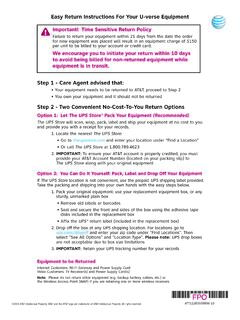
Important! Time Sensitive Return Policy We encourage you ...
www.att.comImportant! Time Sensitive Return Policy Failure to return your equipment within 21 days from the date the order for new equipment was placed will result in an equipment charge of $150 per unit to be billed to your account or credit card. We encourage you to initiate your return within 10 days to avoid being billed for non-returned equipment while

Computer Loan Program - IRS tax forms
www.irs.govBattery – This is generally in the computer. Prior to turning the computer on, please charge the battery by plugging the computer into a power outlet for 24 hours. Modem – All computers are equipped with internal modems. Network interface card, connector and network line – All machines have built in networking.
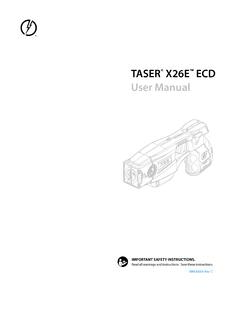
TASER X26E ECD User Manual
www.taser.org2 Contents 4 Chapter 1: Warnings 4 Important Safety and Health Information 4 Use of Force Policy 5 Chapter 2: General Information 5 What is the TASER X26 ECD? 5 Neuro Muscular Incapacitation (NMI) 6 Common Effects of NMI 6 Basic X26 Electrical Theory 7 Chapter 3: Features 7 X26 ECD Features 7 Safety Switch 8 LASER 8 High Visibility Sights 8 Digital …

Ashmore Hedwig User Guide v2
h10032.www1.hp.comSafety warning notice. WARNING! To reduce the possibility of heat-related injuries or of overheating the computer, do not place the computer directly on your lap or …