Example: dental hygienist
User Manual - D-Link
Jan 13, 2014 · D-Link DAP-1520 User Manual 2 Section 1 - Product Overview Network.Requirements • A wireless router with an active Internet connection. • IEEE 802.11ac draft, 802.11n, 802.11g, 802.11b or 802.11a
Tags:
Information
Domain:
Source:
Link to this page:
Documents from same domain
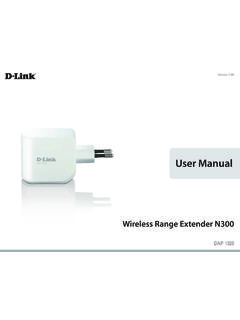
User Manual - eu.dlink.com
eu.dlink.comD-Link DAP-1320 User Manual 4 Section 1 - Product vervie • Faster Wireess Networking - The DAP-1320 provides a ireless connection o up to 300 Mbps ith other 0211n ireless clients This capabilit allows users to participate in real-time activities online such as video
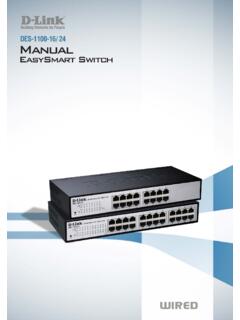
D-Link Web Smart Switch User Manual
eu.dlink.comD-Link Web Smart Switch User Manual 3 Getting Started . This chapter introduces the management interface of D-Link EasySmart Switch. Management Options . The D-Link EasySmart Switch can be managed through any port on the device by using the Web-based Management or through any PC using the SmartConsole Utility.

DGS-1248T A1 Manual v1.01
eu.dlink.comCongratulations on your purchase of the DGS-1248T Web Smart 48-Port 10/100/1000Mbps Gigabit Switch. This device integrates 1000Mbps Gigabit Ethernet, 100Mbps Fast Ethernet, and 10Mbps Ethernet network capabilities in a highly flexible package. Purpose This manual discusses how to install your 48-Port 10/100/1000Mbps Gigabit Web Smart Switch.

Wireless N300 ADSL2+ Modem Router - eu.dlink.com
eu.dlink.comThe Wireless N300 ADSL2+ Modem Router offers Quality of Service (QoS), which allows priority queues to enable a group of home or office users to experience the benefit of a smooth network connection without worrying about traffic congestion.

QUICK INSTALLATION GUIDE - eu.dlink.com
eu.dlink.comconnect additional wireless devices in the future. You can use the included Wi-Fi ... den Namen des Netzwerks (SSID) und das WLAN-Kennwort auf der Wi-Fi Konfigurationskarte verwenden. - Haben Sie den Netzwerknamen (SSID) oder das WLAN Kennwort geändert und Sie haben

DIR-615 Wireless N300 Router - eu.dlink.com
eu.dlink.comWireless N300 Router DIR-615 Easily set up a fast, reliable, and secure wireless home network with the DIR-615 Wireless N300 Router. The setup wizard gets you up and running in no time, and with the

Wireless AC1200 Dual-Band Gigabit ADSL2+/VDSL2 Modem …
eu.dlink.comDSL-3785 Home is where the SMART is Wireless AC1200 Dual-Band Gigabit ADSL2+/VDSL2 Modem Router File Sharing Right at Your Fingertips The DSL-3785 lets you connect a …
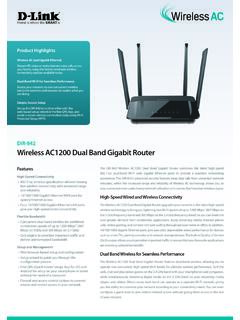
Wireless AC1200 Dual Band Gigabit Router - eu.dlink.com
eu.dlink.comThe Wireless AC1200 Dual Band Gigabit Router upgrades your network to the latest high-speed wireless technology to bring you lightning-fast Wi-Fi speeds of up to 1200 Mbps 1 ... • Cable/DSL modem or other Internet Service Provider equipment with Ethernet port Functionality Security • WPA & WPA2 (Wi-Fi Protected Access) • WPS (Wi-Fi ...
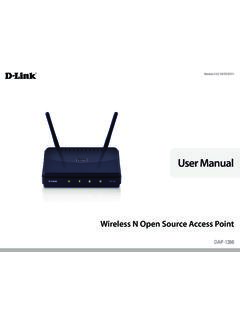
Wireless N Open Source Access Point - eu.dlink.com
eu.dlink.comThe DAP-1360 is Wi-Fi IEEE 802.11n compliant, meaning that it can connect and interoperate with other 802.11n compatible wireless client devices. The DAP-1360 is also backwards compatible with 802.11b/g.

DAP-1360 Wireless N Range Extender - eu.dlink.com
eu.dlink.comDAP-1360 Hoe is where the SMART is The D-Link DAP-1360 Wireless N Range Extender can provide your wired network with wireless connectivity, or upgrade your existing wireless network and extend its coverage. Enjoy surfing the web, checking e-mail, and chatting with family and friends online, at faster speeds and from
Related documents

eXtended EudraVigilance Medicinal Product Dictionary ...
www.ema.europa.euAbout this User Manual This user manual is part of the official documentation prepared by the European Medicines Agency (EMA) to support marketing authorisation holders (MAHs) and sponsors of clinical trials using the eXtended EudraVigilance Medicinal Product Dictionary data-entry tool (EVWEB) and focuses on EVWEB functionalities based on the
Wireless Desktop Mouse User Manual Product Features
www.verbatim.comUser Manual Product Features 1. Radio frequency 27MHz wireless transmission 2. Use of 256 ID codes to prevent interference between several wireless mice being used simultaneously 3. Automatic power sleep function to extend battery life 4. Rechargeable batteries can be recharged by connecting the mouse to the computer USB
USER MANUAL
images-eu.ssl-images-amazon.comUser Manual Read this provided user manual to see information about product safety, installation, accessories, initial configuration, and product specifications. e-Manual For more information about this TV, read the e-Manual embedded in the product. • To open the e-Manual,

User Manual EN - Invacare
www.invacare.comUser Manual This manual MUST be given to the user of the product. BEFORE using this product, read this manual and save for future reference.If you are unable to understand the warnings, cautions or instructions, contact a healthcare professional, dealer or technical personnel before attempting to use this equipment EN
User Manual - Bushnell Golf
www.bushnellgolf.comUser. Manual. Rangefinder Watch. GPS ... By using this product, you agree that Bushnell Outdoor Products will not be held legally responsible . for any injury or damage to you or any person or property caused by the user’s improper operation and/or …

EN / ACS550-01/U1 User’s Manual
library.e.abb.comList of related manuals GENERAL MANUALS ACS550-01/U1 User's Manual (0.75…160 kW) / (1…200 hp) 3AFE64804588 (3AUA0000001418) …
User Manual - Samsung Display Solutions
displaysolutions.samsung.comApr 29, 2019 · User Manual The color and the appearance may differ depending on the product, and the specifications are subject to change without prior notice to improve the performance. Recommended hours of use per day for the DBJ, QBH, QBH-N, QHH models is less than 16 hours. If the product is used for longer than 16 hours a day, the warranty may be void.
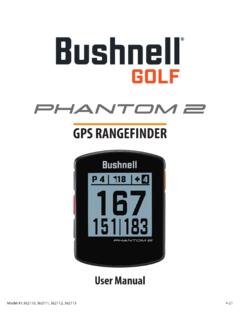
User Manual Phantom 2 Handheld GPS Models 362110 …
www.bushnellgolf.comBy using this product, you agree that Bushnell Outdoor Products will not be held legally responsible for any injury or damage to you or any person or property caused by the user’s improper operation and/or poor judgment while using this product. Note: See Limited Warranty for other limitations to our liability. Additional Information

User Manual - 3B Medical
3bproducts.comJan 01, 2000 · Luna II CPAP / Luna II Auto CPAP User Manual V1.0 5 / 40 6. Specifications Device Size Dimensions: 274 mm × 184 mm × 115 mm Weight: 1.9 kg Water capacity: To maximum fill line 360 mL Product Use, Transport and Storage Operation Transport and Storage

Fitbit Charge Product Manual 1.2 08
staticcs.fitbit.comThe manual concludes by explaining how to restart your Charge in the event you encounter difficulty with your tracker. All other troubleshooting suggestions, as well as detailed information about how Fitbit trackers and services work, can be found in the articles at https://help.fitbit.com. Just select Charge and then pick from a