Transcription of USER’S GUIDE 2747
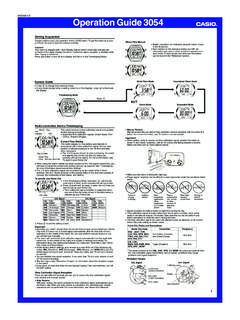
1 USER S GUIDE 27471MA0303-AAbout This Manual Button operations are indicated using the letters shownin the illustration. Each section of this manual provides you with theinformation you need to perform operations in eachmode. Further details and technical information can befound in the Reference GUIDE Press C to change from mode to mode. After you perform an operation (except forB) in any mode, pressing C returns to the Timekeeping Mode. In any mode, press B to illuminate the watch features separate digital and analog timekeeping. The procedures forsetting the digital time and analog time are different. In the Timekeeping Mode, press A to toggle the display between the date screenand the time ScreenTime ScreenDay of week Month Day Hour : Minutes PM indicator Minute hand Hour hand Seconds Digital Time and DateUse the Timekeeping Mode to set and view a digital display of the current time anddate.
2 When setting the digital time, you can also configure settings for summer time(Daylight Saving time or DST).To set the digital time and date1. In the Timekeeping Mode, hold down A until theseconds start to flash, which indicates the Press C to move the flashing in the sequence shownbelow to select the other toggle between 12-hour and 24-hour timekeepingIn the Timekeeping Mode, press D to toggle between 12-hour timekeeping (indicatedby A or P on the display), or 24-hour timekeeping. With the 12-hour format, the P (PM) indicator appears on the display for times in therange of noon to 11:59 and the A (AM) indicator appears for times in the rangeof midnight to 11:59 With the 24-hour format, times are displayed in the range of 0:00 to 23:59, withoutany indicator.
3 The 12-hour/24-hour timekeeping format you select in the Timekeeping Mode isapplied in all Time Daylight Saving Time (DST) SettingDaylight Saving Time (summer time) advances the digital time setting by one hourfrom Standard Time. Remember that not all countries or even local areas use DaylightSaving toggle the Timekeeping Mode digital time between DST and Standard Time1. In the Timekeeping Mode, hold down A until theseconds start to flash, which indicates the Press C once to display the DST setting Press D to toggle between Daylight Saving Time(ON displayed) and Standard Time (OFF displayed).4. Press A to exit the setting screen. The DST indicator appears on the Timekeeping, Alarm,and Hand Setting Mode to indicate that Daylight SavingTime is turned the analog TimePerform the procedure below when the time indicated by the analog hands does notmatch the time of the digital adjust the analog time1.
4 In the Timekeeping Mode, press C six times to enterthe Hand Setting Hold down A until the current digital time starts toflash, which indicates the analog setting Press D to advance the analog time setting by20 seconds. Holding down D advances the analog time setting athigh ModeTelememo ModeWorld Time ModeAlarm ModeCountdown TimerModeStopwatch Mode Hand Setting ModePress When the setting you want to change is flashing, use B and D to change it asdescribed :08 CAAD6-30To do this:Reset the seconds to between Daylight Saving Time (ON)and Standard Time (OFF).Change the hour or the the month or this:Press D (+) and B ( ).4. Press A to exit the setting screen.
5 Resetting the seconds only (without changing the hour, minute, or DST setting)causes the analog minute hand setting to be adjusted automatically. If you changethe hour, minute, or DST setting, you should also use the procedure under Toadjust the analog time to adjust the analog hands accordingly. See Digital Time Daylight Saving Time (DST) Setting for details about the DSTsetting. Resetting the seconds to AA while the current count is in the range of 30 to 59causes the minutes to be increased by 1. In the range of 00 to 29, the seconds arereset to AA without changing the minutes. The day of the week is automatically displayed in accordance with the date (year,month, and day) settings.
6 The year can be set in the range of 2000 to 2099. The watch s built-in full automatic calendar makes allowances for different monthlengths and leap years. Once you set the date, there should be no reason to changeit except after you have the watch s battery replaced. If you need to advance the analog time a long way, press D and B at the sametime. This locks the high speed hand movement, so you can release the twobuttons. High-speed hand movement continues until you press any button. It willalso stop automatically after the time advances 12 hours or if an alarm (dailyalarm, Hourly Time Signal, or countdown alarm) starts to Press A to exit the setting screen.
7 To return to the Timekeeping Mode, press S GUIDE 27472To create a new Telememo record1. In the Telememo Mode, press B and D at the sametime to display the new data screen. The new data screen shows ___, which indicatesthat there is no text in the name field. If the new data screen does not appear, it means thatmemory is full. To store another record, you will firsthave to delete some of the records stored in Hold down A until the flashing cursor (_) appears inthe name field of the display, which indicates the Use D and B to change the character at the cursorposition in the name field. The character changes in thefollowing sequence.(space)tototoPress.
8 Press . You can input spaces, alpha characters, symbols, and numbers in a name. Fordetails, see the Character List .4. When the character you want is at the cursor position, press C to move the cursorto the Repeat steps 3 and 4 until the name is complete. You can input up to eight characters for the After you input the name, press C as many times asnecessary to move the cursor to the number field. You tell when you are in the name field because ofthe long cursor (_). The number field has a shortcursor (_).Name Record number Remaining memory Number TelememoTelememo lets you store up to 30 records, eachcontaining name and telephone number data.
9 Recordsare automatically sorted based on the characters of thename. You can recall records by scrolling through them onthe display. A Telememo Mode record has a name field and anumber field. See Character List for details on how the watch sortsrecords. All of the operations in this section are performed in theTelememo Mode, which you enter by pressing Data Screen The name field has spaces for eight characters, so you must press C to movethe past the 8th character in order to get to the number field. The number field has spaces for 16 digits. Pressing C until the cursor movespast the 16th digit causes it to jump back to the first character of the name Use D and B to change the character at the cursor position in the number character changes in the following sequence.
10 (space)toPress .Press .8. When the character you want is at the cursor position, press C to move the cursorto the Repeat steps 7 and 8 until you complete number input. You can input up to 16 digits for the Press A to store your data and return to the Telememo record screen (withoutthe cursor). After you press A to store data, the name flashes for about one second to indicatethat records are being sorted. Note that a record must have something input in the name field, otherwise you willnot be able to store recall Telememo recordsIn the Telememo Mode, press D (+) to scroll through Telememo records on thedisplay. Only name data appears when you scroll through Telememo records.