Example: stock market
VPT24 Programming Guide - Leviton.com
Programming Guide SET SET SET SET SET SET A A Override button Door held open To exit programming at any time press override button - To program your device: a) Perform a System Reset by gently lifting the VPT24 door from the bottom of the push pad until an audible click is heard. The door will stay open while you are programming the device:
Tags:
Information
Domain:
Source:
Link to this page:
Documents from same domain
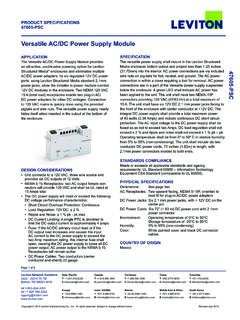
Versatile AC/DC Power Supply Module - Leviton.com
www.leviton.comThe Versatile AC/DC Power Supply Module provides an attractive, unobtrusive powering option for Leviton Structured Media® enclosures and eliminates multiple AC/DC power adapters. Its six regulated 12V DC power ports, using Leviton Structured Media standard 2.1mm power jacks, allow the installer to power multiple Leviton
Switched Power Distribution Unit (PDU) - Leviton
www.leviton.comIPv6 and Switched Power Distribution Unit (PDU) Products IPv6 has been designed to succeed IPv4 as the dominant communications protocol for internet traffic, to avoid depletions of the IPv4 address space, and to allow more IP address growth.

Basic Residential Installation Guide - Leviton.com
www.leviton.comLEVITON.COM 1| 800.824.3005 Introduction More than ever, today’s homeowners are confronted with an expanded range of technologies and choices — with some hard decisions as a result. The three standard television channels of the 1950’s and 60’s, for
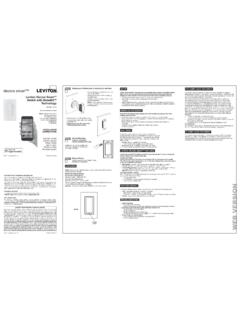
TM - Leviton
www.leviton.com• Release the top of the paddle and the switch will reset. Leviton Decora SmartTM accessories are compatible with a variety of HomeKit-enabled apps. Leviton recommends using the Leviton Decora Smart Home app to add and configure Leviton HomeKit-enabled accessories and to …
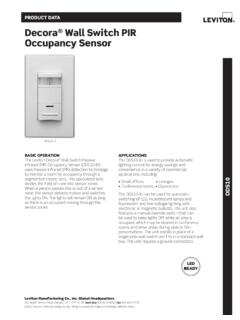
Decora Wall Switch PIR Occupancy Sensor - Leviton
www.leviton.comODS10-ID Decora Wall Switch Occupancy Sensor G-8333D/K17-aa REV NOV 2017 INSTALLATION The ODS10-ID may replace a single-pole wall switch mounted in a standard wallbox. The unit must be properly grounded in order to operate. The unit’s integral blinders may be used to restrict the field-of-view to prevent unwanted detection of hallway traffic.
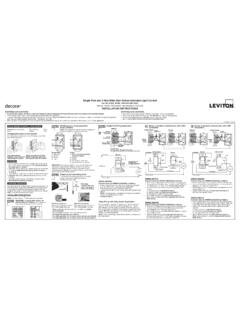
Single Pole and 3-Way Wide View Motion Activated Light …
www.leviton.comFor Single Pole No. IPS06 and IPV06 have a sensing area of coverage of 30 IMPORTANT:ft. x 30 ft., O and a sensing angle of 180 ... • Occupancy sensor can be converted to a vacancy sensor WIRING SENSOR: ... • Motion is beyond sensing range, move closer to switch. • Adjust the light level adjustment toward lighter or darker,
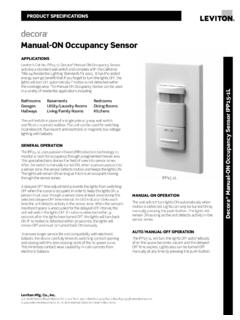
Manual-ON Occupancy Sensor - Leviton
www.leviton.comManual-ON Occupancy Sensor APPLICATIONS GENERAL OPERATION Leviton’s Cat No. IPP15-1L Decora® Manual-ON Occupancy Sensor acts like a standard wall switch and complies with the California Title 24 Residential Lighting Standards for 2005. It has the added energy savings benefit that if you forget to turn the lights OFF, the
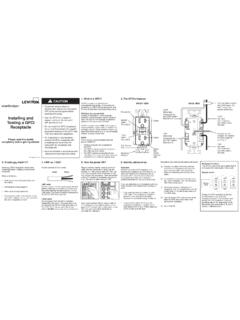
Installing and Testing a GFCI Receptacle
www.leviton.comInstalling and Testing a GFCI Receptacle Please read this leaflet completely before getting started. LINE AB C LOAD Service Panel LOAD LINE LINE! CAUTION • To prevent severe shock or electrocution always turn the power OFF at the service panel before working with wiring. • Use this GFCI with copper or copper-clad wire. Do not use it with ...

Single Pole Cam-Type Connectors - Leviton
www.leviton.comHalf Round w/Tapped Hole U R Male, 90° Female, 90° 16R19-U* 16R20-U* Replace * with the following: W (White), E (Black), H (Brown), R (Red), B (Blue), O (Orange), G (Green), Y (Yellow). **Threaded stud termination type receptacles are available with custom stud lengths, from .75"L to …
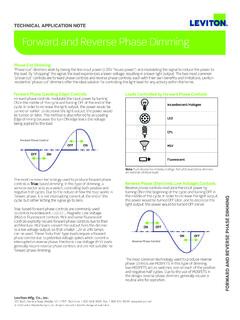
Forward and Reverse Phase Dimming
www.leviton.com“Phase-cut” dimmers work by taking the line input power (120V “house power”) and modulating the signal to reduce the power to the load. By “chopping” the signal, the load experiences a lower voltage, resulting in a lower light output.
Related documents

Introduction to programming - unibz
www.inf.unibz.it2. selection of the telephone registry of the requested city, done by the operator 3. search of the telephone number corresponding to the requested person name on the telephone registry The program has to represent all objects that come into play and realize all operations. °c Diego Calvanese Lecture Notes for Introduction to Programming A.A ...

Mitel 8568 Telephone User Guide
www.mitelservice.comPage ii Mitel® 8568 Telephone User Guide – Issue 2, June 2010 Important Safety Instructions and Precautions Remember the following safety guidelines when using the telephone. Programming Emergency Numbers Make sure to do the following when programming emergency numbers and/or making test calls to emergency numbers:

OBJECT ORIENTED PROGRAMMING
atomicobject.comprogramming world have learned to think in terms of algorithmic decomposition. This was hard to learn and is even harder to unlearn. Computing as simulation The primary difference between OT and structured HLLs is the fidelity of the abstraction to the real world. Fortran forces you into working with abstractions that are computer-language oriented

I. Notes on Structured Programming
www.iicseonline.orgI. Notes on Structured Programming EDSGER W. DIJKSTRA 1. To MY READER These notes have the status of "Letters written to myself": I wrote them down because, without doing so, I found myself repeating the same arguments over and over again. When reading what I had written, I was not always too satisfied.
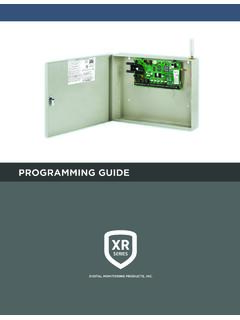
PROGRAMMING GUIDE
buy.dmp.com• XR150/XR550 Series Programming Sheet (LT-1234) • XR150/XR550 Series Users Guide (LT-1278) Internal Programmer The panel contains all of its programming information in an on-board processor and does not require an external programmer. You can perform all programming tasks through a 32-character DMP alphanumeric keypad set to address
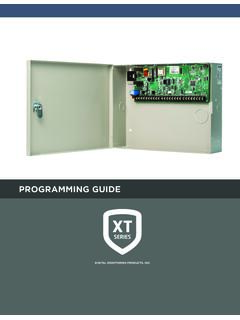
PROGRAMMING GUIDE
buy.dmp.comPROGRAMMING GUIDE When using the XT30/XT50 Series control for any listing organization’s approved methods, refer to this manual and the XT30/XT50 Installation Guide. These documents outline the installation and programming requirements of all applications for which the XT30/XT50 is approved. FCC Notice