003 & 003 Rack Getting Started Guide - Avid Technology
4 Launching Pro Tools LE. (See Chapter 5, “Launching and Configuring Pro Tools LE.”) 5 Making audio and MIDI connections to 003 or 003 Rack. (See Chapter 9, “Making Studio Con-nections.”) When connecting 003 or 003 Rack to your computer the first time, your computer should be off. If your computer is on, power it down.
Download 003 & 003 Rack Getting Started Guide - Avid Technology

Information
Domain:
Source:
Link to this page:
Documents from same domain

Eleven Rack User Guide
akmedia.digidesign.com4 Eleven Rack User Guide 2 Connect your guitar to the Guitar Input on the front panel of Eleven Rack. 3 Connect the power cable. 4 Make sure any connected amplifiers or pow-
Digi 002 & Digi 002 Rack Getting Started Guide - …
akmedia.digidesign.comCommunications & Safety Regulation Information Compliance Statement The model Digi 002 complies with the following standards regulating interference and EMC:
Pro Tools SE User Guide - Digidesign
akmedia.digidesign.comChapter 1: Welcome to Pro Tools SE1 chapter 1 Welcome to Pro Tools SE Welcome to Pro Tools® SE from Avid®.This guide provides step-by-step instructions to install and configure Pro Tools SE software.
Pro Tools Software Installation Guide version 12
akmedia.digidesign.comInstalling Pro Tools | Software 4 Installing Pro Tools on Windows To install Pro Tools onWindows: 1 MakesureyouareloggedinasanAdministrator for the account where you ...
Command|8 - Digidesign
akmedia.digidesign.comChapter 1: Introduction1 chapter 1 Introduction Welcome to the Command|8™ control surface. Command|8 is a compact and flexible control surface for Pro Tools|HD®, Pro Tools LE®, and Pro Tools M-Powered™ systems, and supported
What’s New in Pro Tools 11 - Digidesign
akmedia.digidesign.comChapter 1: What’s New in Pro Tools and Pro Tools HD 11 1 Chapter 1: What’s New in Pro Tools and Pro Tools HD 11 Pro Tools® and Pro Tools HD version 11.0 provide several new features and enhancements for quali-
Pro Tools 11.3 Read Me (Windows) - Digidesign
akmedia.digidesign.com1 Read Me Pro Tools | Software 11.3.1 and Pro Tools | HD Software 11.3.1 on Windows 7 and Windows 8.1 — 2/6/15 9329-65537-00 REV A Pro Tools | Software 11.3.1 and Pro Tools | HD Software
Eleven Rack User Guide - Digidesign
akmedia.digidesign.comCE Compliance Statement: Digidesign is authorized to apply the CE (Conformité Europénne) mark on this compliant equipment thereby declaring conformity to EMC Directive 89/336/EEC and Low
Pro Tools | First Installation Guide - Avid Technology
akmedia.digidesign.computer. Downloading Pro Tools | First Afteryou havesignedup for Pro Tools | First,cre-ated your Master Avid Account and your iLok ac-count, and logged in, you can download the Pro Tools | First Installer and other software in-stallers (drivers and plug-ins) that you are entitled to (including purchased or subscribed software).
Introduction to Pro Tools | First
akmedia.digidesign.comLaunching Pro Tools | First To launch Pro Tools | First software: 1 Make sure your audio interface (if any) is connected to your computer and powered on. 2 Do one of the following: † On Mac, click the Pro Tools First shortcut in your Dock (or double-click the application icon in Macintosh HD/Applications/ Avid/Pro Tools First).
Related documents

Antenna Launching 2004-3
antennalaunchers.comLaunching Process Attach line to tennis ball, push into barrel Choose tree, line path and landing zone Ascertain height, choose pressure Pressurize & Launch Get ball down Attach, pull back nylon Mason Twine Pull up Antenna or heavier Line ...
Eleven Rack User Guide - Avid Technology
akmedia.digidesign.com† Reorient or locate the receiving antenna. † Increase the separation between the equipment and receiver. † Connect the equipment into an outlet on a circuit different from that to which the receiver is connected. † Consult the dealer or an ex perienced radio/TV technician for help. Eleven Rack

Introduction to Satellite Communication 3rd Edition
sedighy.ir1.1.4 Improved Space Platforms and Launching Systems 13 1.1.5 Integration with Terrestrial Wired and Wireless Networks 14 1.2 System Elements 15 1.2.1 Space Segment 15 1.2.2 Ground Segment 17 1.2.3 Overall System 20 1.3 Satellite Orbit Configurations 20 1.4 Frequency Spectrum Allocations 22 1.4.1 ITU Spectrum Allocations and Regions 24

HackRF One - Champlain College
www.champlain.eduAttach the antenna to the antenna port after removing the red safety cap. Attaching the antenna first is vital because running the HackRF One without an antenna can damage the device’s hardware. ... Options (available by default upon launching GRC) - generate options should be set to ...
E-manual MT9900 Android TV
assets.hisense-usa.com• Antenna/cable function may not be applicable in some models/countries/regions. Auto Scan Automatically scan for channels to view programmes from your TV source. > Channels If no TV channels were saved before, you will be prompted to do a channel search. or In Live TV, > Channels > Auto Channel Scan
ISY994i Series User Guide - Universal Devices
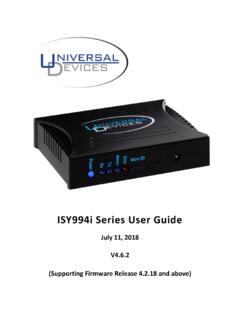
www.universal-devices.comISY994i Series User Guide July 11, 2018 V4.6.2 (Supporting Firmware Release 4.2.18 and above)