
AirPrint Guide - Brother
5 Select your Brother machine, and then select AirPrint from the Use pop-up menu. 6 Click Add. ... A standard web browser can be used to enable and disable the machine's AirPrint feature (it is enabled by default). a Confirm that the machine is …
Download AirPrint Guide - Brother

Information
Domain:
Source:
Link to this page:
Documents from same domain
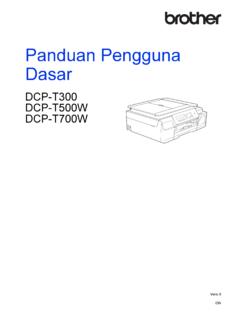
Panduan Pengguna Dasar - download.brother.com
download.brother.comPanduan Pengguna Dasar DCP-T300 DCP-T500W DCP-T700W Versi 0 IDN
Instruction Manual Manuel d’instructions Manual …
download.brother.comPMS8363 Black ENGLISH FRANÇAIS ESPAÑOL PORTUGUÊS 194404-011 Printed in China Instruction Manual Manuel d’instructions Manual de instrucciones Manual …
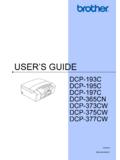
USER’S GUIDE - Brother
download.brother.comuser’s guide dcp-193c dcp-195c dcp-197c dcp-365cn dcp-373cw dcp-375cw dcp-377cw version 0 arl/asa/nz/saf

MFC-8500 Quick Setup Guide - Brother
download.brother.comA. Unpack the drum unit assembly, including the toner cartridge, and gently rock it from side to side five or six times to distribute the toner evenly inside the cartridge.
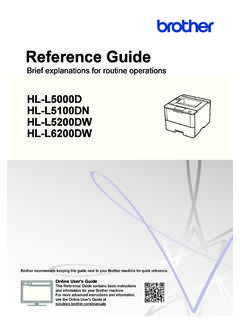
Brief explanations for routine operations HL …
download.brother.comReference Guide Brief explanations for routine operations HL-L5000D HL-L5100DN HL-L5200DW HL-L6200DW Brother recommends keeping this guide next to your Brother machine for quick reference.
BASIC USER’S GUIDE - Brother
download.brother.combasic user’s guide mfc-j425w mfc-j430w mfc-j435w version 0 usa/can
Basic User's Guide - Brother
download.brother.comBasic User's Guide DCP-L5500DN DCP-L5600DN DCP-L5650DN MFC-L5700DW MFC-L5800DW MFC-L5850DW MFC-L5900DW MFC-L6700DW MFC-L6800DW Brother recommends keeping this guide next to your Brother machine for quick reference.
Mini2e DCP UG UK - Brother
download.brother.comi Compilation and Publication Notice Under the supervision of Brother Industries Ltd., this manual has been compiled and published, covering the latest product
R 編 ユーザーズガイド - download.brother.com
download.brother.com4 本書の見かた 本書で使用されている記号 本書では、次の記号が使われています。 大タッチパネルモデル / 小タッチパネルモデル/ 液晶ディスプレーモデルについて
GUIDE DE L’UTILISATEUR - download.brother.com
download.brother.comguide de l’utilisateur dcp-385c dcp-383c dcp-387c dcp-585cw version 0 fre/swi-fre/bel-fre
Related documents
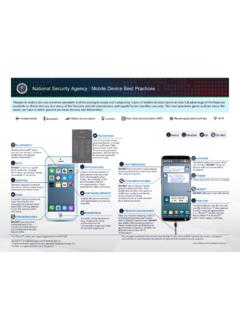
National Security Agency | Mobile Device Best Practices
media.defense.govJul 28, 2020 · Unexpected pop-ups like this are usually malicious. If one appears, forcibly close all applications (i.e., iPhone®2: double tap the Home button* or Android®3: click “recent apps” soft key). Only use original charging cords or charging accessories purchased from a trusted manufacturer. DO NOT use public USB charging stations.

Liquor Authority Mapping Project www.lamp.sla.ny
sla.ny.govDisable pop-up. Move down - to rearrange layers View in Attribute Table - table view of a particular layer. Show item details - not applicable (must be signed into ArcGIS online). Note: This option will be removed in the final version.

User Guide - TP-Link
static.tp-link.comSep 30, 2020 · If you can’t install the driver successfully, disable the antivirus software and firewall, then try again. 3 When the following screen appears, the driver has been installed successfully. 8 Chapter 3 Windows. ... 2 TP-Link Utility will pop up. Click the Profiles button to open the Profiles

Catalyst 2960-S Switch Getting Started Guide (English)
www.cisco.comNote Before running Express Setup, disable any pop-up blockers or proxy settings in your browser software and any wireless client running on your PC. Step 1 Make sure that nothing is connected to the switch. Step 2 During Express Setup, the switch acts as a DHCP server. If your PC has a static IP address,

ProSAFE Plus Configuration Utility - Netgear
www.downloads.netgear.comTemporarily disable the firewall, Internet security, antivirus programs, or all of these programs. 5. To change the language, do the following: a. ... the Registration pop-up window during the previous session. 7. If the Registration pop-up window displays, select one of …
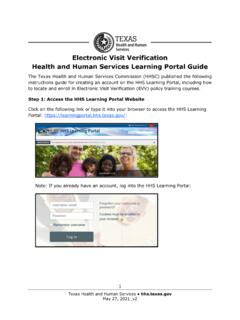
EVV HHS Learning Portal Guide
www.hhs.texas.gov3 Texas Health and Human Services hhs.texas.gov Complete all the required fields, which have exclamation point icons, in the New account screen. When all required information is entered, click the Create My New Account button at the bottom of the page: The HHS Learning Portal will send an email to the email address that was entered
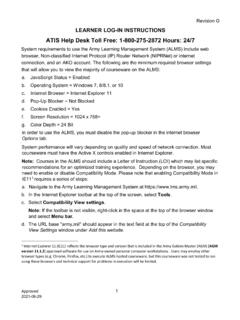
ATIS Help Desk Toll Free: 1-800-275-2872 Hours: 24/7
www.pdmatis.army.mild. Pop-Up Blocker = Not Blocked e. Cookies Enabled = Yes f. Screen Resolution = 1024 x 768+ g. Color Depth = 24 Bit In order to use the ALMS, you must disable the pop-up blocker in the internet browser . Options. tab. System performance will vary depending on quality and speed of network connection. Most

1. Update the BIOS from Window (SuperDoctor 5.0/SD5)
www.supermicro.com1 . The Three Different Methods To Reflash Your BIOS on SuperMicro C7 Motherboards . 1. Update the BIOS from Window (SuperDoctor 5.0/SD5) SuperDoctor 5 (SD5) is a system agent that runs on monitored hosts designed by Supermicro to provide