
DIR-853 - D-Link
DIR-853 AC1300 MU-MIMO Wi-Fi Gigabit Router with 3G/LTE Support and USB Port 3.0 User Manual Overview CHAPTER 2. OVERVIEW General Information The DIR-853 device is a wireless dual band gigabit router with 3G/LTE support.
Download DIR-853 - D-Link

Information
Domain:
Source:
Link to this page:
Documents from same domain

QUICK INSTALLATION GUIDE - eu.dlink.com
eu.dlink.comconnect additional wireless devices in the future. You can use the included Wi-Fi ... den Namen des Netzwerks (SSID) und das WLAN-Kennwort auf der Wi-Fi Konfigurationskarte verwenden. - Haben Sie den Netzwerknamen (SSID) oder das WLAN Kennwort geändert und Sie haben

DIR-615 Wireless N300 Router - eu.dlink.com
eu.dlink.comWireless N300 Router DIR-615 Easily set up a fast, reliable, and secure wireless home network with the DIR-615 Wireless N300 Router. The setup wizard gets you up and running in no time, and with the

Wireless N300 ADSL2+ Modem Router - eu.dlink.com
eu.dlink.comThe Wireless N300 ADSL2+ Modem Router offers Quality of Service (QoS), which allows priority queues to enable a group of home or office users to experience the benefit of a smooth network connection without worrying about traffic congestion.

Wireless AC1200 Dual-Band Gigabit ADSL2+/VDSL2 Modem …
eu.dlink.comDSL-3785 Home is where the SMART is Wireless AC1200 Dual-Band Gigabit ADSL2+/VDSL2 Modem Router File Sharing Right at Your Fingertips The DSL-3785 lets you connect a …
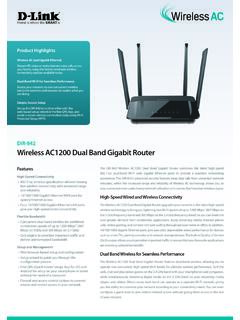
Wireless AC1200 Dual Band Gigabit Router - eu.dlink.com
eu.dlink.comThe Wireless AC1200 Dual Band Gigabit Router upgrades your network to the latest high-speed wireless technology to bring you lightning-fast Wi-Fi speeds of up to 1200 Mbps 1 ... • Cable/DSL modem or other Internet Service Provider equipment with Ethernet port Functionality Security • WPA & WPA2 (Wi-Fi Protected Access) • WPS (Wi-Fi ...
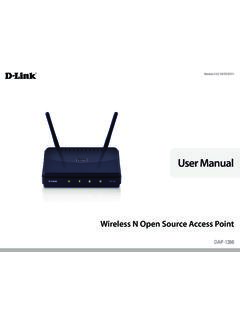
Wireless N Open Source Access Point - eu.dlink.com
eu.dlink.comThe DAP-1360 is Wi-Fi IEEE 802.11n compliant, meaning that it can connect and interoperate with other 802.11n compatible wireless client devices. The DAP-1360 is also backwards compatible with 802.11b/g.

DAP-1360 Wireless N Range Extender - eu.dlink.com
eu.dlink.comDAP-1360 Hoe is where the SMART is The D-Link DAP-1360 Wireless N Range Extender can provide your wired network with wireless connectivity, or upgrade your existing wireless network and extend its coverage. Enjoy surfing the web, checking e-mail, and chatting with family and friends online, at faster speeds and from
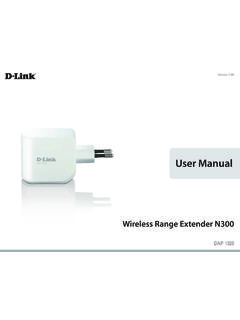
User Manual - eu.dlink.com
eu.dlink.comD-Link DAP-1320 User Manual 4 Section 1 - Product vervie • Faster Wireess Networking - The DAP-1320 provides a ireless connection o up to 300 Mbps ith other 0211n ireless clients This capabilit allows users to participate in real-time activities online such as video
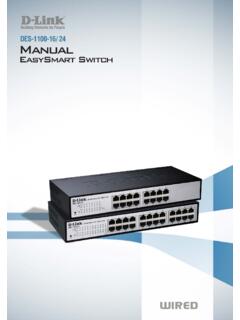
D-Link Web Smart Switch User Manual
eu.dlink.comD-Link Web Smart Switch User Manual 3 Getting Started . This chapter introduces the management interface of D-Link EasySmart Switch. Management Options . The D-Link EasySmart Switch can be managed through any port on the device by using the Web-based Management or through any PC using the SmartConsole Utility.

DGS-1248T A1 Manual v1.01
eu.dlink.comCongratulations on your purchase of the DGS-1248T Web Smart 48-Port 10/100/1000Mbps Gigabit Switch. This device integrates 1000Mbps Gigabit Ethernet, 100Mbps Fast Ethernet, and 10Mbps Ethernet network capabilities in a highly flexible package. Purpose This manual discusses how to install your 48-Port 10/100/1000Mbps Gigabit Web Smart Switch.
Related documents

Pepwave MAX User Manual - Peplink
download.peplink.comIPsec NAT-T and PPTP packet passthrough MAC address clone and passthrough Customizable MTU and MSS values WAN connection health check Dynamic DNS (supported service providers: changeip.com, dyndns.org, no-ip.org, tzo.com and DNS-O-Matic) Ping, DNS lookup, and HTTP-based health check 3.1.2 LAN Wi-Fi AP

How to configure VPN function on TP-LINK Routers
static.tp-link.comC. Configuring IPsec VPN settings on TL-ER6120 (Router A) D. Configuring IPsec VPN settings on TL-R600VPN (Router B) E. Checking IPsec SA NOTE: We use TL-ER6120 and TL-R600VPN in this example, the way to configure IPsec VPN on TL-ER6020/TL-ER604W is the same as that on TL-ER6120. A. Connecting the devices together

Cisco SPA100 Series Phone Adapters Administration Guide
www.cisco.comQuick Setup for Voice over IP Service 1-23 Configuring the Network 1-25 Basic Setup 1-25 Network Service (SPA122 Only) 1-25 Internet Settings 1-26 Network Settings for the LAN and DHCP Server (SPA122 Only) 1-29 Time Settings 1-32 Advanced Settings 1-34 Port Setting (SPA122 Only) 1-34 MAC Address Clone (SPA122 Only) 1-35 VPN Passthrough (SPA122 ...
vSphere Virtual Machine Administration - VMware vSphere 7
docs.vmware.comConfiguring Virtual Machine Hardware 87 ... vSphere Features Available with USB Passthrough 161 vSphere Virtual Machine Administration VMware, Inc. 5. Configuring USB Devices for vMotion 161 ... Use a Network Protocol Profile to Allocate IP …

Pepwave MAX User Manual - Peplink
download.peplink.comIPsec NAT-T and PPTP packet passthrough MAC address clone and passthrough Customizable MTU and MSS values WAN connection health check Dynamic DNS (supported service providers: changeip.com, dyndns.org, no-ip.org, tzo.com and DNS-O-Matic) Ping, DNS lookup, and HTTP-based health check 3.1.2 LAN Wi-Fi AP

8-Port PoE-Powered Gigabit Switch with PoE Passthrough
dl.ubnt.comPoE-Powered Gigabit Switch with PoE Passthrough. This Quick Start Guide is designed to guide you through the installation and also includes the warranty terms. Package Contents UniFi Switch Mounting Screws (Qty. 2) Screw Anchors (Qty. 2) 8-Port PoE-Powered Gigabit Switch with PoE Passthrough Model: US-8 Power Adapter* Power Cord* Quick Start Guide

User’s Manual - Verizon
www.verizon.comcally defined IP address and DNS address, or instructed to automatically obtain an IP address using the Network DHCP server. The Router is set up, by default, with an active DHCP server, and Verizon recommends leaving this setting as is. Configuring Dynamic IP Addressing To set up a computer to use dynamic IP addressing: Windows XP 1.

Configuring IP Passthrough - AT&T
www.att.comConfiguring Motorola NVG510 Gateway In Passthrough The IP Passthrough feature allows a single PC on the LAN to have the Router’s public address assigned to it. It also provides Port Address Translation (PAT)–Network Address Port Translation (NAPT) via the same public IP address for all other hosts on the private LAN subnet. Here are the ...