
DIR-853 - D-Link
router (for connection to a wired or wireless ISP), access point, repeater, or client, and then configure all needed setting for operation in the selected mode in several simple steps. Also DIR-853 supports configuration and management via D-Link Click'n'Connect mobile
Download DIR-853 - D-Link

Information
Domain:
Source:
Link to this page:
Documents from same domain

QUICK INSTALLATION GUIDE - eu.dlink.com
eu.dlink.comconnect additional wireless devices in the future. You can use the included Wi-Fi ... den Namen des Netzwerks (SSID) und das WLAN-Kennwort auf der Wi-Fi Konfigurationskarte verwenden. - Haben Sie den Netzwerknamen (SSID) oder das WLAN Kennwort geändert und Sie haben

DIR-615 Wireless N300 Router - eu.dlink.com
eu.dlink.comWireless N300 Router DIR-615 Easily set up a fast, reliable, and secure wireless home network with the DIR-615 Wireless N300 Router. The setup wizard gets you up and running in no time, and with the

Wireless N300 ADSL2+ Modem Router - eu.dlink.com
eu.dlink.comThe Wireless N300 ADSL2+ Modem Router offers Quality of Service (QoS), which allows priority queues to enable a group of home or office users to experience the benefit of a smooth network connection without worrying about traffic congestion.

Wireless AC1200 Dual-Band Gigabit ADSL2+/VDSL2 Modem …
eu.dlink.comDSL-3785 Home is where the SMART is Wireless AC1200 Dual-Band Gigabit ADSL2+/VDSL2 Modem Router File Sharing Right at Your Fingertips The DSL-3785 lets you connect a …
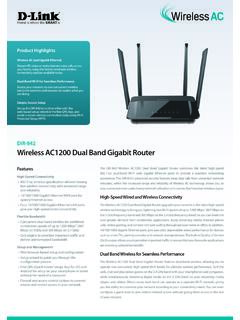
Wireless AC1200 Dual Band Gigabit Router - eu.dlink.com
eu.dlink.comThe Wireless AC1200 Dual Band Gigabit Router upgrades your network to the latest high-speed wireless technology to bring you lightning-fast Wi-Fi speeds of up to 1200 Mbps 1 ... • Cable/DSL modem or other Internet Service Provider equipment with Ethernet port Functionality Security • WPA & WPA2 (Wi-Fi Protected Access) • WPS (Wi-Fi ...
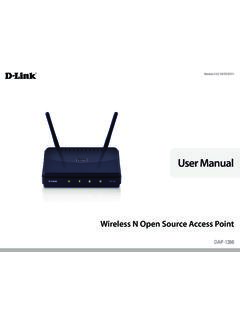
Wireless N Open Source Access Point - eu.dlink.com
eu.dlink.comThe DAP-1360 is Wi-Fi IEEE 802.11n compliant, meaning that it can connect and interoperate with other 802.11n compatible wireless client devices. The DAP-1360 is also backwards compatible with 802.11b/g.

DAP-1360 Wireless N Range Extender - eu.dlink.com
eu.dlink.comDAP-1360 Hoe is where the SMART is The D-Link DAP-1360 Wireless N Range Extender can provide your wired network with wireless connectivity, or upgrade your existing wireless network and extend its coverage. Enjoy surfing the web, checking e-mail, and chatting with family and friends online, at faster speeds and from
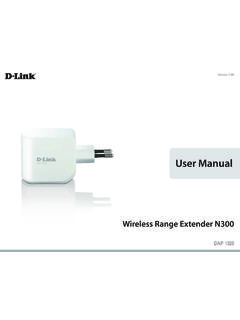
User Manual - eu.dlink.com
eu.dlink.comD-Link DAP-1320 User Manual 4 Section 1 - Product vervie • Faster Wireess Networking - The DAP-1320 provides a ireless connection o up to 300 Mbps ith other 0211n ireless clients This capabilit allows users to participate in real-time activities online such as video
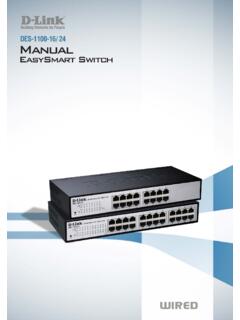
D-Link Web Smart Switch User Manual
eu.dlink.comD-Link Web Smart Switch User Manual 3 Getting Started . This chapter introduces the management interface of D-Link EasySmart Switch. Management Options . The D-Link EasySmart Switch can be managed through any port on the device by using the Web-based Management or through any PC using the SmartConsole Utility.

DGS-1248T A1 Manual v1.01
eu.dlink.comCongratulations on your purchase of the DGS-1248T Web Smart 48-Port 10/100/1000Mbps Gigabit Switch. This device integrates 1000Mbps Gigabit Ethernet, 100Mbps Fast Ethernet, and 10Mbps Ethernet network capabilities in a highly flexible package. Purpose This manual discusses how to install your 48-Port 10/100/1000Mbps Gigabit Web Smart Switch.
Related documents

TL-MR3420 3G/4G Wireless N Router - TP-Link
static.tp-link.comTP-LINK 3G/4G Router provides up to 300Mbps, faster thanthat of traditional 11g products, surpasses 11G performance enabling the use of high bandwidthconsuming app- lications such as HD Videos. With just pressing onthe 'WPS ' button, the Router automatically establishes a WPA2 secure connection for solid security in under a minute.
power over ethernet - Cisco
www.cisco.comConfiguring Power over Ethernet Support This chapter describes how to configure power over Ethernet (PoE) support on the Catalyst 6500 series ... – The IEEE 802.3af PoE standard de fines a method to sense a PD an d to immediately classify the ... timeout waiting for the link to go up on the line. During those 4 seconds, if the IP phone cable ...
Wireless-AC3100 Dual Band Gigabit Router - Asus
dlcdnets.asus.comwireless router's Web GUI to configure your wireless router's settings. ... If the ADSL “LINK” light blinks continuously or stays off, Internet access is not possible - the Router is unable to establish a connection with the ADSL ... • Try setting up the wired connection and configuring the wireless encryption again.

Configuring Policy-Based Routing - Cisco
www.cisco.comConfiguring Policy-Based Routing ... (PBR) on a router and includes ... link. You can set up PBR as a way to route packets based on configured policies. For example, you can implement routing policies to allow or deny paths based on the identity of a particular end system, an
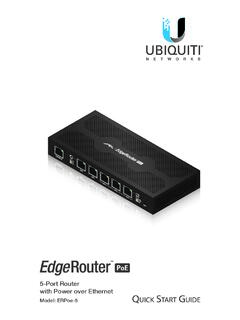
5-Port Router with Power over Ethernet - Ubiquiti
dl.ubnt.comEdgeRouter™ PoE 5-Port Router. This Quick Start Guide is designed to guide you through installation and also includes warranty terms. Package Contents EdgeRouter ERPoe-5 Power Adapter (48V, 1.25A) Power Cord Screws (Qty. 2) Screw Anchors (Qty. 2) TERMS OF USE: All Ethernet cabling runs must use CAT5 (or above).

CCNA 200-301 Portable - pearsoncmg.com
ptgmedia.pearsoncmg.comLink Layer Discovery Protocol (802.1AB) 123 Configuring LLDP (802.1AB) 123 Verifying and Troubleshooting LLDP 124 Part III: Routing Technologies CHAPTER 14 Confi guring a Cisco Router 125 Router Modes 126 Entering Global Configuration Mode 126 Configuring a Router Name 126 Configuring Passwords 126 Password Encryption 127

D ATSEET - dl.ui.com
dl.ui.comconfiguring a router (EP-R6 or EP-R8) or switch (EP-S16), the configuration interface will differ. Routing Configuration The EP-R6 or EP-R8 offers robust features, including: • VLAN interfaces for network segmentation • Static routes and support of routing protocols: OSPF, RIP, and BGP • Firewall policies and NAT rules

Guidelines on securing public web servers - NIST
nvlpubs.nist.govGUIDELINES ON SECURING PUBLIC WEB SERVERS Reports on Computer Systems Technology The Information Technology Laboratory (ITL) at the National Institute of Standards and Technology (NIST) promotes the U.S. economy and public welfare by providing technical leadership for the Nation’s