
Epson L805 Network Install Guide
• Make sure to place your product within contact range of your 2.4 GHz router or access point. Avoid placing your product near a microwave oven, 2.4 GHz cordless phone, or large metal object, such as a filing cabinet. Note: If you are using a 5 GHz wireless router, set the router to operate in dual band (2.4 GHz and 5 GHz) mode.
Download Epson L805 Network Install Guide

Information
Domain:
Source:
Link to this page:
Documents from same domain

User's Guide - XP-410 - Epson
files.support.epson.comChanging or Updating Network Connections ..... 34 Accessing the Web Config Utility..... 35

WF-2630 User's Guide - Epson
files.support.epson.comUsing WPS to Connect to a Network..... 35 Printing a Network Status Sheet..... 36

Manual del usuario L575 - files.support.epson.com
files.support.epson.com3 Contenido Manual del usuario L575..... 13

Manual del usuario de la L555 - …
files.support.epson.comCómo escanear utilizando el panel de control del producto..... 74 Cómo cambiar los ajustes predeterminados de los botones de escaneo ..... 75

User's Guide - WF-100 - Epson
files.support.epson.comWF-100 User's Guide Welcome to the WF-100 User's Guide. For a printable PDF copy of this guide, click here. 9. Product Basics

User Manual - PowerLite S18+/W15+/W18+/X24+
files.support.epson.comCorrección de la forma de la imagen con los botones de corrección trapezoidal ..... 72 Corrección de la forma de la imagen con Quick Corner ..... 74

2 Guía de instalación OK - files.support.epson.com
files.support.epson.com2 Introduzca el CD del producto o descargue y ejecute el paquete de software del producto: global.latin.epson.com/Soporte/L575 3 …

Manual do usuário - files.support.epson.com
files.support.epson.com2 L Todos os direitos reservados. Nenhuma parte desta publicação pode ser reproduzida, armazenada em sistemas de recuperação ou transmitida de alguma forma ou meio

XP-310 User's Guide - Epson
files.support.epson.comAvailable EPSON Papers ... XP-310 User's Guide Welcome to the XP-310 User's Guide. For a printable PDF copy of this guide, click here. 11. Product Basics

User's Guide - WF-7610/WF-7620 - Epson
files.support.epson.comAvailable Epson Papers ... Welcome to the WF-7610/WF-7620 User's Guide. For a printable PDF copy of this guide, click here. 13. Product Basics
Related documents
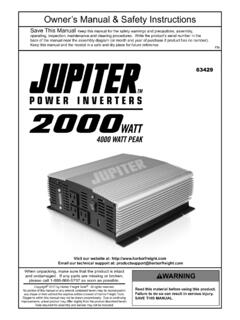
Owner’s Manual & Safety Instructions
manuals.harborfreight.com7. Appliances such as microwave ovens will normally draw more than their rated current. For example: A typical 600 watt microwave oven will draw approximately 1,000 watts. 8. Do not attach a battery charger if the charger carries a warning that dangerous voltages are present at the battery terminals. 9. Some fluorescent lamps may not operate ...

INSTALLATION INSTRUCTIONS SLIDE-IN DOWNDRAFT …
www.kitchenaid.comTip Over Hazard A child or adult can tip the range and be killed. Install anti-tip bracket to floor or wall per installation instructions. Slide range back so rear range foot is engaged in the slot of the anti-tip bracket. Re-engage anti-tip bracket if range is moved. Do not operate range without anti-tip bracket installed and engaged.
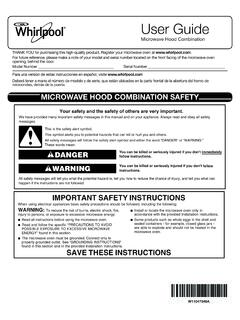
User Guide - Whirlpool
www.whirlpool.comfound in this section and in the provided Installation Instructions. Install or locate the microwave oven only in accordance with the provided Installation Instructions. Some products such as whole eggs in the shell and sealed containers - for example, closed glass jars - are able to explode and should not be heated in the microwave oven.

Installation Over the Range Instructions Microwave Oven
images.thdstatic.com• This microwave oven is for installation over ranges up to 36s wide. • If you are going to vent your microwave oven to the outside, see Hood Exhaust Section for exhaust duct preparation. • When installing the microwave oven beneath smooth, flat cabinets, be careful to follow the instructions on the top cabinet template for