HP Array Configuration Utility User Guide
3. Select Device Queries. 4. Under Device by Type, select All Servers. 5. Connect to the server that is running ACU. 6. Under Device Links, select the System Management Home Page. 7. Click Array Configuration Utility on the left-hand side of the screen. ACU opens, and identifies the controllers that are connected to the system. This
Download HP Array Configuration Utility User Guide

Information
Domain:
Source:
Link to this page:
Documents from same domain
HP Pavilion PC User™s Guide - HP® Official Site
h10032.www1.hp.com2 HP Pavilion PC User’s Guide Putting Your Computer Together For step-by-step instructions on putting your computer together, refer to the Welcome Poster that came in your computer box.

Quick Start Guide - HP
h10032.www1.hp.comHP Web Sites. Quick Start Guide Filename: ma2usqs.doc Title: HP-Print2k.dot Template: HP-Print2K.dot Author: jiml Last Saved By: WASSER, Inc. ® ® Start. ...
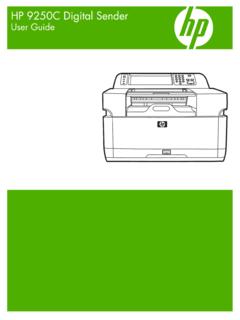
HP 9250C Digital Sender - HP® Official Site
h10032.www1.hp.comDevice information The HP 9250C Digital Sender connects directly to your network converts black-and-white and color documents, drawings, and photographs into an electronic form and then distributes them directly to
Technical Reference Guide HP Compaq dc7800 …
h10032.www1.hp.comTechnical Reference Guide HP Compaq dc7800 Series Business Desktop Computers ... deal with the system board and the power supply assembly.
Reference Guide - HP
h10032.www1.hp.comReference Guide A–1 A Troubleshooting This section provides three methods for resolving issues you may encounter when using your docking station. Use the methods

HP Pavilion 15 Notebook PC - HP® Official Site
h10032.www1.hp.com1 Product description Category Description Computer models equipped with an AMD processor Computer models equipped with an Intel processor Product Name HP Pavilion 15 Notebook PC √√

HP MINI User Guide
h10032.www1.hp.comSafety warning notice WARNING! To reduce the possibility of heat-related injuries or of overheating the device, do not place the device directly on …

User Guide - HP
h10032.www1.hp.comproprietor and used by Hewlett-Packard Company under license. Google, ... bound by the terms of the HP End User License ... see the printed Quick Start guide included ...
Manuel de l'utilisateur de l'ordinateur portable HP
h10032.www1.hp.comAvis d'avertissement sur la sécurité AVERTISSEMENT ! Pour éviter tout risque de blessure liée à la chaleur ou tout risque de surchauffe de l'ordinateur, ne le posez pas directement sur vos genoux et n'obstruez pas les ouvertures d'aération.

Manuel de l'utilisateur - HP® Official Site
h10032.www1.hp.comL'ordinateur et l'adaptateur secteur sont conformes aux limites de température de surface accessible à l'utilisateur, définies par la norme internationale sur la …
Related documents

NMEA 2000
www.nmea.orgField # Field Description This network management message is used to claim network address, reply to devices requesting the claimed address, and to respond with device information (NAME) requested by the ISO Request or Complex Request Group Function. This PGN contains several fields that are requestable, either independently or in any combination.

DX80 Performance Configuration Software Instruction Manual
info.bannerengineering.comparameter contents are read from the Node and then the user changes one field, the tool only writes one field back to the Node. Default is ON—the configuration tool minimizes the data traffic. Use Legacy Commands for Device Communications—Older DX80 devices do not support access to device-level system parameters.

475 Field Communicator - Emerson Electric
www.emerson.comDevice interoperability is achieved through the Electronic Device Description Lang uage (EDDL) technology supported by the HART Communication Foundation and Fieldbus Foundation. Basic testing is performed on all device descriptions. Each device manufacturer is asked to certify that they thoroughly tested their devices with the 475 Field ...

Network Device Onboarding for Cisco DNA Center …
www.cisco.comThis includes entering device information and setting up a bootstrap configuration, full configuration, and Cisco device image for each device to be installed. The bootstrap configuration enables the PnP Agent, specifies the device interface to be ... Enter the building address in the text field under Address. Step 6. Click the Add button to ...

MMDVM Hotspot Configuration - ttci radio solutions
www.ttciradio.com192.168.50.1) into the URL field • Once the Pi Star Dashboard is showing on the web browser, go to Configuration (username: pi-star and password: raspberry) • Scroll down to the Wireless Configuration section and click on Configure WiFi

Hierarchal Testbench Configuration Using uvm config db
www.synopsys.comHierarchal Testbench Configuration Using uvm_config_db 2 Figure 1: set() and get() function syntax “cntxt” and “inst_name” are used to specify the storage location or address of the object handle. When used properly these parameters define the hierarchical path to the object data. “field_name” is the name for the object.

AN758: Implementing USB Communication Device Class …
www.silabs.comThe USB communications device class (CDC) is a composite USB device class, and the class may include more than one interface. The CDC is used primarily for modems, but also for ISDN, fax machines, and telephony

Catalyst 3560-C and 2960-C Getting Started Guide (English)
www.cisco.comFor additional installation and configuration information for the switch, see the ... In the Switch Password field, enter your password. The password can be from 1 to 25 ... Use the device manager to perform basic switch configuration and monitoring. See the device manager online help for more information. 4.

AN127: Flash Programming via the C2 Interface - Silicon Labs
www.silabs.comThe length of the WAIT field is controlled by the target device. During the WAIT field, the target device transmits 0’s on the C2D pin until it has finished writing to the target Data register. To indicate the write complete status, the target device transmits a 1 to terminate the WAIT field. AN127: Flash Programming via the C2 Interface C2 ...