iVMS-4200 Client Software - hikvisionusa.com
the flexible distributed structure and easy-to-use operations, the client software is widely applied to the surveillance projects of medium or small scale. This user manual describes the function, configuration and operation steps of iVMS-4200 software.
Download iVMS-4200 Client Software - hikvisionusa.com

Information
Domain:
Source:
Link to this page:
Documents from same domain
iVMS-4200 Part 1 Download, Install, Login - …
hikvisionusa.comiVMS-4200 Accounts •iVMS-4200 accounts are separate from the accounts on a camera or DVR/NVR. They can have the same names, but creation of accounts in iVMS-4200 …
iVMS-4200 Part 4 Playback - Hikvision USA
hikvisionusa.companel Camera4„ IP Camera C017716 IPCamera1m IP IP IP CameraS„, IP Camera V I? Cameraa.„ IP Camera E Ipcameral„. IR Cameral., IP Cameral _
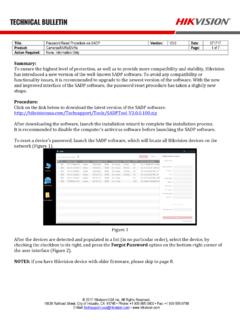
Password Reset Procedure via SADP Version: Date: …
hikvisionusa.comTitle: Password Reset Procedure via SADP Version: V3.0 Date: 071717 Product: Cameras/NVRs/DVRs Page: 2 of 7 Action Required: None, Information Only © …
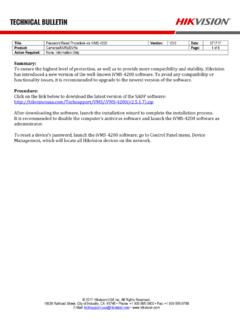
Password Reset Procedure via iVMS-4200 Version: …
hikvisionusa.comTitle: Password Reset Procedure via iVMS-4200 Version: V3.0 Date: 071717 Product: Cameras/NVRs/DVRs Page: 2 of 8 Action Required: None, Information Only © 2017 Hikvision …
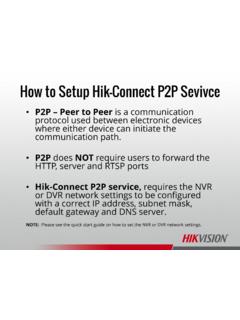
How to Setup Hik-Connect P2P Sevivce - Hikvision …
hikvisionusa.comHow to Setup Hik-Connect P2P Sevivce ... P2P does NOT require users to forward the HTTP, server and RTSP ports •Hik-Connect P2P service, requires the NVR or DVR network settings to be configured with a correct IP address, subnet mask, ... please contact the Hikvision USA, Technical Support team. Title: DDNS

How to Download & Install the SADP Tool - …
hikvisionusa.comHow to Download & Install the SADP Tool . SADP Tool SADP = Search Active Device Protocol. Currently only supported on Windows OS Finds only devices on same physical network as computer Finds all Hikvision devices on physical network, even if on other subnets . How to Download • Go to Hikvision.com
Add Hik-Connect 3.0 Remote Access Platform Device
hikvisionusa.com© 2016 Hikvision USA Inc. and Hikvision Canada Inc. All Rights Reserved. Confidential and Proprietary Add Hik-Connect 3.0 Remote Access Platform Device
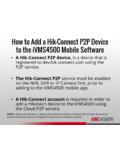
How to Add a Hik-Connect P2P Device to the …
hikvisionusa.comHow to Add a Hik-Connect P2P Device to the iVMS4500 Mobile Software •A Hik-Connect P2P device, is a device that is registered to dev.hik-connect.com using the P2P …
Enable Hik-Connect 3.0 Remote Access Platform …
hikvisionusa.com© 2017 Hikvision USA Inc. and Hikvision Canada Inc. All Rights Reserved. Confidential and Proprietary At the Recorder Using the Menus • Login to your recorder
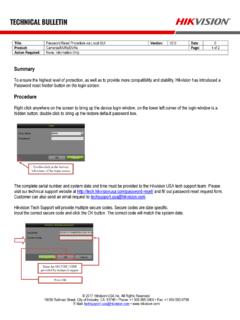
Hikvision Technical Bulletin
hikvisionusa.comTitle: Password Reset Procedure via Local GUI Version: V2.0 Date: 0 Product: Cameras/NVRs/DVRs Page: 1 of 2 Action Required: None, Information Only © 2017 Hikvision USA Inc.
Related documents
Integra32 User Manual - RBH Access
www.rbh-access.comRBH Access Technologies Inc. Integra32™ User’s Guide 3 C h a p t e r 2 G e t t i n g t o K n o w I n t e g r a 3 2 ™ Integra32™ lets you manage and monitor all your security access needs using a standard PC. There are four separate parts to the Integra32‟s™ main screen: Command Bar

Introduction to COMSOL Multiphysics
cdn.comsol.comThe Quick Access Toolbar gives access to functionality such as Open, Save, Undo, Redo, Copy Paste, and Delete. You can customize its content from the Customize Quick Access Toolbar list (the downward-facing arrow to the right of the toolbar). ... The COMSOL Client for Windows ...
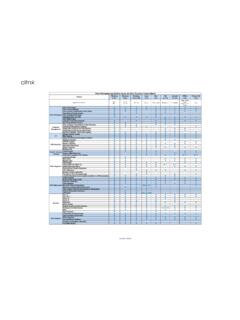
Citrix Workspace app Feature Matrix
www.citrix.comDec 17, 2021 · Access the local application on client device inside the session. ... Enables in session control of session functions like sending Ctrl+Alt+Del via a toolbar. Enable multiple apps and desktop to be used at the same time Support for audio input and output over UDP .

Oracle Forms 12c
www.oracle.combegin expecting to have access to their applications in the same way as so many other applications, through a web browser. Oracle Forms 6i was the first version to fully support application deployment via a web browser. Because of the need for tight integration on the client tier, it was necessary to use
Oracle Forms 12
www.oracle.comClient-Idle (SYSTEM_CLIENT_IDLE) 5 DB-Idle (SYSTEM_DB_IDLE) 6 ... Smartbar (toolbar) Size 12 Improved Canvas Background Image Support 13 Image Item Sizing Style Property 14 Item Level Mouse Cursor (Pointer) 14 ... Access the properties for this new object in the Property Palette. 3. Set the Report Type property to OraBIP.
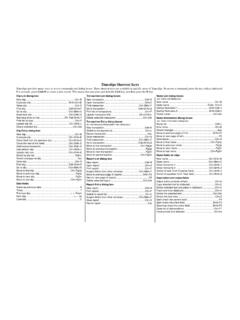
Timeslips Shortcut Keys
www.sage.comTimeslips toolbar. You can ch oose to show or hide this toolbar in the Interface page of the Personal Preferences dialog box. Pressing the Shift key clicking a List toolbar button is a shortcut to open the associ ated data entry dialog box. For example, Shift+clicking the Client List toolbar button opens the Client Information dialog box. Cut Paste
Basic System Administration - VMware
www.vmware.com4 Using the VI Client 41 VI Client Overview 41 Menu Bar 43 Pop‐Up Menus 45 Console Menu 45 Navigation Bar 46 Inventory View Tabs 49 Toolbar 52 Status Bar, Recent Tasks, and Triggered Alarms 53 Panel Sections 53 Sorting and Filtering Lists 54 Using Custom Attributes 55 Selecting and Viewing Objects 57 Selecting Objects 57