
M300 RTK Release Notes - dl.djicdn.com
Nov 30, 2021 · Controller firmware Intelligent Battery Station: App (Connect the Battery Station to the remote controller and update it on the HMS page in the DJI Pilot app.) What’s new? Added support for DJI Zenmuse L1 gimbal and camera, offering users a complete integrated solution that includes a Livox LiDAR module and a 1-inch CMOS camera sensor.
Download M300 RTK Release Notes - dl.djicdn.com

Information
Domain:
Source:
Link to this page:
Documents from same domain

NAZA-M LITE - dl.djicdn.com
dl.djicdn.com©2014 DJI. All Rights Reserved. NAZA-M LITE User Manual V 2.00 2014.04.21 Revision For Firmware Version V1.00 & Assistant Software Version V1.00

Manuel de l'utilisateur - DJI
dl.djicdn.comLisez le manuel utilisateur et les consignes de sécurité relatives à la batterie intelligente avant toute utilisation. L'utilisateur assume l'entière responsabilité de ses actions et de son utilisation
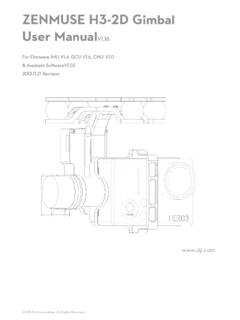
ZENMUSE H3-2D Gimbal User ManualV1 - …
dl.djicdn.com©2013 DJI Innovations. All Rights Reserved. 2 Warning & Disclaimer No adjusting or amending is allowed to the H3-2D!!!

PHANTOM - DJI
dl.djicdn.com©2013 DJI Innovations. All Rights Reserved. 1 | PHANTOM Manuel Avancé V 1.4 2013.03.22 Révision

OSMO MOBILE 2 - dl.djicdn.com
dl.djicdn.com© 2018 DJI All Rights Reserved. 5 * 最大稼働時間は、ジンバルのバランスが取れており、 安定した状態でテストした値です。この ...

User Manual V1 - dl.djicdn.com
dl.djicdn.comUser Manual Make sure all of the parts listed in the In the Box document are included in the package. The information in the Safety Guidelines and Disclaimer document affects your safety and your legal rights and responsibilities. Read this entire document carefully to ensure proper configuration

Tuned Propulsion System - dl.djicdn.com
dl.djicdn.comE5000 PRO Tuned Propulsion System 多旋翼动力系统 V1.0 2016.12 User Manual 用户手册

RONIN 2 User Manual - dl.djicdn.com
dl.djicdn.comRonin 2 User Manual Ronin 2 Intelligent Battery Safety Guidelines Ronin 2 Disclaimer and Safety Guidelines Check all of the included parts listed in the In the Box manual. Read this entire User Manual and watch the informational and tutorial videos on the product page of DJI’s
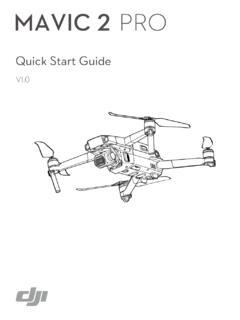
Quick Start Guide - dl.djicdn.com
dl.djicdn.comthe DJI GO 4 app on your mobile device at up to 1080p. An on-board LCD screen gives real- time aircraft data information and the detachable control sticks make the remote controller

PHANTOM 2 VISION - dl.djicdn.com
dl.djicdn.comBe sure to watch your fight distance as the PHANTOM 2 VISION will enter Failsafe mode (auto-landing or go home and land) if it flies beyond this range. FCC compliant devices have an effective range of 500 meters in open spaces.
Related documents

Network / IP Camera - RIT
ridl.cfd.rit.eduThe IP camera can be connected to an Ethernet network using the RJ-45 port as shown. Connect the camera to an Ethernet hub or switch using a standard cable. You can also connect the camera directly to a computer using the supplied cable. Connecting Power Connect the power adapter to the DC-IN socket on the camera as shown.
Updating the Firmware for Mirrorless Cameras, NIKKOR Z ...
download.nikonimglib.com8-2. Check the camera or accessory firmware version as described in Step 2, “Check the current firmware version”. 8-3. The camera will display the firmware versions for the camera (C, A, or B) and any attached lens (LF) or mount adapter (MA), flash unit (S), or wireless remote controller (W). If the updated version is displayed, the update was

PTZOptics Firmware Upgrade Instructions
f.hubspotusercontent20.netLocate the camera you wish to firmware update from the newly found list. Right-Click the camera and select “Backup”. 1 2 . 2 Rev 1.4 9/21 3. From the Backup Tab, click the “Backup” button to begin the Backup process. a. Occasionally, the Backup process will fail. When this happens, simply click “Backup” again to begin the

Manual Firmware Update Instruction - Yi Technology
oss.yitechnology.comThe camera firmware will be updated automatically. The whole process may take 2-3 minutes. Note: 1. Re-pairing the camera may be needed in some cases, just follow the voice prompts. 2. If the camera is still out of use after update, it’s recommended to reset the camera and
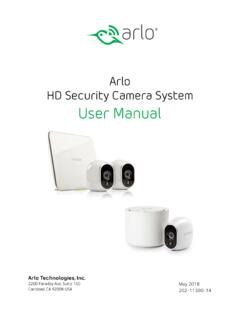
Arlo HD Security Camera System User Manual
www.arlo.comA firmware update might start after you sync a camera to the base station. If a firmware update is in progress, the LED on the camera blinks alternating blue and amber. After this, the LED is off for one to two minutes while the camera installs the …

Device Firmware Update (DFU) for Windows
www.intel.com10. Verify the firmware version installed on camera by pressing, “4” and [NTR] followed by “1” and [ENTER] Notice the firmware version has changed on the Intel® RealSense™ Cameraselected for firmware update DFU Tool Install/Usage on Windows* 10 Host 9 10
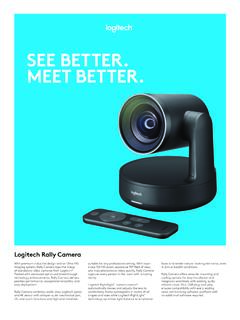
SEE BETTER. MEET BETTER. - Logitech
www.logitech.comRally Camera combines world-class Logitech optics and 4K sensor with whisper-quiet mechanical pan, tilt, and zoom functions and high-end materials faces and render natural-looking skin tones, even ... Firmware tool makes it easy to apply the latest features and enhancements.