MONOPRICE
1. Download the free MP 3D Printer WiFi Connect app from the Google Play Store or from iTunes, depending on which type of mobile device you have. 2. Disconnect the USB cable from the printer. You cannot use USB and Wi-Fi connections at the same time. 3. Power on the printer. 4. Start the MP 3D Printer WiFi Connect app. 5.
Download MONOPRICE

Information
Domain:
Source:
Link to this page:
Documents from same domain
User manual for Earphone - Monoprice
downloads.monoprice.comYour Bluetooth device should find “Monoprice Earphones”; select it and, if prompted, use 0000 as a pin for a pairing code. 5. Verify that you are connected to the “Monoprice Earphones”.Pairing is completed
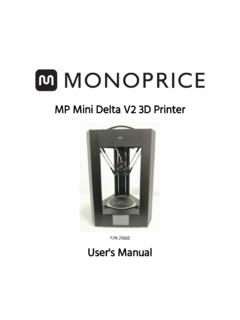
MP Mini Delta V2 3D Printer - downloads.monoprice.com
downloads.monoprice.com3x Hex wrench (1.5, 2.0, and 2.5 mm) 1x AC power adapter 1x AC power cord 1x Touchscreen stylus PRODUCT OVERVIEW 1. Nozzle 2. microSD™ card slot 3. Color touchscreen 4. Extruder 5. Filament holder 6. Build platform 7. Power switch 8. DC power connector 9. Micro USB port
Related documents
Mega Manual - Alle Informationen zum Anycubic i3 MEGA
anycubic-i3-mega.dePlease read the user manual carefully. Please visit www.anycubic3d.com for more information. Email us on support@anycubic3d.com or james@anycubic3d.com for technical support. If you experience any issues with this product, or the performance is not what you had expected, please contact us first. We are here to solve any problems for you. Team ...

BIGTREETECH SKR 2 - cdn-3d.niceshops.com
cdn-3d.niceshops.comAdditionally you can connect or ... Recommended software: Cura, Simplify3D, pronterface, Repetier-host, Makerware II. Power on the motherboard ... The installation stroke is far shorter than a push-push type SD slot and therefore customers should be gentle when inserting or removing a card.
MP Mini Delta V2 3D Printer
downloads.monoprice.comPlease read this entire manual before using this device, paying extra attention to these safety warnings and guidelines. Please keep this manual in a safe place for future reference. • This device is intended for indoor use only. • Do not expose this device to water or moisture of any kind. Do not place drinks or
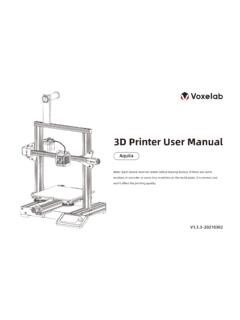
3D Printer User Manual - Voxelab 3D p
enfss.voxelab3dp.com3D Printer User Manual Aquila V1.3.3-20210302 Note: Each device must be tested before leaving factory. If there are some residues in extruder or some tiny scratches on the build plate, it is normal and won’t affect the printing quality.
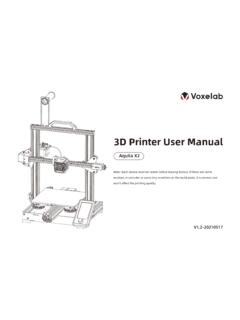
3D Printer User Manual
enfss.voxelab3dp.com3D Printer User Manual Aquila X2 V1.2-20210517 Note: Each device must be tested before leaving factory. If there are some residues in extruder …
Dobot Magician User Manual - Génération Robots
www.generationrobots.comDobot Magician User Manual 1. Dobot Magician Driver Installation Instruction When first connecting the Dobot, connect the Dobot to PC through the USB port. Then, power on the Dobot, then the system will recognize the corressponding hardware automatically and will search for the correct driver and install it.