
Network Guide - Ricoh
Network Guide Read this manual carefully before you use this machine and keep it handy for future reference. For safe and correct use, be sure to read the
Download Network Guide - Ricoh

Information
Domain:
Source:
Link to this page:
Documents from same domain
Istruzioni per l’uso Risoluzione dei problemi
support.ricoh.comIstruzioni per l’uso Risoluzione dei problemi Leggere attentamente questo manuale prima di utilizzare la macchina e tenerlo a disposizione per …
Operating Instructions General Settings Guide - …
support.ricoh.comOperating Instructions General Settings Guide Read this manual carefully before you use this machine and keep it handy for future reference. For safe and correct use, be sure to …
DDST Unit Type A / Type B - Ricoh
support.ricoh.comDDST Unit Type A / Type B Operating Instructions Printer / Scanner Reference Read this manual carefully before you use this machine and keep it handy for future reference.
Gebruiksaanwijzing Scannerhandleiding - …
support.ricoh.comGebruiksaanwijzing Scannerhandleiding Lees deze handleiding zorgvuldig door voordat u dit apparaat gebruikt en houd hem bij de hand voor toekomstig gebruik.
SP 210/SP 210SU/SP 210SF/ SP 211/SP ... - …
support.ricoh.com5 CTT213 CTT073 CTT074 DCT032 DCT049 CTT029 To connect to the network via wireless LAN, see Wi‑ Fi Settings Guide. Otherwise, see page 7 "2. Install‑
Manuel utilisateur Guide de paramétrage général
support.ricoh.comManuel utilisateur Guide de paramétrage général Lisez attentivement ce manuel avant d’utiliser ce copieur et conservez-le dans un endroit accessible afin de pouvoir vous y référer ultérieure-
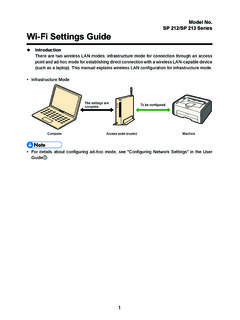
SP 212/SP 213 Series Wi-Fi Settings Guide - Ricoh
support.ricoh.com1 Model No. SP 212/SP 213 Series Wi-Fi Settings Guide Introduction There are two wireless LAN modes: infrastructure mode for connection through an access point and ad-hoc mode for establishing direct connection with a wireless LAN-capable device
Operating Instructions General Settings Guide - …
support.ricoh.comOperating Instructions General Settings Guide Read this manual carefully before you use this machine and keep it handy for future reference. For safe and correct use, be sure to …
Operating Instructions Troubleshooting - Ricoh
support.ricoh.comOperating Instructions Troubleshooting Read this manual carefully before you use this machine and keep it handy for future reference. For safe and correct use, be …
Network Guide - Ricoh
support.ricoh.comNetwork Guide Read this manual carefully before you use this machine and keep it handy for future reference. For safe and correct use, be sure to read the
Related documents
Multifunction Color RICOH MP C3003/MP C3503/ …
brochure.copiercatalog.comPower, precision and productivity — just for you The RICOH® MP C3003/MP C3503/MP C4503/MP C5503/MP C6003 series of Multifunction Products (MFPs) is engineered to work the way you do. It combines high-quality, full-color output

Ricoh Aficio MPC2500/C3000 & C3500/C4500 Series …
occopytech.comSmartDeviceMonitor for Admin is a robust utility designed for network administrators to install, monitor, and manage all networked Ricoh peripherals from a single workstation.

Ricoh Aficio MP 4000B/MP 4000 & MP 5000B/MP …
printservices.columbia.eduRicoh Aficio MP 4000B/MP 4000 & MP 5000B/MP 5000 Exceptional Speed, Optimal Efficiency, and Worry-Free Security. Expand your …
Advanced Office Document Stations - Ricoh
www.ricoh-photocopiers.co.ukSimple to Operate • straightforward operation thanks to user friendly operation panel • full front accessibility: hassle free paper refills and toner replacement

Ricoh Sustainable Products Program
www.ricoh.comMP C6004/C5504/C4504/C3504/C3004/C2504/C2004 Series Top runner items in the industry: 1. TEC value*1 (Assessment axis: Energy Efficiency) 2. Recovery Time from ...

RICOH Smart Device Print&Scan
www.ricoh.comRICOH Smart Device Print&Scan User Manual for iOS Read this manual carefully before you use this machine.