
Operating Instructions Printer / Scanner Reference
Operating Instructions Printer / Scanner Reference Read this manual carefully before you use this machine and keep it handy for future reference. For safe and correct use, be sure to read the Safety Information in the "Copy Reference" before using the machine. Getting Started Installing the Software Using the Printer Function
Download Operating Instructions Printer / Scanner Reference

Information
Domain:
Source:
Link to this page:
Documents from same domain
Istruzioni per l’uso Risoluzione dei problemi
support.ricoh.comIstruzioni per l’uso Risoluzione dei problemi Leggere attentamente questo manuale prima di utilizzare la macchina e tenerlo a disposizione per …
Operating Instructions General Settings Guide - …
support.ricoh.comOperating Instructions General Settings Guide Read this manual carefully before you use this machine and keep it handy for future reference. For safe and correct use, be sure to …
DDST Unit Type A / Type B - Ricoh
support.ricoh.comDDST Unit Type A / Type B Operating Instructions Printer / Scanner Reference Read this manual carefully before you use this machine and keep it handy for future reference.
Gebruiksaanwijzing Scannerhandleiding - …
support.ricoh.comGebruiksaanwijzing Scannerhandleiding Lees deze handleiding zorgvuldig door voordat u dit apparaat gebruikt en houd hem bij de hand voor toekomstig gebruik.
SP 210/SP 210SU/SP 210SF/ SP 211/SP ... - …
support.ricoh.com5 CTT213 CTT073 CTT074 DCT032 DCT049 CTT029 To connect to the network via wireless LAN, see Wi‑ Fi Settings Guide. Otherwise, see page 7 "2. Install‑
Manuel utilisateur Guide de paramétrage général
support.ricoh.comManuel utilisateur Guide de paramétrage général Lisez attentivement ce manuel avant d’utiliser ce copieur et conservez-le dans un endroit accessible afin de pouvoir vous y référer ultérieure-
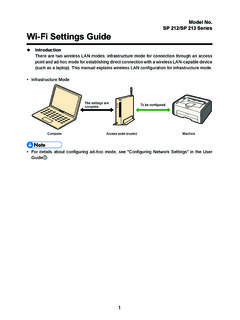
SP 212/SP 213 Series Wi-Fi Settings Guide - Ricoh
support.ricoh.com1 Model No. SP 212/SP 213 Series Wi-Fi Settings Guide Introduction There are two wireless LAN modes: infrastructure mode for connection through an access point and ad-hoc mode for establishing direct connection with a wireless LAN-capable device
Operating Instructions General Settings Guide - …
support.ricoh.comOperating Instructions General Settings Guide Read this manual carefully before you use this machine and keep it handy for future reference. For safe and correct use, be sure to …
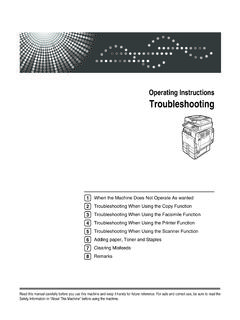
Operating Instructions Troubleshooting - Ricoh
support.ricoh.comOperating Instructions Troubleshooting Read this manual carefully before you use this machine and keep it handy for future reference. For safe and correct use, be …
Network Guide - Ricoh
support.ricoh.comNetwork Guide Read this manual carefully before you use this machine and keep it handy for future reference. For safe and correct use, be sure to read the
Related documents
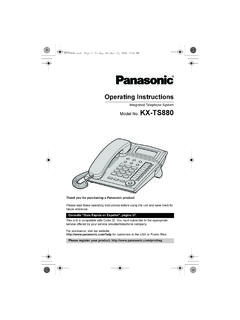
Operating Instructions - Panasonic
panasonic.aeOperating conditions: 0 °C–40 °C (32 °F–104 °F), 20 %j80 % relative air humidity (dry) Note: ≥Design and specifications are subject to change without notice. ≥The illustrations in these instructions may vary slightly from the actual product. KX-TS880.book Page 5 Friday, October 15, 2010 5:04 PM
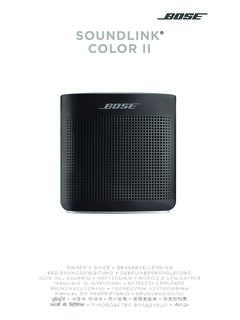
SOUNDLINK COLOR II - Bose
assets.bose.comThis symbol means there are important operating and maintenance instructions in this guide. • Use this product only with an agency approved power supply which meets local regulatory requirements (e.g., UL, CSA, VDE, CCC) in accordance with the manufacturer’s specifications.
Operating Instructions - Panasonic
panasonic.aeEnglish Operating Instructions Air Conditioner F568979 Operating Instructions Air Conditioner Thank you for purchasing Panasonic Air Conditioner. Installation instructions attached. Before operating the unit, read these operating instructions thoroughly and keep them for future reference. Model No. Indoor Unit Outdoor Unit CS-C12PKF-3 CS-C18PKF ...

IoT2000 Operating Instructions - Siemens
cache.industry.siemens.comOperating Instructions, 10/2016, A5E37656492-AB 11. 1.3 Accessories This chapter contains the scope of accessories valid at the time these operating instructions were written. The following accessories are not included in the scope of delivery and can be ordered separately. Additional accessories can be found on the Internet at: Industry Mall

OPERATING INSTRUCTIONS Dx35 - cdn.sickcn.com
cdn.sickcn.comThe operating instructions are an integral part of the product. Store the in-structions in the immediate vicinity of the device so they remain accessible to staff at all times. Should the device be passed on to a third party, these operating instructions should be handed over with it. These operating instructions do not provide information on ...

Operating Instructions (English) - Panasonic
help.panasonic.caOperating Instructions Model No. KX-TG9541 KX-TG9542 2-LINE Cordless Telephone with Link2Cell and Digital Answering Machine KX-TG9551 KX-TG9552 Model shown is KX-TG9541. Before initial use, see “Getting Started” on page 9. Thank you for purchasing a Panasonic product. Please read these operating instructions before using the unit and save ...
OPERATING INSTRUCTIONS Basic Guide Model No. CF-20 …
na.panasonic.com“Operating Instructions Reference Manual” and “Operating Instructions Connect to a net-work” as the “Reference Manual” and “Connect to a network”. l Screen messages are explained in [English (United States)]. (Depending on the language preference, some screen messages in these instructions are dif-

Safe Forklift Operation
www.osha.govand operating a forklift. • Use proper footing and the handhold, if available, when entering the lift. • Use horns at cross aisles and obstructed areas. • Watch for pedestrians and observe the speed limit. • Do not give rides or use the forks to lift people. Safety Training • Only trained and certified workers may operate a forklift.

Operating Instructions Plasma Television - Panasonic
www.panasonic.comEnglish Model No. TH-42PZ80A TH-50PZ80A Operating Instructions Plasma Television Please read these instructions before operating your set and retain them for future reference. The images shown in this manual are for illustrative purposes only.

Operating Instructions (English) - Panasonic
www.panasonic.comOperating Instructions Model No. KX-TG7872AZ KX-TG7873AZ Digital Cordless Telephone with Link-to-Cell System Model shown is KX-TG7872. Before initial use, see “Getting Started” on page 10. Thank you for purchasing a Panasonic product. Please read these operating instructions before using the unit and save them for future reference.