
Operating Instructions (Remote Panel Operation) The ...
Operating Instructions (Remote Panel Operation) Introduction The administrator can use from a browser “Remote Panel Operation” to monitor or operate the device remotely within the administrator’s network. ... When the screen is released from being hidden, it is displayed again.
Download Operating Instructions (Remote Panel Operation) The ...

Information
Domain:
Source:
Link to this page:
Documents from same domain

Istruzioni per l’uso Risoluzione dei problemi
support.ricoh.comIstruzioni per l’uso Risoluzione dei problemi Leggere attentamente questo manuale prima di utilizzare la macchina e tenerlo a disposizione per …

Operating Instructions General Settings Guide - …
support.ricoh.comOperating Instructions General Settings Guide Read this manual carefully before you use this machine and keep it handy for future reference. For safe and correct use, be sure to …

DDST Unit Type A / Type B - Ricoh
support.ricoh.comDDST Unit Type A / Type B Operating Instructions Printer / Scanner Reference Read this manual carefully before you use this machine and keep it handy for future reference.

Gebruiksaanwijzing Scannerhandleiding - …
support.ricoh.comGebruiksaanwijzing Scannerhandleiding Lees deze handleiding zorgvuldig door voordat u dit apparaat gebruikt en houd hem bij de hand voor toekomstig gebruik.

SP 210/SP 210SU/SP 210SF/ SP 211/SP ... - …
support.ricoh.com5 CTT213 CTT073 CTT074 DCT032 DCT049 CTT029 To connect to the network via wireless LAN, see Wi‑ Fi Settings Guide. Otherwise, see page 7 "2. Install‑

Manuel utilisateur Guide de paramétrage général
support.ricoh.comManuel utilisateur Guide de paramétrage général Lisez attentivement ce manuel avant d’utiliser ce copieur et conservez-le dans un endroit accessible afin de pouvoir vous y référer ultérieure-

SP 212/SP 213 Series Wi-Fi Settings Guide - Ricoh
support.ricoh.com1 Model No. SP 212/SP 213 Series Wi-Fi Settings Guide Introduction There are two wireless LAN modes: infrastructure mode for connection through an access point and ad-hoc mode for establishing direct connection with a wireless LAN-capable device

Operating Instructions General Settings Guide - …
support.ricoh.comOperating Instructions General Settings Guide Read this manual carefully before you use this machine and keep it handy for future reference. For safe and correct use, be sure to …

Operating Instructions Troubleshooting - Ricoh
support.ricoh.comOperating Instructions Troubleshooting Read this manual carefully before you use this machine and keep it handy for future reference. For safe and correct use, be …

Network Guide - Ricoh
support.ricoh.comNetwork Guide Read this manual carefully before you use this machine and keep it handy for future reference. For safe and correct use, be sure to read the
Related documents

Go to https://ipay.adp.com/iPay/login.jsf select Register Now
www.ccsiinc.comthis step, be sure to make note of your USER ID which will be provided to you on the screen. At Step 5, you will need to enter contact information – PLEASE USE A PERSONAL EMAIL ADDRESS, NOT A WORK EMAIL. This is used to retrieve pay statements and W-2s, so in the event your assignment has ended, you need to

General Login System (GLS) Instructions
eweb.sba.govInstructions 1 . 1. Overview 3 2. SBA Account Login 4 3. Request User ID 5 4. GLS Sign In 6 5. Update Password 7 6. Welcome Screen 8 7. Update Profile 9 8. Request Application Access 12 9. E8(a), HUBZone, and WOSB Access 14 10. Application Access Approval Process 15 11. Application Access 16 Table of Contents ...

Create a Pearson VUE Account / Testing Profile
www.pearsonvue.comFeb 26, 2015 · Last updated: February 26, 2015 Page 2 of 11 3. Once you have agreed, please begin to create your profile by entering the information as shown below. Choose the “Next” button once all information has been entered.
NIH and Other PHS Agency Research Performance Progress ...
grants.nih.govNIH RPPR Instruction Guide 2 May 22, 2017 NIH and Other PHS Agency Research Performance Progress . Report (RPPR) Instructional Guide . May 22, 2017 . Note: The forms used in the RPPR system have been approved by OMB through March 2020 and the
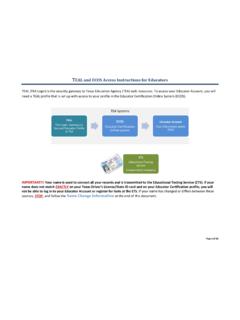
TEAL and ECOS Access Instructions for Educators
secure.sbec.state.tx.usTEAL and ECOS Access Instructions for Educators Page 1 of 18 . TEAL (TEA Login) is the security gateway to Texas Education Agency (TEA) web resources. To access your Educator Account, you will need a TEAL profile that is set up with access to your profile in the Educator Certification Online System (ECOS).

Move Your OneNote Notebooks to Your OneDrive Cloud …
www.uwsp.eduMethod 1: Move OneNote Notebook Sections to a New Cloud Notebook Use these steps to move selected Section tabs from your original Notebook to a Notebook in your OneDrive Sync Client. Moving individual Sections allows you to separate them into different Notebooks or aggregate Sections from multiple
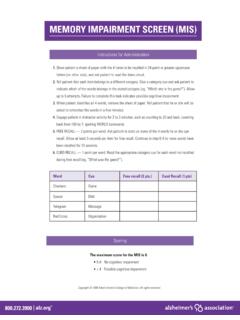
Memory Impairment Screen (MIS)
www.alz.orgMEMORY IMPAIRMENT SCREEN (MIS) Instructions for Administration Word Cue Free recall (2 pts.) Cued Recall (1 pts) Checkers Game Saucer Dish Telegram Message Red Cross Organization Scoring The maximum score for the MIS is 8. • 5-8 No cognitive impairment • ≤ 4 Possible cognitive impairment

Samsung Galaxy A32 5G User Manual - Sprint
www.sprint.comA touch screen responds best to a light touch from the pad of your finger or a capacitive stylus. Using excessive force or a metallic object on the touch screen may damage the surface of the screen and the damage will not be covered by the warranty.

How to update your application online
www.healthcare.govthe bottom of each screen to get there. STEP 7 . SAVE & CONTINUE EDIT REMOVE . Change your answers, as needed, by selecting Edit or Remove, or by using the drop-downs. Verify your changes show correctly. Then, select Save & Continue. STEP 8 . SUBMIT APPLICATION . Once you’ve gone through your entire application and reported your changes, select

Citrix Access Gateway (MD Portal) Remote Set-Up Instructions
home.smh.comRemote Set-Up Instructions First go to SMH.com typing into your address Bar ... You should now see the Citrix Access Gateway login screen Enter your login credentials given to you (usually last name, first initial for your login name) please call 941-917-6107 for help .